Do Smart Locks Work Without Wi-Fi or Internet? Local Entry, Remote Access and Backup
Your internet goes down while you are away. A family member arrives at the door, a guest needs a new code and you want to check whether the house is locked. Those three requests can have different answers on the same smart lock.
Many smart locks preserve supported local entry without internet, including previously stored keypad codes or nearby phone credentials. Remote commands, new access changes and online history can stop or become delayed. An exhausted lock battery is a different problem again. Instead of asking whether a lock works offline, identify the exact function and failure you need it to survive.
Separate internet, Wi-Fi and electrical power
The router can keep providing a local network when the broadband connection fails. Wi-Fi can disappear if that router is off, even while the lock’s own battery remains charged. A battery-operated lock can therefore remain mechanically and electronically usable at the door while its app is unreachable from another location.
A separate bridge or home hub adds another powered component. It might be required for remote access but not for a supported local keypad. The presence of a battery in the lock does not keep those other devices alive.
| Failure | What is missing | What may remain available |
|---|---|---|
| Broadband outage | Route from the home to online services | Supported local codes, nearby communication and mechanical use |
| Router or Wi-Fi failure | Normal local wireless path through that equipment | Independent Bluetooth or keypad functions where supported |
| Bridge or controller loses power | Functions depending on that intermediary | Lock-local access methods documented by the maker |
| Household mains outage | Power to router, hubs and other mains equipment | Battery-powered lock functions while its own supply remains adequate |
| Lock battery exhausted | Power for the lock’s electronics or motor | Only the product’s documented mechanical or emergency-power options |
| Phone unavailable | Credentials or app access on that phone | Other previously configured authorized methods |
Do not test all these failures at once. Disconnecting the router and removing the lock battery together cannot tell you which function depended on which component.
Three different paths to the same door
Keypad or supported reader → powered lock → bolt operation.
Authorized phone → supported local radio or NFC method → powered lock.
Phone elsewhere → service and internet path → hub or lock connection → powered mechanism.
The third path contains more dependencies. A working phone on mobile data does not restore an internet connection missing at the house. Conversely, the failure of that remote path does not prove a person at the door cannot use an enrolled local credential.
Model examples: what the manufacturers document
| Example | Documented local function | Separate limitation |
|---|---|---|
| Schlage Encode Plus | Stored access codes and configured Apple Home Key can operate without active internet | Cloud history and remote updates depend on their connection |
| Schlage Arrive | Stored codes and schedules remain active; nearby app operation is supported through Bluetooth | From-anywhere management needs the documented online arrangement |
| August setups with a compatible keypad | Manufacturer documentation distinguishes nearby Bluetooth administration from bridge-assisted remote changes | Confirm the exact lock generation, keypad and provisioning process |
| Nuki Smart Lock arrangements | Supported nearby Bluetooth operation is separate from the internet remote-access path | Generation, accessory and controller requirements still apply |
This is a feature comparison, not a claim that every product from those brands works identically. Manufacturer pages were checked on November 8, 2026. Identify the exact model and setup before treating an example as your fallback plan.
Schlage Encode Plus: Home Key is not a cloud command
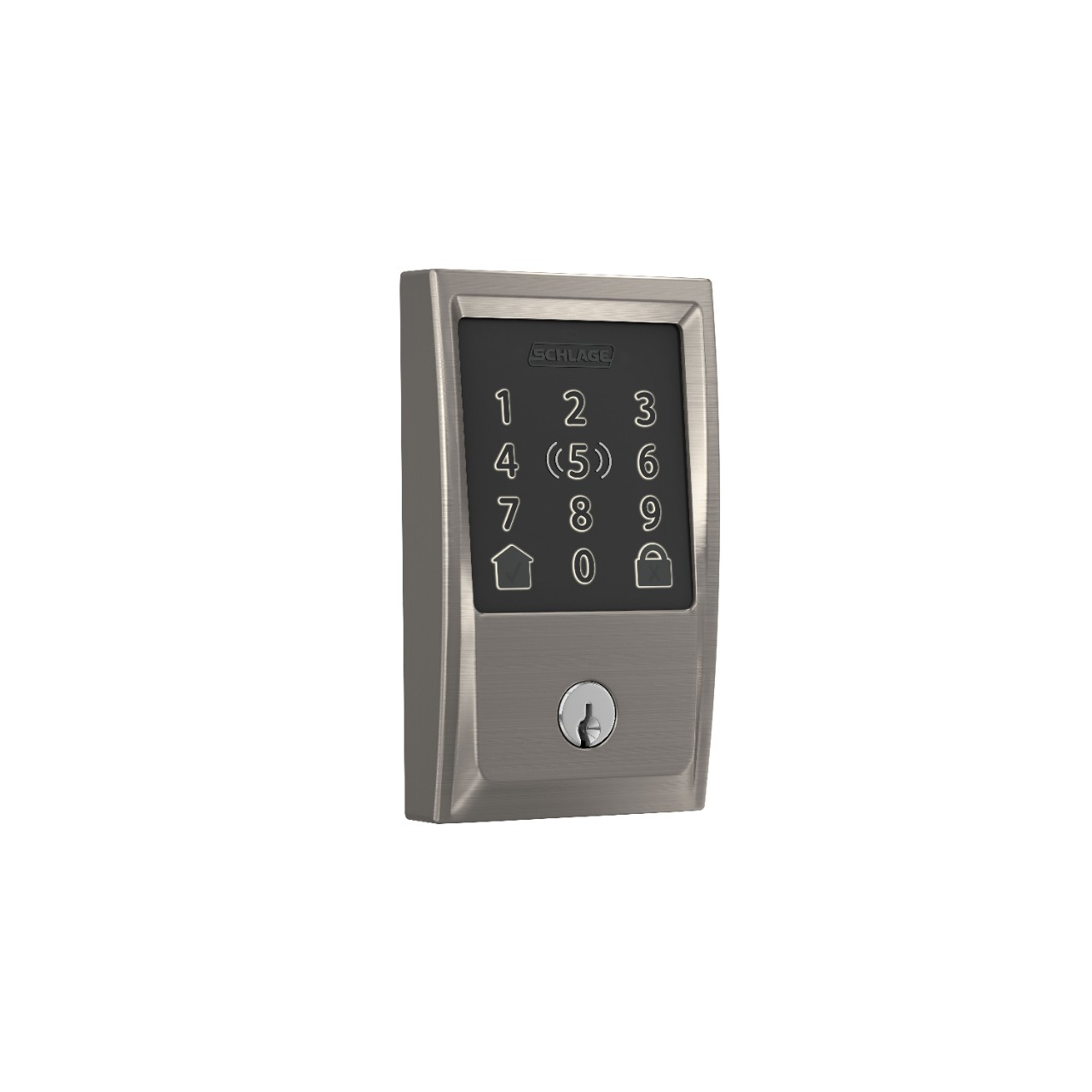
Schlage’s Encode Plus guidance says stored codes continue operating during internet disruption and describes Home Key’s local NFC access. It separately notes that cloud history can be delayed until connectivity returns.
That does not establish every possible phone-battery or accessory scenario. Configure the supported credential beforehand and check the relevant phone-platform requirements. A remote app icon showing the last known state is not a live confirmation of what the door is doing now.
Schlage Arrive: a useful explicit offline specification
The Arrive product page states that codes and schedules remain active during power or Wi-Fi outages and that the app can operate nearby over Bluetooth. It also ties remote account management to the connected setup.
This is the kind of wording to seek before purchase: named functions, not simply works without internet. Compare the supported manual and credentials with the household’s actual requirements rather than assuming another model with a similar keypad has the same behavior.
Nearby access does not mean every setup action is offline
A previously enrolled user and a person accepting a new invitation are different cases. Account creation, credential enrollment, updates or other administrative functions can require connectivity even when ordinary entry later works locally.
August’s entry-code support article distinguishes changes made near a lock over Bluetooth from remote changes through a supported bridge. Its applicability should be checked against the actual hardware generation rather than extended to every keypad product.
Test new guest access before the guest arrives and before assuming it will work at a site without broadband. A message saying invitation sent is not the same as confirmation that the lock has received and stored the intended permission.
What happens to guest-code changes during an outage?
If a remote command cannot reach the lock, do not assume it has changed the local credential set. The app may show a pending action, an error or another status depending on the platform. Read the documented synchronization behavior and confirm the outcome.
This matters for revocation as well as addition. Deleting a user from a cloud screen during a communication failure may not instantly update every device. For urgent unwanted access, follow the manufacturer’s support and legitimate physical-security process rather than relying on an unconfirmed command.
For holiday accommodation or frequent visitors, prepare an authorized backup procedure that does not require unrestricted sharing of an owner account. A service provider’s operational requirements can differ from a household’s occasional guest use.
Local Bluetooth and remote bridges
A bridge links an appropriate local connection to an internet path; it does not make the lock’s battery irrelevant. Nuki’s Bridge instructions describe that role, while current products may include their own connectivity instead of requiring the older accessory.
Do not add a bridge just because an old review recommends one. Check whether your generation needs it and whether it is compatible. A powered bridge on the wrong account or beyond the supported range does not create reliable remote access.
Our retrofit comparison identifies the different arrangements in Yale Approach, August Wi-Fi and Nuki Pro examples. The installation should follow the product, not a generalized brand name.
Matter, Thread and home hubs
These labels describe parts of an integration, not a universal promise about every feature during an outage. Determine whether the controller supports local execution, what network components must remain powered and which functions still use a manufacturer’s online service.
A local command through a suitable controller can have different dependencies from a remote voice request or a new guest invitation. Read the exact lock and controller instructions together. A badge on each box does not explain the whole access workflow.
For an advanced installation, document the route rather than guessing from which app looks most responsive. Nuki’s API concepts similarly distinguish device communication and remote services; integrations can introduce their own connection and update requirements.
Power failure is not the same as a dead lock battery
Many residential smart locks use their own batteries, so a household power cut need not stop local entry. But those batteries can still become depleted independently. A keypad command cannot drive an unpowered motor merely because the router has backup power.
Know the documented fallback. It may be a mechanical key or a specific emergency-power method. Do not connect random batteries, cables or power supplies to a lock because another model has external terminals.
Our battery guide explains model-specific cells, charging and warnings. Resolve excessive mechanical resistance instead of repeatedly replacing batteries in a motor struggling against a misaligned door.
A retained key needs a real-world check
On an interior retrofit, verify that the existing key still operates the door from outside in the installed arrangement. Some cylinder designs behave differently when a key is already inserted on the inside.
Nuki’s emergency-function guidance explains that particular compatibility issue. Use the approved safe test with the door open and a legitimate backup available. Do not deliberately lock yourself out to prove the fallback exists.
Keep the key somewhere accessible to an authorized person outside the locked interior, without using an obvious hiding spot. A spare lying beside the dead battery inside the house is not an effective access plan.
What if the phone is missing or has no charge?
Have another authorized method appropriate to the product: a local code, supported fob, mechanical key or another enrolled household user. Check whether phone-based features require a particular power reserve or device state rather than assuming every digital key works on a dead handset.
If the phone was stolen, follow the platform and lock maker’s supported revocation procedure from a trusted device. Losing a handset can affect email and account recovery as well as the lock app. Our phone-loss guide addresses that wider priority.
Do not distribute the administrator password as a fallback for guests. Individual access is easier to limit and remove when the situation changes.
Why the app might show the wrong status
During a connection interruption, the displayed lock state can be the last report received rather than a fresh observation. Check timestamps and offline indicators. A green icon from before the outage does not prove the entrance remains locked.
Also distinguish bolt position from door position. A motor can complete a movement while the leaf is open, unless the product has and correctly uses additional sensing. Connectivity cannot repair an inaccurate or uncalibrated position sensor.
For an important unanswered security question, use an appropriate trusted local check or response process. Do not repeatedly send contradictory lock and unlock commands in the hope one eventually succeeds.
Choose an offline-first setup for the actual property
A house with occasional broadband interruptions can use a well-documented local-access arrangement while accepting that remote history pauses. A cabin without dependable internet needs a more explicit plan for initial setup, guest changes and maintenance visits.
A rental operator who must revoke access immediately from another city has a requirement beyond ordinary offline entry. Investigate supported communications and an accountable local response, not merely whether a previously enrolled code works.
A nonconnected electronic keypad may be adequate when remote administration is unnecessary. Our smart-lock value guide helps decide whether online features solve a recurring problem or only add complexity.
A safe outage test
Choose a noncritical period with an authorized alternative entrance or person available. Do not interrupt shared networks, monitored systems or medical equipment without agreement. Save settings and confirm normal operation first.
- Test each existing local credential while connectivity is normal.
- Use a supported method to interrupt the home’s internet path while leaving the lock powered.
- Check local entry and record which remote functions become unavailable.
- Compare the app’s displayed state with a direct observation of the door.
- Restore the connection and confirm normal synchronization.
- Test a different failure, such as bridge power loss, only as a separate approved experiment.
Do not remove the lock battery as a substitute for an internet test. Do not deliberately erase or revoke your only credential to test administration. The purpose is to establish a safe fallback, not to manufacture a lockout.
Prepare a one-page access record
| Write down privately | Why it is useful |
|---|---|
| Exact lock and hardware generation | Identifies the correct support procedure |
| Local methods already enrolled | Shows what can work without a new invitation |
| Remote dependencies | Identifies the router, bridge or home controller involved |
| Battery and backup method | Prevents confusion between internet and power failures |
| Account recovery route | Supports legitimate administration after phone loss |
| Test date and limitations | Records evidence rather than a remembered marketing promise |
Keep the record secure and accessible without relying entirely on the device it describes. Review it after changing the router, phone, lock cylinder or household users.
Frequently asked questions
Will a smart lock unlock itself when Wi-Fi fails?
A lost internet connection is not an unlock command. Check the exact product’s mechanical state and approved failure behavior rather than assuming a universal outcome.
Can I send a new guest code to an offline lock?
Only through a supported path that can actually update it. A cloud request may remain pending; verify that the lock has received the intended change.
Do I need internet for every keypad entry?
Many suitable models use already stored local credentials. Confirm the specific lock, schedule and setup rather than generalizing from the keypad’s appearance.
What is the most important fallback?
An authorized method already tested at your installed door and available when the phone or connection is unavailable. A claimed feature that nobody has configured is not a fallback.