How to Test a Home Alarm System: Sensors, Monitoring and a Safe Return to Service
.sl-alarm table{border-collapse:collapse;width:100%;margin:24px 0}.sl-alarm th,.sl-alarm td{border:1px solid #bccbd0;padding:12px;text-align:left;vertical-align:top}.sl-alarm th{background:#edf4f2}.sl-alarm .table-scroll{overflow-x:auto}.sl-alarm figure{max-width:800px;margin:28px auto}.sl-alarm img{display:block;max-width:100%;height:auto;margin:auto}.sl-alarm figcaption{font-size:14px;line-height:1.6;color:#435b62;padding-top:10px}
A keypad that accepts your code proves one useful thing: you can operate that control. It does not prove that the kitchen contact detects an opening, that the hallway detector covers the approach, or that the monitoring service receives a signal. A worthwhile alarm test separates those functions instead of creating one loud incident and calling the system healthy.
Agree the test with the manufacturer or monitoring provider, verify the intended devices and reporting path, then confirm the system is back in normal service. Do not assume that every option called Test Mode suppresses dispatch. This guide covers planned intrusion-system checks; smoke, carbon-monoxide, medical, panic and duress functions need their own explicitly approved procedures.
Before testing, establish who controls the system
Confirm the owner account, relevant user permissions and the monitoring provider, if there is one. An installer who set up the alarm years ago may not still be the company receiving signals. Use contact details held in your contract or official account rather than a number supplied by an unsolicited caller.
Keep the model and generation available. The same company may support several generations with different keypads and testing menus. A product-specific guide is more useful than a general instruction to press a certain button combination.
If you inherited an alarm without reliable documentation or ownership access, start with the existing-system takeover guide. Do not experiment with unknown codes or factory resets to discover whether somebody is still monitoring it.
Understand what your Test Mode actually does
There are several distinct functions that can carry a similar label: a sensor walk test, a panel communication test and a monitoring-service test window. Some operate locally; others change how received events are handled. The label alone does not establish the scope.
ADT’s Blue test-mode guidance describes a timed monitoring-test arrangement and how monitoring is re-enabled. That is an example for the named system, not a statement about every ADT panel or every emergency device.
SimpliSafe’s current testing guidance is notably different: its Test Mode does not change monitoring status, and it specifically warns that a Smart Lock duress PIN can still be treated as an emergency. A legitimate test signal may generate an automated acknowledgment, but that is not permission to test unrelated emergency controls.
Ask the provider which tests are authorized, which signals are excluded and when the arrangement expires. Record the answer. Uncertainty about dispatch is a reason to clarify the test with support, not to trigger the alarm and hope someone answers.
Plan a short, controlled test session
Tell household members what will happen and arrange a period when nobody needs to enter unexpectedly. Consider pets, sensitive hearing and nearby occupants before any authorized siren check. Keep the phone used for provider contact available.
Choose a manageable group of devices and a clear end point. A test that drifts into unrelated maintenance can leave exclusions or a service hold active long after the original purpose is finished. Keep replacement work separate unless the provider has explicitly included it in the plan.
Do not test during an actual incident or suspected danger. If something suggests a real intrusion, fire or other emergency, follow the relevant safety response rather than assuming it belongs to the exercise.
Use a test sheet with one row per device
| Item | What to record | Completion evidence |
|---|---|---|
| Front-door contact | Name, location and intended mode | Correct open and closed state received |
| Hall motion detector | Model, placement and approved walk route | Motion detected from the required area |
| Keypad | Authorized routine tested | Expected local control and status |
| Reporting path | Provider-approved test method | Expected test receipt confirmed |
| End of session | Faults, exclusions and service status | Normal operation restored and verified |
Keep this record private because it describes the property and its detection coverage. It need not contain access codes; a reference to the authorized account owner is enough.
Test contact communication and physical detection separately
A sensor test button can confirm that the hub receives a message from the device. Opening the fitted door or window checks whether the magnet and sensor are positioned to detect the actual movement. Both are useful, and one is not a substitute for the other.
Confirm that the reported name matches the opening you moved. An installer can accidentally swap labels while the electronics remain perfectly functional. Correct location information matters when someone must interpret an alarm remotely.
Test each intended moving section. For a window with more than one sash or a double-leaf door, establish what the particular installation covers. Our contact installation guide explains the geometry and model-specific gaps.
Test motion coverage using the correct generation’s procedure
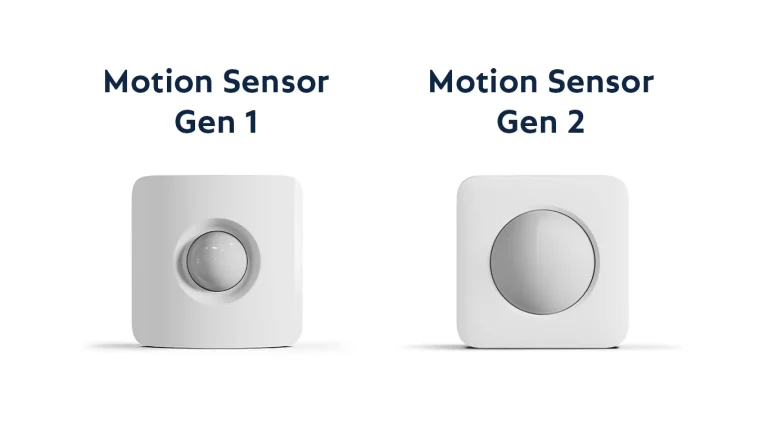
Do not stand directly in front of a sensor waving continuously and assume repeated silence means failure. Some wireless detectors manage battery use through intervals or special walk-test behavior. Follow the timing and preparation documented for the actual model.
SimpliSafe’s Gen 2 procedure distinguishes a button press confirming communication from leaving the room and re-entering after the specified interval to test detection. Its exact timing belongs to that product.
Walk the route a person would normally use, including relevant parts of the room—not just the convenient area beside the sensor. Record blind spots or changed furniture for adjustment. Do not lower protection indiscriminately just to eliminate a troublesome result.
Check the selected mode, not only the detector
A sensor can detect correctly while being excluded from the mode you chose for the household. Review the intended Home, Away or Night assignment as a separate configuration check. Testing with all devices temporarily active does not demonstrate the normal nightly arrangement.
Our mode comparison explains why the names alone are insufficient. Record any intentionally excluded interior areas and the entry route that authorized users will follow.
Have the provider or installer verify special zone programming when necessary. Do not change technician-level settings merely because a test sheet uses a different label from the panel.
Check communication beyond the premises
For professional monitoring, use the provider’s designated test and confirm that the intended test signal arrived. A local siren is not proof of that connection. Conversely, a received periodic test message does not prove every detector has passed its physical test.
For self-monitoring, verify the agreed notifications on the intended recipient’s device, including ordinary phone settings that affect alerts. Be precise about what was tested: an app history entry, an email and a push notification are different outputs.
The monitoring comparison helps define who acts afterward. Do not measure a provider’s emergency response time from a non-emergency test acknowledgment unless the provider explicitly specifies that test.
Ask which checks the product supports and what the result should look like. Pulling plugs at random can create avoidable trouble conditions, interrupt cameras or leave the system dependent on a depleted battery. The alarm panel and the household router may have different backup arrangements.
A basic user test can include reviewing power status and battery warnings without opening enclosures. Where the manufacturer permits a controlled outage simulation, follow its method and restore the supply promptly. Do not conduct battery endurance experiments on the only active security system.
For components containing mains connections or unfamiliar packs, arrange professional servicing. A successful battery icon is not a reason to handle electrical parts that the user manual does not designate for owner access.
A keypad photo helps identification, not diagnosis
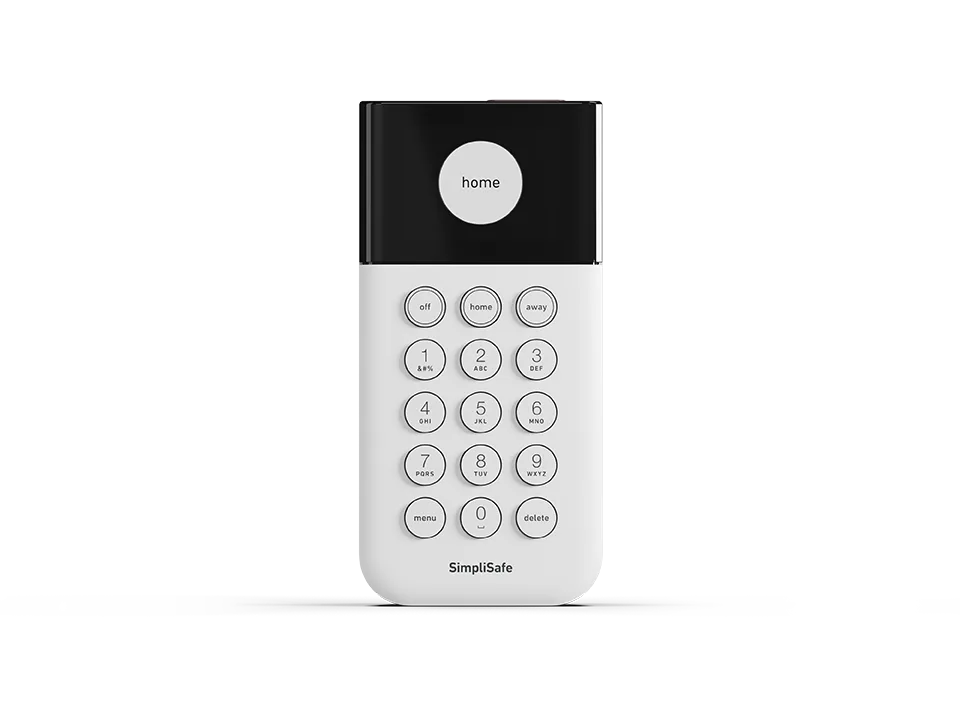
Keep the model information with the test record so a future user can find the correct instructions. Do not circulate photographs displaying master codes, recovery details or an unredacted private floorplan.
A familiar faceplate may exist across multiple firmware versions or installations. Use the current official procedure and the account’s real monitoring arrangement rather than relying on memory from a previous property.
Glass-break and life-safety devices are not DIY noise experiments
Follow the specific approved testing method for a glass-break detector. Breaking glass, striking an object or playing an arbitrary recording can be dangerous or produce an uninterpretable result. A sensor’s response to one improvised sound does not establish coverage.
Keep smoke, CO and medical-device testing under their own instructions and provider arrangement. Do not use flames, vehicle exhaust or actual hazardous conditions to test them. Never assume an intrusion test window suspends every life-safety response.
If your system combines these devices, ask exactly which functions remain operational during maintenance. A responsible test plan identifies the limitations instead of quietly treating every connected product as interchangeable.
Restore normal service before putting the checklist away
Exit the local test workflow and end any provider-side test hold through the approved method. Confirm that normal monitoring is active rather than merely assuming a timer will expire. Check the intended armed or disarmed state for the household’s current situation.
Review bypassed devices, open covers and unresolved trouble messages. Restore any settings temporarily changed for the test, including relevant notification recipients. A successful exercise followed by an accidentally excluded front door is not a satisfactory result.
Write down remaining faults and who will repair them. Do not mark the system fully passed if only some devices were tested or a reporting-path problem remains unresolved.
How often should you test?
Follow the frequency specified by the manufacturer, provider and any applicable requirements. Different products and services can set different routines; one universal calendar interval would be misleading.
Also review after installation, relevant repairs, moved sensors, replacement doors or a change of network service. These events can change actual operation without visibly changing the main keypad screen.
For an ordinary household, a manageable record is more valuable than a complicated inspection form nobody completes. Include the date, scope, results and next action, and keep it with the equipment information.
Frequently asked questions
Does Test Mode guarantee that nobody will be dispatched?
No universal guarantee applies. Confirm the exact mode’s scope and the provider’s procedure, especially for emergency and duress functions.
Is the test complete when the siren sounds?
No. That demonstrates an audible output under the tested conditions. Detector coverage and external reporting need their own evidence.
Should I intentionally trigger a live alarm to check response?
Arrange an authorized test with the provider instead. An unplanned activation can create an unnecessary emergency response and still fail to answer the question you intended to test.
The alarm directory covers related setup and troubleshooting decisions. A good test ends with documented results and verified restoration, not just a quiet house.