Will Your Home Alarm Work Without Wi-Fi or Power? Check What Actually Stays Protected
.sl-alarm table{border-collapse:collapse;width:100%;margin:24px 0}.sl-alarm th,.sl-alarm td{border:1px solid #bccbd0;padding:12px;text-align:left;vertical-align:top}.sl-alarm th{background:#edf4f2}.sl-alarm .table-scroll{overflow-x:auto}.sl-alarm figure{max-width:800px;margin:28px auto}.sl-alarm img{display:block;max-width:100%;height:auto;margin:auto}.sl-alarm figcaption{font-size:14px;line-height:1.6;color:#435b62;padding-top:10px}
The router has stopped working, the alarm app will not load and you want to know whether the house is still protected. There is no useful answer in the word wireless alone. The local sensor network, the panel’s power supply and the connection to a monitoring service can fail independently.
A supported alarm may keep detecting intrusion and sounding locally without home internet, while remote controls or reporting become unavailable. During a power cut, that depends on the actual backup supply and operating mode. Check the functions individually instead of accepting the broad claim that a system works offline.
Four different failures can look like one outage
Wi-Fi is the local wireless connection to a router. Internet is the router’s connection beyond the premises. Power runs the devices, and the provider’s service handles some remote functions. Losing one does not automatically mean losing all of them.
An alarm’s door contacts may communicate with its hub through a separate radio system rather than household Wi-Fi. Conversely, an associated camera may depend heavily on the router. Identify each link before deciding what a backup product will preserve.
| Failure | What might still work | What needs checking |
|---|---|---|
| Home internet unavailable, local equipment powered | Local sensors, siren and keypad on supported systems | Cellular reporting, remote app access and online features |
| Router or access point fails | A separate alarm sensor network | Wi-Fi devices, cameras and the panel’s upstream connection |
| Mains power fails | Functions supported by charged backup batteries | Actual runtime and any power-saving restrictions |
| Provider service or account access fails | Some local operation | Remote commands, event delivery and support notices |
These are possibilities, not guarantees about your model. Write down the expected behavior from its documentation and verify it through the approved testing process.
Local protection and remote notification are different jobs
A door contact can report to a powered hub, which sounds its siren, even when no internet path exists—if that system supports local operation. The household may hear the event while an owner away from home receives nothing.
That distinction matters for a self-monitored system. A siren that nobody can hear does not perform the same job as an alert reaching a person who can arrange a response. Decide whether that limitation is acceptable for the property.
Our monitoring comparison separates equipment from response arrangements. A subscription is not automatically necessary for every local function, but a free mode should not be assumed to include every remote function during an outage.
What cellular backup adds
A supported cellular communicator can provide another route for alarm reporting when the normal internet path is unavailable. It needs compatible hardware, service activation and adequate reception. A phone showing bars beside the router does not establish the alarm communicator’s performance.
Check the exact plan and region. Cellular capability in the hardware and an active fallback service are separate things. Do not assume a trial feature remains available after a monitoring change or expired subscription.
Abode’s current plan information distinguishes local operation without an internet connection from cellular backup supplied with its applicable plan. Read the corresponding terms for your provider, and keep the recorded service arrangement with the equipment details.
A concrete Ring example
Ring’s standard Alarm offline guide says the armed system and siren can continue operating when the base goes offline, while app access is affected. Its cellular backup requires a compatible subscription.
The same guide describes a battery-saving transition after 15 minutes and an advertised maximum of up to 24 hours, depending on use. Treat that as a documented product behavior under its conditions, not a guaranteed runtime for every battery, temperature and alarm event.
Ring Alarm Pro is a separate product with different backup-internet arrangements. Its official FAQ should be checked rather than applying standard Alarm statements to every Ring base station.
A concrete SimpliSafe example
SimpliSafe’s power-outage guidance describes keypad operation during backup-power mode and restrictions on remote app control to conserve energy. Associated camera behavior has separate power and connectivity dependencies.
This is an important buying question: can everyone who may need to enter operate the local keypad when the app is unavailable? Test the legitimate local routine before an outage makes it necessary.
Do not infer the backup battery’s condition from the fact that the base runs normally on mains power. A depleted or failed backup can remain unnoticed until the ordinary supply disappears.
List the devices beyond the alarm hub
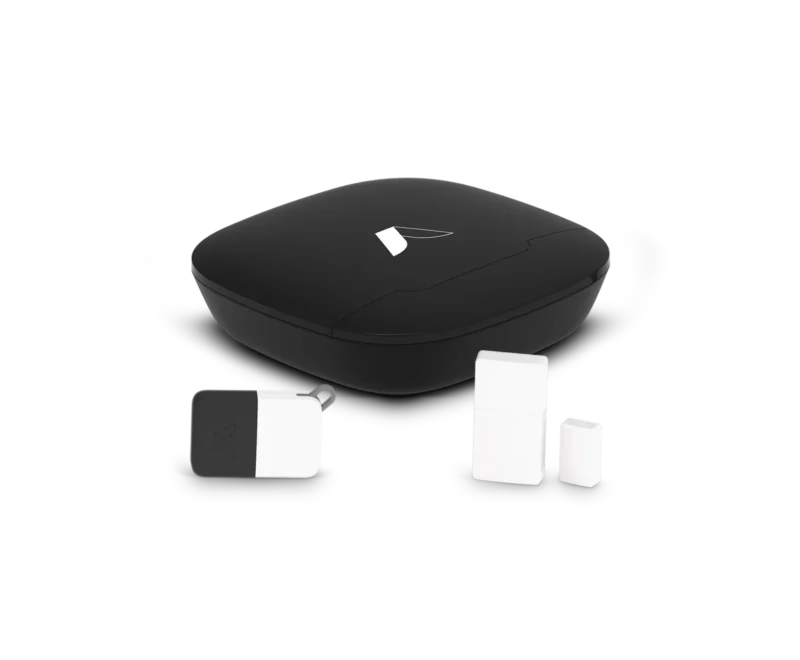
Write down the panel, keypad, contacts, motion detectors, sirens, router, modem or optical-network terminal and any relevant cameras. Indicate which devices use mains, replaceable cells or an approved rechargeable backup.
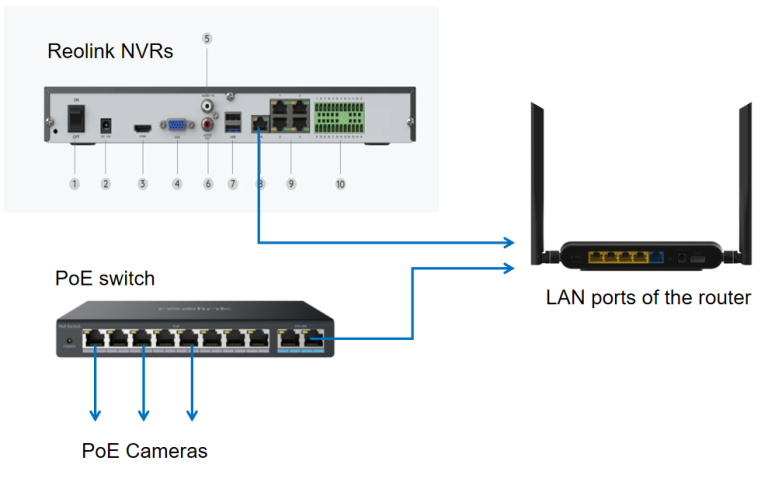
A battery in the alarm base does not keep the router or PoE camera switch powered. A UPS connected to the router does not preserve a separate mains-only siren unless that is also included in an appropriate design.
For cameras that support alarm assessment, use the camera backup-power guide. Do not let a general whole-home protected statement obscure several independent power paths.
Think about runtime as a requirement, not a slogan
Decide what period you need to cover and which functions must remain available. A short interruption while somebody is home differs from a weekend outage at a remote property. Battery age, equipment load and operational conditions affect the actual result.
Check the manufacturer’s specified runtime and maintenance requirements, then ask the provider how it verifies battery health. Avoid draining the only active alarm to measure maximum runtime yourself; use an approved service test.
For long absences, an alert that power has failed may be more useful than an unsupported promise of indefinite backup. Arrange who can respond safely and what they should check. The seasonal-property guide connects monitoring with practical local assistance.
A UPS does not solve every communication problem
A suitable UPS can support listed equipment through a power interruption, but it cannot restore a failed internet provider or an inactive cellular plan. It also has a finite battery and its own maintenance requirements.
Include every needed device and use the UPS manufacturer’s approved load and runtime information. Do not extend a protected power path using unsuitable adapters or put an indoor unit where moisture or heat exceeds its operating conditions.
Where an alarm uses a proprietary battery pack or integrated power design, follow that manufacturer’s arrangements. Adding an unrelated battery to an internal circuit is not a household DIY alternative to an approved backup.
What to check during an actual outage
First establish whether there is an immediate hazard or security incident. Do not investigate a dark property alone when there are signs of intrusion, and do not confuse a smoke or CO alarm with an inconvenience caused by the power failure.
For an ordinary service interruption, check the panel’s reported mode, power state and communication status using the documented local controls. Keep the current warning information rather than repeatedly resetting it. Look for the expected fallback indication where the system provides one.
Use the provider’s official contact route when you cannot establish whether monitoring continues. A working mobile phone is useful for that conversation, but it does not prove the alarm has its own functioning communication path.
Prepare an outage card without exposing credentials
| Question | Record before the outage |
|---|---|
| How do we operate locally? | Correct keypad instructions and authorized user access |
| What survives loss of internet? | Documented sensor, siren and reporting functions |
| What survives loss of power? | Backup-supported equipment and stated limitations |
| Who receives the warning? | Current responsible contacts and provider route |
| What needs a service visit? | Battery faults, repeated failures or unresolved communication |
Do not write master PINs or account-recovery codes on a card displayed beside the panel. Store sensitive information through an appropriate secure arrangement that remains available to authorized users.
Test the scenario in a controlled way
Ask the provider how to verify backup behavior without causing an unnecessary response or damaging the system. Follow the agreed scope and keep normal protection restored afterward. A communication test and a battery-health assessment answer different questions.
The alarm testing guide explains how to separate device detection, reporting and return to service. Never assume a testing screen automatically suppresses panic, duress, smoke or medical functions.
Record the exact result, such as local arming remained available while app control did not. That is more useful than a single passed box next to works during outage.
When service returns, verify recovery
Check that mains power, the intended connection and any normal remote functions return. Review unresolved faults and battery charging status through the supported interface. A screen returning to its usual color does not demonstrate every function has recovered.
Confirm that any temporary test hold, exclusion or notification change is removed. Then perform the appropriate verification with the provider or local test workflow. Record persistent problems instead of waiting for the next outage to discover them again.
Frequently asked questions
Will a wireless alarm stop when Wi-Fi fails?
Not necessarily. Its local sensors may use a different connection to the hub. Check local operation and external reporting separately for the exact system.
Does cellular backup include camera video?
Do not assume it does. Alarm signaling and general backup internet or video service can be different products with different plans and limits.
Will the battery last the advertised maximum?
The maximum is not a universal guarantee. Follow the stated conditions, battery maintenance and actual equipment configuration.
Should I cancel monitoring if the siren still works offline?
That is a separate service decision. Compare who can receive and act on an event, especially when nobody is home to hear the local alarm.
Return to the alarm directory for monitoring and equipment comparisons. Reliable outage planning starts by naming the exact functions that must remain available.