Can a Video Doorbell Work Without Internet? Recording, Chimes and Alerts Explained
A video doorbell can lose internet without losing power, and those two failures are not the same. Whether the doorbell still records, detects motion or rings a chime depends on how the model is designed and where it stores footage. Cloud-dependent features usually stop first, while some local functions can continue normally.
This matters because an app showing “offline” does not always mean the camera stopped collecting evidence. Before resetting the device, find out what your model does when the router still works locally but the home has no internet connection.
Separate Wi‑Fi from internet access
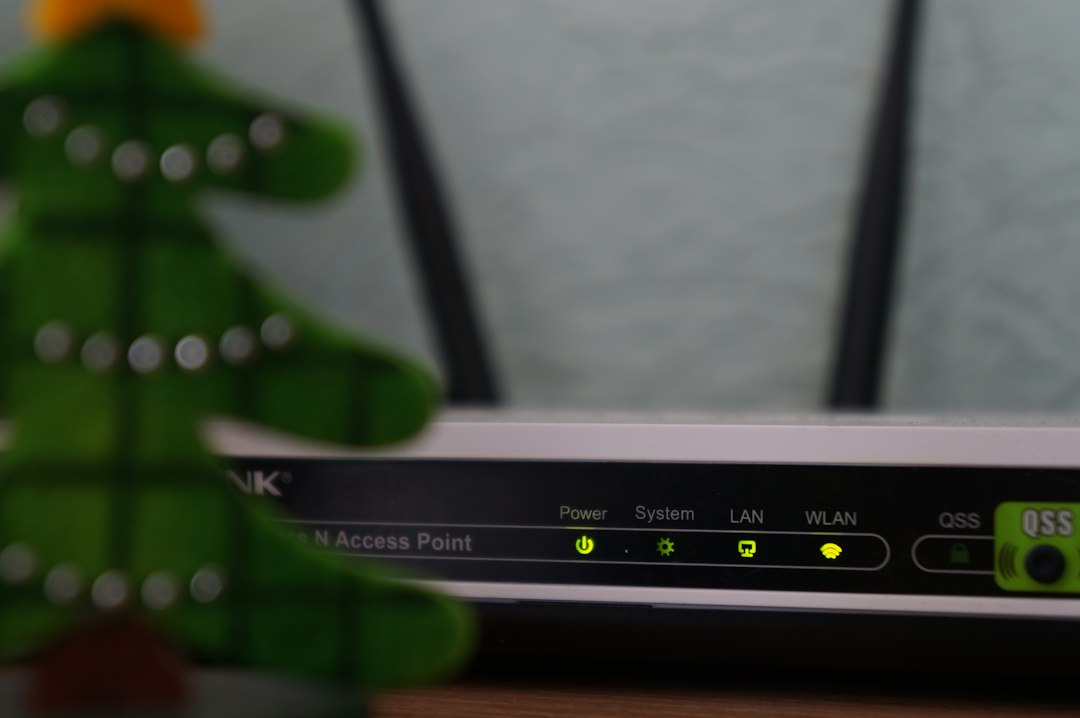
Your home Wi‑Fi is the local wireless network created by the router. The internet connection is the router’s path to outside services. The Wi‑Fi network can remain active even when the broadband connection is down.
Some doorbells can still communicate locally or write to a memory card in that situation. Others depend on a vendor cloud for most useful functions.
Local recording can continue on some models
A doorbell with microSD, internal memory, an indoor hub or an NVR may continue recording locally during an internet outage. Reolink explicitly documents this behavior for its Video Doorbell WiFi: without internet, the doorbell can still detect motion or people and record to the microSD card.
Reolink also states that phone alerts and remote live view stop without internet. See its current Video Doorbell WiFi FAQ.
The indoor chime may still work
Doorbell button presses can be handled locally depending on the model and chime design. Reolink notes that its paired chime can still sound when the doorbell is pressed without an internet connection.
Other brands use different chime paths, so confirm the exact model behavior. A cloud outage should not automatically be treated as a failed physical button.
Push notifications usually require internet
A phone away from the home cannot receive a push alert from a doorbell that has no route to the vendor or notification service. Even if the doorbell records locally, the alert may not leave the house.
This is the biggest practical difference between “still recording” and “fully working.” A local clip may exist for later review even though nobody was notified in real time.
Remote live view normally stops
When you are outside the local network, remote live view needs an internet path. Without it, the app cannot reach the doorbell from another location.
Some advanced systems provide local live view while your phone remains on the same LAN, but support is model-specific and may require the brand’s local protocol or NVR.
Cloud recording stops when the internet stops
A cloud-only doorbell cannot upload new event clips without internet. If it has no local storage, there may be no recording of events that happen during the outage.
This is an important buying consideration. “No subscription required” and “works without internet” are not identical claims; check where footage physically resides.
Local-storage models can reduce one dependency
TP-Link’s Tapo ecosystem supports local recording to microSD or compatible hubs on supported cameras and doorbells. Its current app guide exposes local recording, clip settings and privacy zones, while supported hardwired models can provide continuous recording.
See TP-Link’s Tapo Doorbell app guide for the storage controls. The exact offline behavior still depends on the model and network configuration.
If Wi‑Fi itself disappears, local access can change again
A broadband outage leaves the router and local Wi‑Fi running. A router power failure removes both the local network and internet path. Some doorbells can still record directly to internal or microSD storage even with no Wi‑Fi, while others need the local network for recording to a hub or NVR.
Reolink’s broader camera guidance distinguishes “Wi‑Fi connected but no internet” from “no Wi‑Fi,” and shows that local functions differ between those states.
Power outages are a separate problem
A wired doorbell with no backup power stops if the house loses electricity, even if the internet service itself is still available elsewhere. A battery doorbell may remain powered, but the router and modem may be down unless they also have backup power.
If outage resilience matters, think about the doorbell, router, modem, hub and recorder as one system rather than backing up only the camera.
What about PoE doorbells?
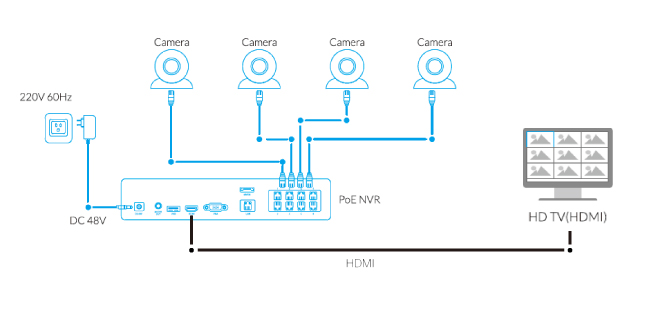
A PoE doorbell receives power and network connectivity over Ethernet. With a local NVR and network switches that remain powered, a PoE system can support strong local recording even when the internet connection fails.
Remote access and push services may still stop. Our PoE vs. Wi‑Fi camera guide explains the broader infrastructure differences.
Test offline behavior before you need it
Do not wait for a real outage to learn what your doorbell does. If the manufacturer supports it, temporarily disconnect the internet connection while keeping the router powered, then test button presses, local recording, playback and chime behavior.
Restore the internet afterward and verify that event history and notifications recover normally.
Do not factory reset during an internet outage
A doorbell that cannot reach the cloud may refuse to complete setup after a reset until internet access returns. Resetting can therefore turn a device that was still recording locally into one that is waiting for activation.
If the outage affects the whole home, fix the broadband or router first before changing the doorbell configuration.
How to choose for better outage resilience
Look for local storage, documented offline recording, a local chime path and the ability to review footage on the LAN or through an NVR where that matters. Then decide which cloud features you are willing to lose during an outage.
A system that records locally but cannot alert you remotely may still be the right compromise, but understand the tradeoff before buying.
Bottom line
Yes, some video doorbells can continue useful local functions without internet. Local recording, motion detection and the indoor chime may keep working, while remote live view, cloud uploads and phone push alerts stop. The exact behavior depends on where the doorbell stores footage and how much of its software depends on the cloud, so verify your model rather than assuming “offline” means the same thing across brands.
For all related setup and troubleshooting articles, return to the Video Doorbell Guide.