Garage Door Remote Not Working? Diagnose Batteries, Lock Mode, Range and Pairing
.sl-garage table{border-collapse:collapse;width:100%;margin:24px 0}.sl-garage th,.sl-garage td{border:1px solid #bdcbd0;padding:12px;text-align:left;vertical-align:top}.sl-garage th{background:#eef4f2}.sl-garage .table-scroll{overflow-x:auto}.sl-garage figure{max-width:760px;margin:28px auto}.sl-garage img{max-width:100%;height:auto;display:block;margin:auto}.sl-garage figcaption{font-size:14px;line-height:1.6;color:#425c63;padding-top:10px}
You press the garage remote, its little light comes on and the door does nothing. That light confirms very little about the rest of the system. The opener might be deliberately ignoring radio commands, the handset might be transmitting poorly, or the door might be unable to move for a reason unrelated to the remote.
First compare the wall control and another already-enrolled remote, then check the failed handset’s power, compatibility and range. Do not erase the opener’s memory as the first experiment. A broad reset can turn one failed remote into several unusable controls without correcting the original fault.
Start with the door, not the remote’s LED
From a safe position with the opening clear, use the normal wall control. Observe whether the door opens and closes normally or only attempts part of the movement. A door that opens but reverses during closing presents a different problem from an opener that never acknowledges a radio command.
If the wall control also fails, check the opener’s documented status and ordinary accessible power supply. Do not assume the remote is responsible for a tripped supply, damaged door or motor fault. Avoid repeatedly operating a door that hangs unevenly, makes abnormal mechanical noise or has visibly damaged cables.
Keep another authorized route available while testing. If you are locked outside without ordinary access, use the owner’s, manager’s or qualified service provider’s legitimate assistance process rather than attempting to reach interior controls through the door.
Use the pattern to choose the next test
| What works? | First area to investigate | Useful comparison |
|---|---|---|
| Wall control and another remote | The individual handset | Battery, button condition and enrollment |
| Wall control, but no radio devices | Lock mode, receiver or shared interference | Documented indicator and recent changes |
| Remote only at very close range | Battery, signal path or interference | Same position with relevant lighting unchanged |
| Old remote works, replacement never has | Compatibility and correct setup procedure | Exact opener and remote model numbers |
| Door opens but will not close normally | Door safety or travel condition | Observed movement and model-specific diagnostics |
| No control operates anything | Shared power, opener or mechanical problem | Opener status rather than more remote resets |
Change one thing at a time. A working result after new batteries, a reset and a moved antenna does not identify which action was needed, making the next recurrence harder to diagnose.
Did this remote ever work?
A newly purchased handset that has never operated the door should first be checked for exact compatibility. Frequency alone does not establish that its coding and protocol are supported. A similar-looking remote from the same brand can belong to another generation.
Chamberlain’s compatibility guide provides model-specific selection information. Use the current manufacturer table rather than assuming an old online list covers every newly released receiver or replacement board.
A previously working handset needs a different investigation. Ask what changed: battery replacement, a new lamp, new wall control, opener service, a receiver-memory reset or damage to the remote. The timing is evidence, not automatic proof of the cause.
Check vacation or lock mode before pairing again
Look at the wall console’s documented lock indication. Some systems intentionally ignore handheld commands while allowing other controls; others behave differently. An accidentally selected mode can make several good remotes appear defective at once.
Chamberlain’s remote troubleshooting starts by separating a never-working remote from one that stopped and checking the lock feature. Its lamp and wall-indicator examples apply to the described equipment, not every manufacturer.
Use our lock-mode guide to understand the distinctions. Restore ordinary operation through the correct wall-control procedure, then retest before changing radio enrollment.
Replace the correct battery and inspect the case
Read the handset’s label or manual for battery type, polarity and case-opening method. Do not assume every remote uses a CR2032, a rectangular battery or the same orientation. A new battery of the wrong type is not a meaningful test.
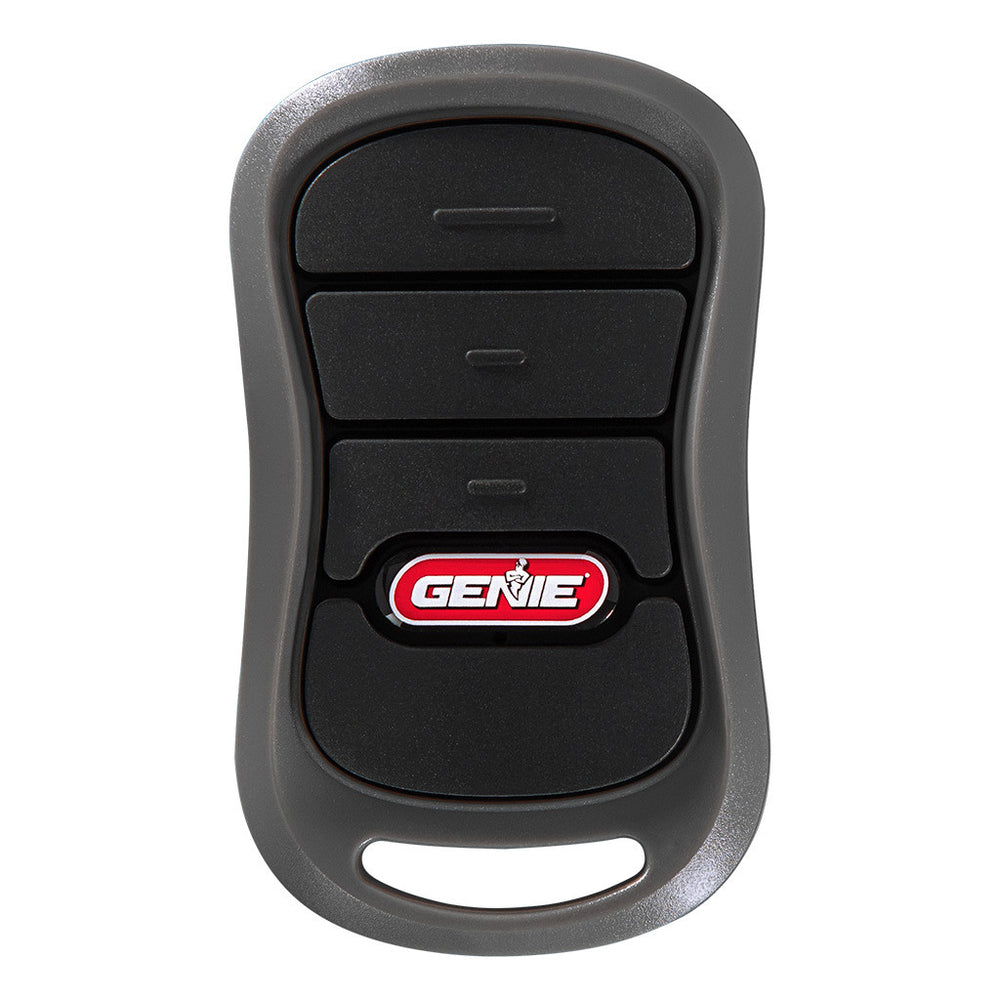
The G3T instructions identify a CR2032 for that remote. Keep small batteries away from children and pets, secure the compartment correctly and dispose of the removed battery appropriately. Do not leave a loose coin cell on a workbench.
Check accessible contacts for obvious damage or leakage without scraping or bending them indiscriminately. A crushed case, liquid damage or sticking button can justify replacement. Battery illumination alone does not prove the handset has enough usable output under transmission.
Do not assume battery replacement erased pairing
Some remotes retain enrollment when their battery is changed. Reprogramming them automatically can waste time or complicate the receiver’s stored-device inventory. Follow the actual handset documentation before deciding that a routine battery change requires a reset.
For example, Genie’s G1T support information distinguishes battery replacement from enrollment. That is a model-specific example, not a claim about every radio product ever made.
After fitting the correct fresh battery, test normal operation from a safe position. If the same symptom remains, keep that result and move to the next branch instead of changing the battery repeatedly.
Compare range under controlled conditions
Test from a clear, safe position near the garage while keeping the door path visible and unobstructed. Compare with the ordinary parking position and another enrolled remote. Do not stand under a moving door or walk into traffic to test maximum range.
Record whether the problem follows one handset or affects several. A weak individual transmitter and interference around the receiver can look similar from the driveway. Weather, building materials and where the remote sits in the car can also change the practical test conditions.
Do not promise yourself a particular operating distance from a general article. Reliable operation from the intended approach is more useful than a maximum-range claim tested in a different environment.
Does it work when the opener light turns off?
A strong timing relationship with a lamp can narrow the investigation. Note whether the issue began after a bulb or nearby electronic device was changed. Test using the supported lighting controls rather than dismantling powered equipment.
Chamberlain’s light-related troubleshooting page identifies bulbs and control electronics as possible causes for its covered systems. That is not evidence that all LED bulbs interfere or that every similar symptom needs a logic-board replacement.
Use an approved bulb type and installation procedure. Switch off and isolate as instructed before any permitted bulb replacement, and allow hot parts to cool. Leave internal electrical diagnosis to an appropriate technician.
Inspect the receiver arrangement without modifying it
Check the visible antenna’s condition and intended position according to the manual. A damaged or trapped antenna can deserve service, but twisting, extending or attaching improvised wire is not a dependable repair. Do not open the opener’s electrical housing to experiment.
If several controls stopped after a service visit, confirm whether the receiver board or wall control changed. A replacement board can alter compatibility or require the authorized devices to be enrolled again. Ask for the actual part information rather than guessing from the exterior motor housing.
A smart-app command working does not necessarily establish that the local radio receiver is healthy. The controller guide explains why different input paths can operate independently.
Pair only after confirming the right procedure
Use the exact remote-and-opener instructions. Some combinations use particular button sequences, while newer products can use different enrollment workflows. A tutorial for an older learn-button generation may be wrong for the equipment in front of you.
Do not hold the Learn button for an arbitrary number of seconds. Chamberlain’s troubleshooting notes that an unintended long press can erase enrolled remotes and keyless entry devices on covered models. A brief pairing action and a memory-clearing action are not interchangeable.
Test the individual control afterward and confirm that other authorized devices still work. If a newly added device repeatedly displaces another, ask support about receiver capacity and stored-device management rather than continuing to program it indefinitely.
A vehicle’s built-in control can have its own compatibility and enrollment process. A handheld remote working does not prove that every vehicle system supports the same receiver without an approved accessory or additional setup.
Use both the vehicle and opener manufacturers’ instructions. Keep the car parked safely, ensure the opening is clear and avoid performing setup while driving. A changed vehicle or replacement opener is a reason to review compatibility, not to reset every household remote.
When selling a vehicle, review its stored access separately from the remotes you physically hand over. The overall garage access inventory should include these less-visible controls.
When replacement or service is appropriate
If one handset remains unreliable with the correct fresh battery and supported enrollment while another operates normally, replacing the failed handset can be reasonable. Buy by model compatibility, not the cheapest listing with a matching button count.
If all enrolled radio devices fail while the wall control works, investigate the shared receiver, lock setting and interference through official support. If the door itself moves unpredictably or shows damage, stop routine use and arrange competent service.
Do not replace the whole opener solely because an inexpensive remote failed. Conversely, avoid spending repeatedly on remotes when the actual evidence points to a shared control or mechanical problem.
Prepare a useful support request
Provide the opener, wall-control and remote models, which controls still work, the battery fitted and the circumstances of failure. Mention recent electrical, lighting or service changes and whether range changes with the opener light.
Keep credentials and private access details out of public photographs. An installer can diagnose a physical remote without needing your email password. For app administration, use an appropriate authorized sharing or support process.
Confirm the repair in ordinary use
Test from the normal approach and observe both opening and closing with the path clear. Confirm other authorized controls and required safety functions remain correct. A successful single press directly beside the receiver does not establish that an intermittent range fault is resolved.
Keep the remote somewhere it will not be pressed by other objects or exposed to unnecessary moisture. The garage-security guide also covers storing controls and protecting the other entrances.
Frequently asked questions
They can use different control paths. Check the failed remote, lock mode, radio compatibility and shared interference before assuming a motor fault.
Does a lit remote LED mean the battery is good?
Not conclusively. Use the correct battery and supported checks rather than treating a small indicator as a complete transmitter test.
Should I clear all remote memory?
Only when the exact diagnosis and manufacturer procedure justify it. Broad erasure can remove working controls and should not be the first response to one failed handset.
Can a universal remote operate every opener?
No. Verify the current compatibility list for both models and any applicable protocol or hardware revision.