Stay vs. Away vs. Night Mode: Choose the Right Home Alarm Setting
.sl-alarm table{border-collapse:collapse;width:100%;margin:24px 0}.sl-alarm th,.sl-alarm td{border:1px solid #bccbd0;padding:12px;text-align:left;vertical-align:top}.sl-alarm th{background:#edf4f2}.sl-alarm .table-scroll{overflow-x:auto}.sl-alarm figure{max-width:800px;margin:28px auto}.sl-alarm img{display:block;max-width:100%;height:auto;margin:auto}.sl-alarm figcaption{font-size:14px;line-height:1.6;color:#435b62;padding-top:10px}.sl-alarm .note{padding:20px;background:#f0f6f3;border-left:4px solid #28675c;margin:24px 0}
You want the doors protected while the family sleeps, but you do not want a trip to the kitchen to trigger the siren. That is the job of an appropriate occupied-home mode. The catch is that Stay, Home, Night and Instant do not mean exactly the same thing on every alarm, and previous owners or installers may have changed the defaults.
Away commonly arms perimeter and interior intrusion sensors; Stay or Home commonly protects selected entrances while allowing indoor movement. Night may be a different sensor selection, a no-entry-delay option or a configurable combination. Check your actual sensor assignments and delay settings rather than choosing from the mode name alone.
An alarm mode is a collection of rules. It determines which intrusion devices participate and how the system responds when one activates. A main-entry contact might start a countdown, while another opening is configured differently. The keypad’s large armed symbol does not list all those choices.
Start with the manual for the panel or base station and its installed generation. Then review the current device configuration. A household can use a product’s default mode as intended and still have an unprotected opening because a sensor was omitted or bypassed earlier.
| Mode name | Common purpose | What you must confirm |
|---|---|---|
| Away | Intrusion protection when occupants have left | Active motion sensors, protected entrances and exit procedure |
| Stay or Home | Selected perimeter protection with people inside | Which interior devices remain active and which openings are included |
| Night | A sleeping-household arrangement | Whether it changes sensor selection, entry delays or both |
| Instant | An armed state with no delay on specified entry zones | Which doors lose their usual countdown and how authorized users return |
| Disarmed, Off or Standby | Intrusion arming is off | Separate behavior of smoke, CO, environmental and emergency functions |
This is a translation aid, not a universal settings table. Do not use it to reconfigure emergency sensors or assume that turning intrusion protection off disables every function in the system.
Stay and Home modes: the practical use
Imagine a ground-floor door contact, a living-room motion detector and a bedroom upstairs. A sensible occupied-home arrangement may keep the external door monitored while permitting movement inside. That lets someone use the stairs without first disarming the whole property.
Abode’s mode guide describes Home with perimeter sensors active and interior motion devices off, while allowing individual device customization. It is a useful example of the principle, not evidence that a particular device in your own Home mode is necessarily enabled.
Review less obvious routes as well. A detached office, an unused basement or a room nobody should enter overnight may have different requirements from the occupied part of the home. Have the installer document any special zoning instead of relying on a vague assurance that the night setting handles it.
Away mode assumes the exit routine is finished
Away is usually intended for a property without normal indoor movement. Arming it while a family member, cleaner or pet is still moving through an active detection area can produce an alarm that is entirely consistent with the configuration.
Account for the last person leaving, not only the person who pressed the button. A parent who arms the system while somebody returns upstairs for a bag can create an avoidable incident. Choose an exit procedure the household can actually follow.
Pets need a separate sensor-placement and compatibility assessment. Do not assume Home is the correct permanent answer to every pet problem, or that a pet-friendly label makes every placement suitable. See our pet-related motion-sensor guide for those tradeoffs.
Night and Instant are not interchangeable promises
On some systems, a nighttime arrangement removes the normal entry delay from selected openings. On others it activates particular interior zones or is simply a user-created scene. Read the exact description before assuming somebody can still unlock the front door and reach the keypad normally.
ADT’s Smart Home Security arming guide describes product-specific Stay, Away and Night choices. That reference should not be copied as the operating sequence for every panel ADT has installed over the years.
Plan late arrivals explicitly. A household member returning from a shift needs an authorized way to enter without accidentally triggering an immediate response. Do not solve that by sharing the administrator password with everyone or leaving a necessary entrance unmonitored indefinitely.
Entry delay and exit delay solve different problems
The exit delay gives an authorized occupant time to leave after arming. An entry delay gives time to disarm after entering through a designated route. Neither should be assumed to apply to every sensor or every mode.
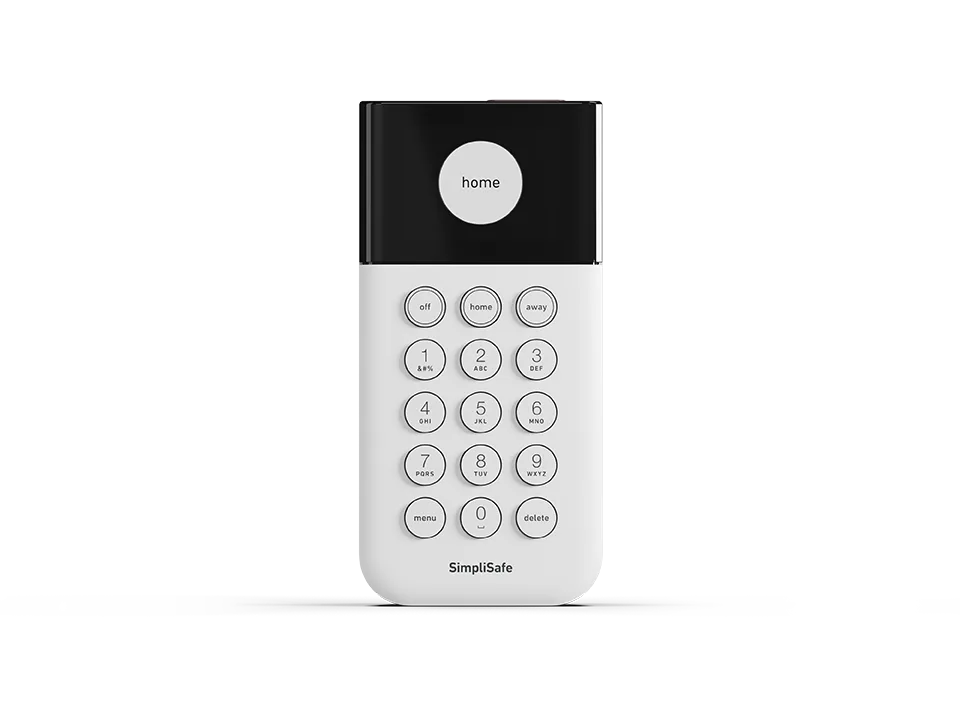
SimpliSafe distinguishes entry, exit and instant-trigger settings. The practical implication is to inspect the relevant device’s role as well as the global timer. A rear-door contact configured for immediate alarm will not necessarily behave like the front-entry contact.
Use a realistic normal pace when assessing the route. Consider carrying shopping, mobility needs and the distance to the local control. The goal is a workable authorized entry, not the shortest possible number that looks impressive on a settings screen.
Brand names differ, and settings can be customized
Ring documents Disarmed, Home and Away, with configurable delays and mode schedules. Abode uses Standby where another product might say Off. Those vocabulary differences are less important than knowing what the selected state actually does.
Check the product, firmware and regional service arrangement when following screenshots. App menus and paid-service features can change. A local keypad can also have a different dependency from an app-based control, which matters when internet access is unavailable.
A bypassed sensor is not protected just because the system arms
Some alarms allow arming while excluding an open or faulted sensor. That can be useful for a controlled temporary situation, but the resulting armed state has a limitation. Read the actual warning and identify the affected opening.
For example, Ring’s current scheduling guidance says faulted sensors can be automatically bypassed when a mode schedule arms the system. An overnight schedule should therefore be checked alongside sensor health, not treated as a guarantee that every entrance was secured.
Repair recurring faults rather than normalizing them. Our incorrect door-status guide helps distinguish alignment and communication issues. Keep any temporary exclusion documented and restore the intended coverage after repair.
Camera modes and alarm modes may interact without being identical
A connected-home app can use the same Home or Away label to control cameras, intrusion sensors and other devices. That does not mean a camera recording setting proves a door contact is armed. Review each device’s assigned action.
Ring’s device-mode guidance discusses both camera and alarm behaviors. For a household, the useful check is whether indoor camera privacy, recording and intrusion protection change as intended when the mode changes.
Test the result with everyone aware of the configuration. Avoid quietly enabling indoor recordings because a broad mode was selected to protect the front door. The camera privacy guide covers that separate decision.
Build a simple household mode sheet
Write down the chosen arrangement for ordinary daytime occupancy, overnight use and a fully empty property. For each, list entrances covered, any active interior areas and the legitimate return route. Keep access codes out of that ordinary instruction sheet.
A useful example reads: Home overnight; downstairs perimeter active; occupied hallway motion excluded; late arrivals use the agreed disarming routine. It is more informative than telling everyone to press the moon symbol without knowing what it changes.
Include guests and caregivers where appropriate. Someone who understands the physical lock may still not understand the alarm’s delay or verification process. Explain it before the first independent visit rather than during a sounding siren.
Verify modes through an approved test, not a surprise alarm
Use the manufacturer’s testing procedure and coordinate with the monitoring provider before intentionally activating events. A setting called Test Mode has different meanings across systems; do not assume it blocks every emergency response or makes panic and duress controls harmless.
Check one function at a time. Confirm which contact changes state, whether the selected mode includes it and how the permitted test reports the event. An installer should verify any special entry-route programming that is beyond ordinary user settings.
The comparison between self-monitoring and professional monitoring explains the different response arrangements. A sounding local siren, a phone notification and a received monitoring signal are separate observations.
Three situations worth rehearsing
Someone comes home after the rest of the household is asleep. Confirm that the return route and chosen nighttime mode work together. The solution may be a different authorized routine, not lengthening every delay throughout the property.
You arm Away but stay indoors for a phone call. Know how to cancel or change the intended mode before normal interior movement becomes an event. Do not treat repeated alarms caused by this routine as proof that the motion detector is defective.
A scheduled arm occurs while a window is open. Check whether the system refuses to arm, warns, bypasses that device or follows another configured behavior. The completion notification should be read together with exclusions and faults.
These examples are planning exercises, not instructions to create live alarms. Use approved testing and record the results so changes in household routines can be handled deliberately.
Frequently asked questions
Should I use Stay or Away while sleeping?
Use the occupied-home arrangement configured for your household. Stay or Home often serves that purpose, but verify active sensors and entry delays instead of relying on the name.
Does disarming turn off smoke and carbon-monoxide protection?
Do not assume it does. Life-safety devices and monitoring can operate differently from intrusion sensors; follow their specific instructions and keep required protection active.
Why does the alarm trigger in Home mode?
Check which sensor initiated the event and how that sensor is assigned. A perimeter opening or an intentionally active interior zone may be behaving exactly as configured.
For equipment comparisons and other faults, browse the alarm guide directory. The correct mode is the one whose documented behavior matches the people and routes in your home.