Lost or Stolen Garage Door Remote? Revoke Access Before Buying a Replacement
.sl-garage table{border-collapse:collapse;width:100%;margin:24px 0}.sl-garage th,.sl-garage td{border:1px solid #bdcbd0;padding:12px;text-align:left;vertical-align:top}.sl-garage th{background:#eef4f2}.sl-garage .table-scroll{overflow-x:auto}.sl-garage figure{max-width:760px;margin:28px auto}.sl-garage img{max-width:100%;height:auto;display:block;margin:auto}.sl-garage figcaption{font-size:14px;line-height:1.6;color:#425c63;padding-top:10px}
Buying another remote restores your ability to open the garage. It does not necessarily remove the missing handset’s ability to do the same. When a remote is lost or stolen, the first security question is what remains enrolled in the opener—not which replacement arrives fastest.
Use the exact opener’s authorized credential-removal procedure, then re-enroll the controls you intend to keep. Some systems support more selective management; others clear several devices together. Review keypad and app access separately, because a receiver-memory change is not automatically an account reset.
First establish what was lost
Was it one loose remote, a vehicle with an integrated control, or a bag containing house keys and address documents? Those circumstances create different follow-up tasks. Record confirmed facts without assuming that a finder necessarily knows the property or that a remote alone reveals every access method.
If theft or an immediate threat is involved, use the appropriate reporting and emergency channels. Secure the property through normal authorized means and avoid confronting someone you suspect. Preserve relevant messages, recordings and case numbers where available.
If a vehicle was stolen with the remote inside, our stolen-car response guide covers the broader reporting process. Garage access should still be reviewed even while vehicle recovery is being handled.
Temporary precautions and permanent revocation differ
A supported vacation or lock mode may block particular controls temporarily. That can be useful in an appropriate immediate plan, but normal operation can make an enrolled missing remote usable again. It is not equivalent to removing its authorization.
Removing mains power is also not memory erasure. Chamberlain’s remote-erasure guidance explicitly states that programming is retained when an opener is unplugged. Battery-equipped models can also remain capable of operation without the normal mains supply.
Use our lock-mode guide and backup-power guide to understand those limits. Do not engage a manual door bolt while leaving the motor able to drive against it.
Identify the actual receiver and model
Record the opener’s model and any separate receiver or smart-controller equipment. A replacement receiver can have different management instructions from the original motor housing. Use installation records or visible labels from a safe position.
A common brand name is not enough to select a reset sequence. Manufacturers have used different Learn, Program and menu arrangements over time. The same long button press can perform different functions on different products.
For a managed garage, contact the owner or responsible administrator. Do not erase a shared receiver serving other people without authority and a coordinated restoration plan.
Inventory the controls you want to keep
Bring together available remotes and identify keypads, vehicle-integrated controls, wireless wall units and app accounts. Note which doors each operates. Some multi-button remotes can be associated with more than one opener, so losing one device may require reviewing several receivers.
| Access method | What to review | Common mistake |
|---|---|---|
| Handheld remote | Enrollment in each relevant receiver | Assuming buying a new remote disables the old one |
| Vehicle-integrated control | Supported receiver and vehicle clearing procedures | Forgetting it when a vehicle changes ownership |
| Wireless keypad | Receiver enrollment and PIN management | Assuming a PIN change erases every other control |
| Smart app or retrofit controller | Owner, invited users, integrations and account recovery | Assuming radio-memory erasure revokes cloud access |
| Physical keys | Other doors and any associated address exposure | Treating a garage-radio change as a whole-home rekey |
This inventory reduces accidental lockouts. It also makes the eventual verification specific: you know which legitimate controls should be restored and which permissions are intentionally ending.
Find out what the erasure procedure removes
Many residential receivers erase a group of programmed remotes and keypads rather than offer a convenient delete-this-missing-handset list. Other systems have more granular management. Establish the actual behavior before starting.
Genie’s memory-clearing guidance describes different procedures for different generations and identifies controls that must be reprogrammed afterward. It also distinguishes some connected or separate controls from the radio-memory operation. That makes the exact manual more useful than a generic reset-all instruction.
Do not confuse clearing remotes with resetting travel limits, network settings or the entire opener. Use the narrow procedure that addresses the lost credential while preserving unrelated settings whenever the system supports that distinction.
Keep legitimate access while making the change
Choose a safe time with the door clear and another authorized route available. Tell household members or relevant users that remotes may stop working temporarily. Have the correct manuals and supported setup information ready before removing enrollment.
Do not perform the task while someone depends on immediate access or while the door is mechanically faulty. A memory operation should not require moving beneath a raised unstable door or working on high-tension components.
If the receiver controls several shared entrances, use the administrator or installer who understands that configuration. A consumer reset tutorial is not a substitute for managing a building-wide access system.
Follow the manufacturer or qualified technician’s exact instructions for the identified receiver. Observe the documented confirmation. Avoid repeatedly holding buttons for arbitrary durations because an unrelated video used a similar control panel.
For covered Chamberlain models, the official erasure process removes previously enrolled remote and keypad codes together. Other generations and accessories need their own instructions. Link the procedure to the model instead of treating a familiar six-second rule as universal.
If the result does not match the manual, stop and contact support rather than continuing with increasingly broad resets. Record what was pressed and what the indicators showed so the next person can assess the current state.
Verify what you can actually test
The missing remote cannot be physically tested unless it is recovered. Be honest about that limitation. Verification relies on correctly completing the documented removal process and, where appropriate, confirming that a previously working retained control no longer operates before authorized devices are enrolled again.
Use the model’s supported confirmation or device-management screen when available. A displayed count can be useful, but it is not a complete identity log unless the system explicitly provides that capability.
After re-enrollment, test each retained control and intended door with the opening clear. Do not reactivate a found remote casually without deciding whether it should return to the authorized inventory.
Review keypads separately
Depending on the system, a wireless keypad may need receiver enrollment again, a PIN change, or both. Confirm which temporary codes or user permissions remain. Avoid restoring an old widely shared code just because it is easy to remember.
Use the keypad troubleshooting guide if a retained keypad fails afterward. A correct battery change, a lock mode and a pairing problem are different issues; repeated receiver resets can make the situation more confusing.
For account-managed PIN devices, use the official permissions workflow. The code printed in a saved note may not represent the access currently assigned in the service.
Revoke app access through the controlling account
Review the main owner, invited users and any integrations with the garage. Remove access that is no longer authorized and protect the recovery email and authentication methods. Do not assume the missing physical remote implies the account was compromised, but do not ignore a known lost phone or old owner invitation.
myQ’s user documentation provides role-based sharing and removal through the app. A broadly privileged co-owner differs from a restricted household or temporary user. Use permissions suited to the actual task rather than distributing the owner password.
The smart-controller guide explains how an added hub can be an independent command path. A receiver reset and cloud access review may both be necessary to complete the intended change.
Choose a replacement remote by compatibility
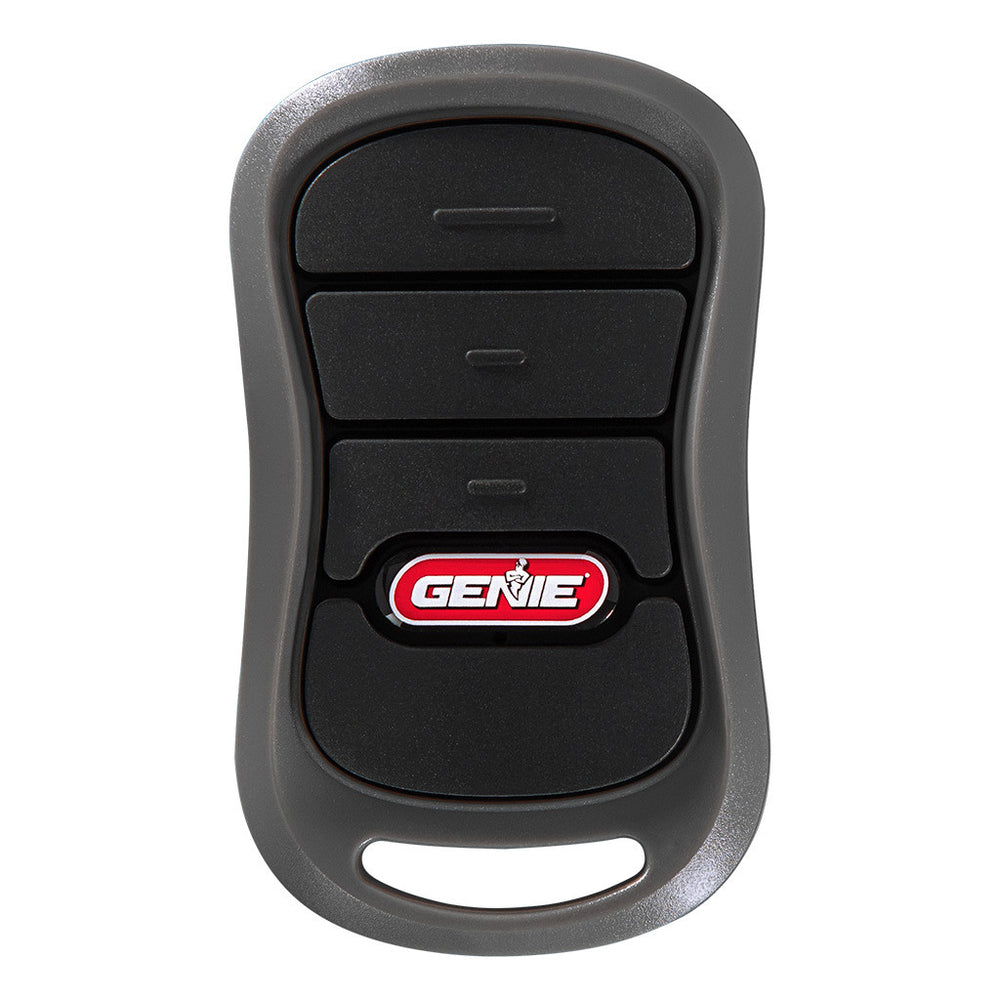
Match the opener or receiver model, radio protocol and any relevant hardware revision. A shared frequency or matching button count is not enough. Check whether an advertised universal replacement includes the precise generation you own.
Chamberlain’s current compatibility guide groups supported controls by receiver characteristics and directs unlisted equipment to its compatibility process. Use it alongside the model label rather than assuming an old retailer list remains complete.
Buy from an accountable supplier with clear return and support arrangements. A low price is less useful if the product cannot be identified or the supplied instructions belong to another remote.
What about house keys and registration documents?
If physical keys were lost too, identify which locks they operate and arrange appropriate rekeying or replacement. A garage-radio change does not affect those cylinders. Our lock-change comparison explains the distinction.
If address documents accompanied the remote, consider that confirmed exposure when deciding urgency and reporting the theft. Our registration-document guide covers a related loss. Avoid public posts listing the exact garage, opener and access details while asking whether anyone found the remote.
Preserve serial numbers, purchase records and incident references privately. They can help service providers or an insurer without becoming a public guide to the property.
New occupants should treat missing history as an access-management task
When moving into a property, the remotes handed over may not be every device previously enrolled. Ask about installer records, app ownership and keypad permissions. Complete the supported handover rather than relying entirely on a verbal assurance that old users deleted an app.
Changing an email password alone may not remove a shared invitation issued through another account. Likewise, clearing the motor’s radio memory may leave a retrofit controller under its former owner. Review each actual access method.
For rentals, coordinate changes with the responsible owner and preserve legitimate emergency and maintenance access. Do not use a general article to decide disputed legal access rights.
A completion checklist
| Work item | Completion evidence |
|---|---|
| Identify affected systems | Each relevant opener, vehicle control and account is listed |
| Remove unwanted radio access | Exact manufacturer process completed with its documented confirmation |
| Restore intended controls | Each retained remote and keypad operates the correct door |
| Review online permissions | Only intended users and integrations remain |
| Address other lost keys | Separate locks assessed and changed where appropriate |
| Normal operation | Required door safety and closing functions remain correct |
Keep a dated record without storing plaintext passwords or PINs in a casual household spreadsheet. The record should identify responsibility and completion, not expose the credentials it is meant to protect.
Prevent avoidable future exposure
Store remotes where they are not left conspicuously in unattended vehicles or pressed by other objects. Keep a secure inventory of who has each device and review it when people move, contractors finish or vehicles are sold.
Use individual supported permissions when appropriate, but do not assume moving every control into a phone eliminates risk. A lost unlocked phone creates different account-protection work. Maintain a practical local fallback and secure account recovery.
The garage-security guide covers the whole entrance, including side doors and the connection into the house. Credential management is one layer, not a replacement for sound hardware.
Frequently asked questions
Will a new remote disable the missing one?
Not necessarily. Adding another device and removing previous authorization are different operations. Use the receiver’s documented removal process.
Does unplugging clear the codes?
Do not rely on it. Manufacturer guidance for common systems explicitly states that enrolled controls remain in memory without mains power.
Will clearing radio memory remove app users?
Not as a general rule. Review cloud accounts, retrofit controllers and invited users separately.
Can I erase only one missing remote?
That depends on the receiver’s management capabilities. Some systems clear a group of devices and require the retained ones to be enrolled again.
What is the first priority?
Protect immediate safety, identify the affected access paths and complete the supported revocation before treating a replacement purchase as the solution.