Safe Keypad Not Working? Diagnose Batteries, Lockout and Door Problems Before Resetting
.sl-safe table{border-collapse:collapse;width:100%;margin:24px 0}.sl-safe th,.sl-safe td{border:1px solid #bccbd0;padding:12px;text-align:left;vertical-align:top}.sl-safe th{background:#edf3f1}.sl-safe .table-scroll{overflow-x:auto}.sl-safe figure{max-width:700px;margin:28px auto}.sl-safe img{display:block;max-width:100%;height:auto;margin:auto}.sl-safe figcaption{font-size:14px;line-height:1.6;color:#405b62;padding-top:10px}
A silent keypad, a rejected code and an accepted code followed by a door that will not open are three different symptoms. Repeatedly entering numbers or removing batteries without identifying the symptom can make diagnosis harder, especially when the lock has a temporary penalty period.
Identify the safe and lock model, record what happens, then follow its approved power and operating checks. Do not pry off the keypad, try internet reset sequences or assume that every safe uses the same batteries. This guide concerns your own safe and authorized maintenance, not bypassing a lock.
First: is the door open or closed?
If the door is open, keep it in a safe, stable position while you investigate. Do not close a questionable lock simply to see whether it fails again. Follow the manual’s open-door test procedure before returning valuables and relying on the safe.
If the door is closed, avoid escalating force on the handle or keypad. Record whether the last normal opening was recent, whether batteries were changed and whether someone has altered access settings. Those observations can be more useful than another dozen attempts.
When a person is at immediate risk or essential access is urgent, contact the appropriate service or qualified safe technician. Do not let an online troubleshooting sequence delay the help the situation actually needs.
Identify the safe and the lock separately
The name on the cabinet can differ from the name on its lock. A keypad may also have been replaced during the safe’s life. Record both visible identifiers and check the owner’s documentation before selecting instructions.
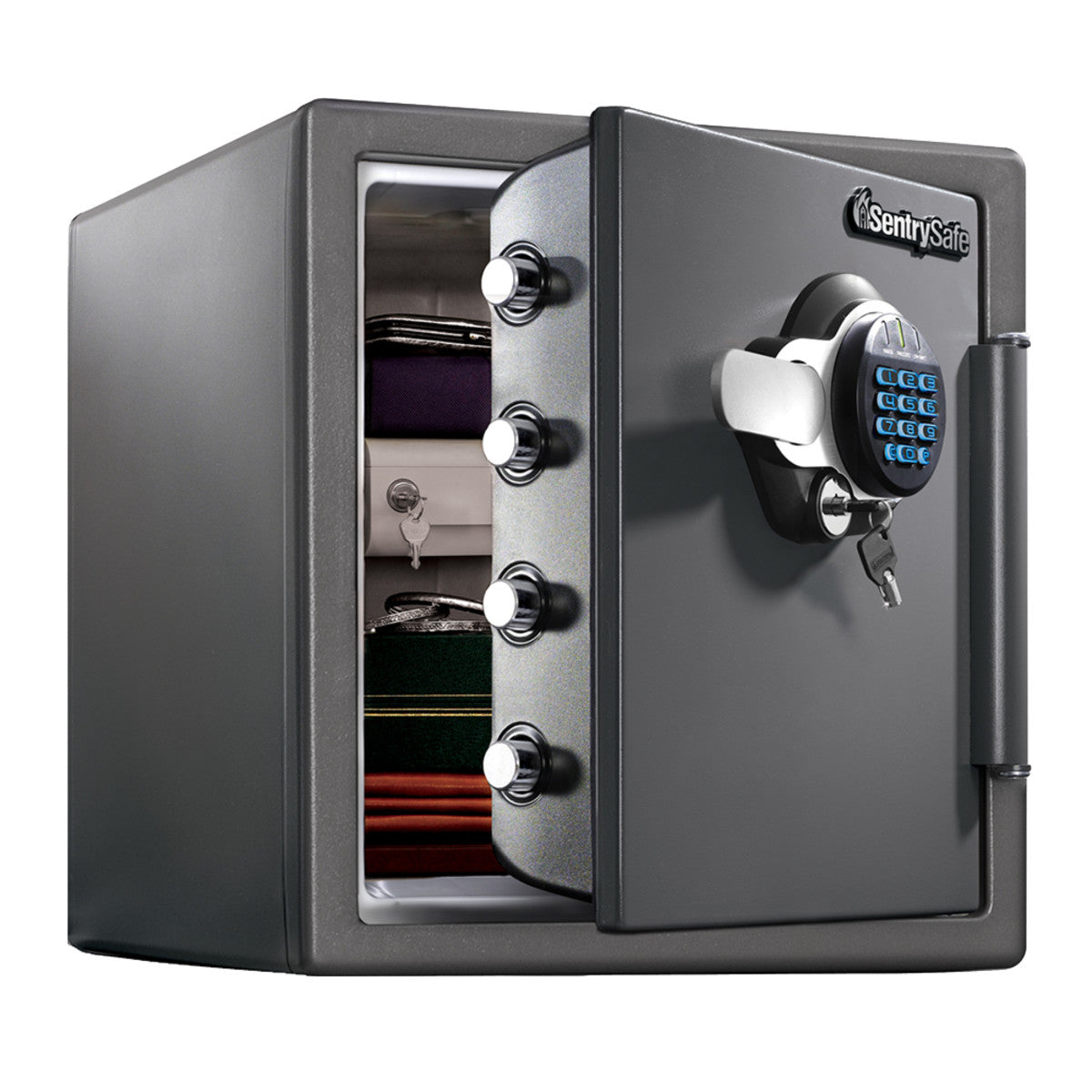
SentrySafe’s model finder illustrates how identifying information varies across its product types. Use the corresponding support route for another brand. Do not tilt or move a heavy safe to find a label without suitable handling and advice.
Keep serial numbers and proof-of-ownership documents private. They can be needed by legitimate support, but posting them publicly with the safe’s location is unnecessary.
Choose the branch that matches the symptom
| What you observe | First area to check | Avoid |
|---|---|---|
| No normal response | Specified power supply, battery installation and permitted wake-up method | Assuming a code reset can fix absent power |
| Dim display or low-power warning | Fresh correct batteries and the official replacement procedure | Mixing old and new cells or using an unapproved chemistry |
| Code rejected consistently | Correct user credential, entry sequence and any penalty status | Rapid repeated guessing |
| Code accepted but door remains shut | Normal opening sequence, secondary lock and mechanical condition | Forcing the handle or striking the door |
| Only some keys respond | Keypad damage, contamination or model-specific input fault | Spraying liquid into the keypad |
| Fault began after water or impact | Professional assessment of damage | Repeatedly powering damaged components |
These are diagnostic starting points, not universal beep codes. A tone that means one thing on a particular lock can mean something else on another.
Replace batteries only through the correct procedure
Check the required size and chemistry, the compartment location and whether the door needs to be open. Use a fresh set as specified and observe polarity. Do not mix brands, old and new cells, or substitute a rechargeable type unless the manufacturer explicitly permits it.
SentrySafe’s battery guide contains an important exception: many listed models use alkaline cells, while its FP and FPW instructions specify CR123 lithium batteries. Applying the general alkaline advice to every SentrySafe would therefore be wrong.
Inspect only the user-accessible compartment described in the manual. If contacts are damaged or a battery has leaked, follow the battery and safe makers’ safety instructions and seek service where needed. Do not improvise electrical repairs to the keypad.
The screen lighting up does not complete the power check
A visible display is evidence of some electrical operation, not proof that every component will complete the opening sequence normally. Record whether the behavior changes after a correct battery replacement. Keep other settings unchanged so the comparison remains useful.
SECURAM’s ProLogic guidance describes low-battery behavior and a specified 9 V alkaline replacement for that series. That is a concrete model example, not a universal requirement for every keypad.
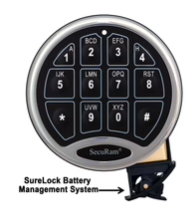
If the fault persists with verified appropriate power, move to the next documented check. Repeatedly buying different batteries is not a substitute for diagnosing a damaged keypad or mechanical problem.
Understand auxiliary power without treating it as a bypass
Some safes provide an approved external power connection for a depleted internal battery. Others allow normal replacement from outside. The correct arrangement depends on the model, and an external power connection still requires the legitimate access sequence.
Use only the specified connection and source. Do not connect an arbitrary adapter, attach wires to exposed contacts or assume a USB-looking socket performs the same function as another product’s service port.
Once authorized access is restored, complete the normal battery maintenance and verify the lock before closing the door. A temporary power method should not become an improvised permanent supply unless the manufacturer expressly supports that use.
Check for a penalty period or configured delay
Electronic locks can restrict further attempts after repeated invalid entries, and some products also support deliberate opening delays. These are different functions. The exact signals, timing and required power state belong to the lock’s instructions.
Sargent & Greenleaf’s electronic-lock range includes models with different access and management capabilities. Do not apply a waiting period from an unrelated model or assume every delayed opening means low batteries.
Stop repeated guesses and follow the documented procedure. Power cycling is not a universal shortcut and can interfere with diagnosis. In a business, ask the authorized manager about configured access policies before changing anything.
Confirm the actual credential and entry sequence
Check that you are using the intended user code rather than a programming or administration credential with a different purpose. Some locks require an additional confirmation key or have a limited opening window after acceptance. Follow the exact manual rather than adding extra button presses from memory.
If another authorized user recently changed access, resolve that through the established owner or administrator. Do not assume a factory code remains active on a used safe or repeatedly try numbers found online.
Keep codes out of support screenshots. A recording of the indicator sequence can help a technician, but it should not also reveal the credential being entered.
Code accepted, door still closed
Listen and observe without forcing. Is the lock acknowledging the code? Does the handle move normally? Has the door recently become harder to close? Does the safe have a separate key lock that must be in its intended state?
Some designs require two conditions for ordinary opening. SentrySafe’s dual-key FAQ explains that certain key locks add a locking layer rather than override the combination. A keyhole should not be interpreted as a universal emergency release.
Overpacked contents, poor alignment or a mechanical fault can also deserve assessment. Use only the maker’s normal-operation guidance; do not pry the door or apply extra leverage to the handle. A technician needs the symptom, not damage created by forceful experiments.
Note the affected keys and whether the behavior began after impact, cleaning, moisture or a long period of unreliable operation. Do not keep changing the combination to avoid a damaged key; that can leave an uncertain credential and an unresolved hardware problem.
Use the approved exterior cleaning instructions only. Solvents and liquid sprayed into gaps can damage electronic components or finishes. A keypad that needs unusual pressure may require service rather than more aggressive pressing.
For a replaceable entrypad, have the supplier identify the exact compatible part and whether replacement affects initialization or certification. Similar appearance is not enough to establish interchangeability.
Problems after a battery change
Recheck polarity, the specified battery type and whether the compartment is fully seated. Look for a displaced user-accessible connector only where the manual permits inspection. Do not open the inner door cover or pull wiring to see what happens.
If the procedure involved moving the entrypad, follow the manufacturer’s instructions for avoiding trapped cables and restoring it correctly. A fault that began immediately afterward deserves a careful review of that step before assuming the stored code has disappeared.
Keep the old symptoms and new symptoms separate in your notes. A previously dim display that now responds brightly but rejects the code may have moved the problem from power to access, rather than proving the battery replacement failed.
When not to perform a reset
Do not reset a closed safe because a generic video promises a quick fix. A documented reset may require legitimate access, owner verification or a specific administrative arrangement. It can also change settings you need to preserve.
For a managed business safe, contact the responsible administrator before changing user access, delays or logs. For an inherited or secondhand unit, establish ownership and follow the maker’s transfer or recovery process.
The lock comparison explains why power maintenance, combination changes and lost-credential recovery are separate jobs. A code you no longer know cannot be diagnosed solely by replacing batteries.
Call a safe specialist with useful information
Provide the safe brand and model, visible lock identifier, whether the door is open, the exact response and the tests already completed. Mention water, impact, recent installation or a progressively stiff handle. Keep sensitive ownership documents for the provider’s official verification channel.
Ask whether the technician works on that type of safe and how diagnosis, access restoration, parts and any destructive work are quoted. A general door-lock call-out is not necessarily the same service as safe work.
Sargent & Greenleaf’s support guidance directs owners toward the safe manufacturer and appropriately experienced technicians. It does not promise that the lock maker can retrieve every owner’s current combination.
Verify the repair before locking valuables inside
Use the manufacturer’s open-door testing procedure and confirm the intended credentials. Check normal closing and release without unusual pressure, then secure the contents only after the authorized access arrangement is dependable.
Keep the model, service details and maintenance instructions accessible outside the safe. Store spare access information securely and separately rather than on a visible label. For recurring dampness, use the safe-moisture guide to address the environment as well.
| Useful note | Why it helps |
|---|---|
| Exact model and lock identifier | Matches the correct instructions and parts |
| Open or closed door | Changes the available authorized tests |
| Indicator, sound and timing | Separates power, rejection and delay symptoms |
| Battery type and replacement result | Avoids repeating an unsupported power assumption |
| Recent changes or damage | Provides context for a mechanical or electrical fault |
Frequently asked questions
Why does the keypad beep but the safe not open?
The meaning depends on the model and sequence. It can indicate rejection, a delay, low power or another condition; compare the official instructions rather than assigning one universal meaning.
Should I use rechargeable batteries?
Only where the exact lock instructions permit them. Different families specify different chemistries, so check the model before replacing power.
Can external battery contacts open the safe without a code?
A documented auxiliary supply is for restoring normal authorized operation. It should not be assumed to replace the required credential.
What should I avoid first?
Avoid repeated guessing, forcing the handle and unapproved resets. Record the symptom and follow a model-specific diagnosis while preserving the safe and its contents.