Alarm Communication Failure or Offline? Find and Restore the Reporting Path
.sl-alarm table{border-collapse:collapse;width:100%;margin:24px 0}.sl-alarm th,.sl-alarm td{border:1px solid #bccbd0;padding:12px;text-align:left;vertical-align:top}.sl-alarm th{background:#edf4f2}.sl-alarm .table-scroll{overflow-x:auto}.sl-alarm figure{max-width:800px;margin:28px auto}.sl-alarm img{display:block;max-width:100%;height:auto;margin:auto}.sl-alarm figcaption{font-size:14px;line-height:1.6;color:#435b62;padding-top:10px}
The keypad still responds, so a communication warning can seem less urgent than a sounding siren. Yet the problem may be precisely that an event cannot reach the service expected to respond. Local detection and external reporting are separate functions, and one working does not prove the other is healthy.
Identify which connection failed, restore that path through the system’s supported procedure and verify a current test signal at its intended destination. Do not stop when the display becomes quiet. This guide covers alarms you own or are authorized to manage, with model-specific examples rather than one universal reset code.
Read the exact warning before choosing a remedy
Write down the panel or hub model, full message and time. Note whether it names one sensor, the base station, an internet connection or a monitoring destination. Those details determine which part of the chain needs investigation.
ADT’s Lynx and QuickConnect guidance identifies FC or COMM FAIL as a failure to communicate with its monitoring centers for those systems. That does not make every error containing communication the same problem on every product.
A phone notification saying one contact is offline can instead concern the local sensor-to-hub link. An app failing to sign in can be a phone or account issue. Avoid replacing the router before distinguishing those observations.
Map the four connections
| Connection | Example problem | Useful evidence |
|---|---|---|
| Sensor to panel or hub | One contact is unavailable | Device status and an approved local communication test |
| Hub to local network | Changed Wi-Fi password or disconnected Ethernet | Hub network status and the intended router connection |
| System to provider | Required external reporting path unavailable | Provider-confirmed current test receipt |
| Account service to your phone | App session or notification permission problem | Current account access and a controlled notification test |
Some systems combine or omit parts of this arrangement. A cellular communicator can provide a route independent of the home router, while a legacy installation may use another service path. Ask the provider which architecture is actually in use.
A specific example: No Link to Dispatcher on SimpliSafe
SimpliSafe’s Gen 3 warning guide explains that the meaning depends on the service arrangement. On the listed professionally monitored plans, the error means both Wi-Fi and cellular communication have been lost; on its listed self-monitoring or basic app arrangement, the Wi-Fi connection to the relevant service is the issue.
The same guide includes restoring the appropriate network configuration and verifying the documented test result afterward. That distinction is important: possessing hardware with a cellular capability is not proof that your current account has an active fallback service.
Use the exact model and current plan details when speaking to support. Do not apply a Gen 3 menu sequence to an older system merely because the base station has the same logo.
Check power before making network changes
Confirm that the hub, router and any required modem or optical-network terminal have their normal approved power supply. A battery-powered alarm can remain active while the household network equipment has lost power. The resulting symptom is not necessarily a failed communicator.
Look for an accidentally switched outlet or a disturbed external adapter where it is safe to inspect. Do not open a mains-connected panel or improvise a replacement supply. Use the documented user procedure and the correct electrical specifications.
Our outage guide separates local protection, reporting and app access. A battery icon on one device does not describe the health of every other component in the path.
Review recent changes before factory-resetting anything
A new router, renamed network, changed Wi-Fi password, altered monitoring account or relocated hub can explain a failure that began suddenly. List what changed and when. The purpose is to focus the diagnosis, not assume every recent update caused the problem.
Reconnect through the manufacturer’s supported network-change workflow. A factory reset can remove sensor enrollment, user access or other useful configuration without correcting an invalid subscription or an internet outage.
For an inherited system, start with the takeover guide. Confirm the legal owner, provider and communicator status before treating old accounts or an unknown telephone service as a current working arrangement.
Distinguish local Wi-Fi from internet service
A phone displaying the Wi-Fi symbol proves that it has joined a wireless network, not that the network has internet access. The phone may also switch to mobile data and make the household connection look healthier than it is.
Compare the router’s status, the hub’s reported connection and other authorized devices on the same network. Keep the comparison controlled. Testing a phone on a different guest network does not necessarily establish the path used by the alarm.
Yale’s Smart Alarm troubleshooting page distinguishes an offline cloud indication from general warnings and provides a way to inspect Ethernet and Wi-Fi status. Its light meanings belong to that product, not every alarm hub.
Check a wired connection without changing the whole network
If the hub uses Ethernet, inspect accessible connections and use the approved cable path. A loose lead or a switch that lost power can explain the fault. A known-good compatible patch lead can be a useful narrow test where the system supports it.
Do not add parallel connections or move cables randomly across managed equipment. A business or shared network may have deliberate segmentation and approved ports. Ask the responsible administrator to check the intended path.
Keep firewall and router protections intact. Broad port forwarding, an open wireless network or disabling security software is not an appropriate generic response to an alarm communication warning. Use the network guide for controlled configuration changes.
Cellular backup needs service as well as hardware
Check that the communicator is supported, correctly registered and covered by the current service arrangement. Reception and service availability should be assessed for the alarm itself, not inferred from another phone or carrier.
Ring’s standard Alarm documentation distinguishes local armed operation from remote app access and states that its cellular backup requires a compatible subscription. A locally sounding siren therefore does not prove that an expired or changed plan still supplies external reporting.
Do not swap a provider-managed SIM or modify an antenna arrangement as an improvised fix. Ask support to confirm registration, signal health and the approved next step. A communication product should be repaired through its intended service path.
One offline sensor is a different investigation
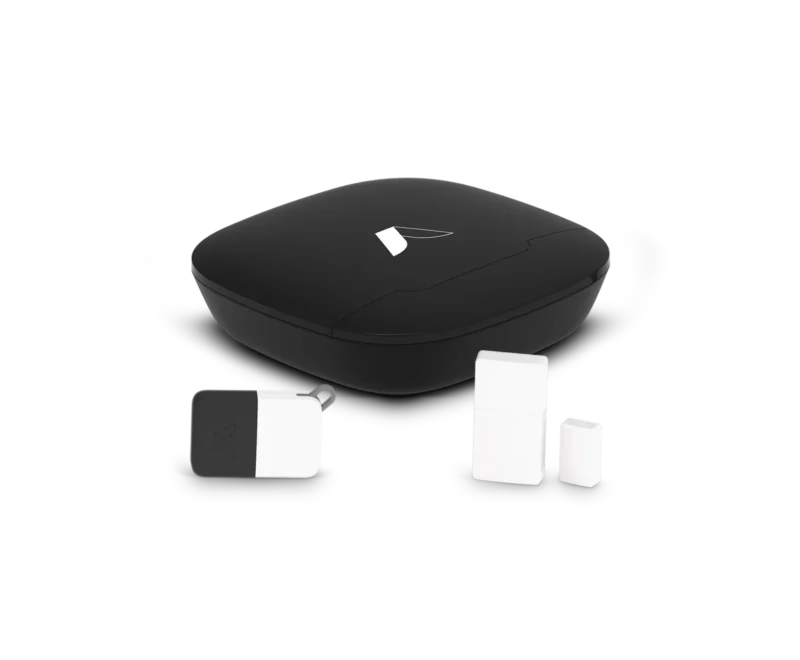
When only one contact or detector is unavailable, investigate that device’s status and recent physical changes. A low battery, changed location or disturbed mount may be more relevant than the broadband provider.
Use the approved sensor test and record whether the hub receives it at the intended location. Do not delete the device merely to clear the warning; removing supervision also removes the ability to notice its failure.
A contact reporting open while communicating normally is another branch. The door-status guide covers that issue, and the tamper guide covers enclosure and mounting warnings.
What if only the phone app fails?
Check whether the local keypad still operates and whether the provider confirms normal reporting. Then inspect the authorized account, app session and phone permissions. A notification muted by the phone is not the same as a panel failing to transmit an alarm.
Use another authorized viewing method only when it does not require sharing owner credentials. Review the correct property and account, particularly for people who manage more than one location. A stale screen can display a different state from the current panel.
Do not repeatedly arm and trigger the system to test push delivery. Arrange a supported harmless notification or provider-approved test. Intrusion, emergency and maintenance events can follow different response rules.
Rebooting and resetting are different actions
A normal approved restart can resolve some temporary states. It should follow documentation and preserve useful observations first. Repeated power cycling without noting the fault can conceal the conditions support needs to investigate.
A factory reset can remove ownership, network and sensor settings. Keep that as a deliberate support-directed action rather than the first response to a communication warning. Confirm that legitimate recovery and re-enrollment are available before proceeding.
Do not apply a generic button-hold sequence found for a similar device. On some products, different hold durations perform different operations. Use the current instructions for the exact hardware.
Verify an actual signal, not just a cleared display
After repairing the suspected cause, perform the provider’s authorized communication test and confirm its receipt. The useful evidence is a current successful result, not simply the disappearance of an older warning from the keypad.
Verify each required path using the procedure the provider supports. A successful internet-based test does not automatically prove cellular failover or a local sensor’s coverage. Keep the test scope explicit and do not disconnect operational links without coordination.
The alarm testing guide explains the sequence and restoration checks. A Test Mode label is not a universal guarantee that every emergency event will be suppressed.
Prepare a support request that narrows the fault
| Include | Why it helps |
|---|---|
| Model and full warning | Identifies the correct product-specific diagnosis |
| Last known successful reporting test | Separates a new fault from an unverified inherited setup |
| Recent network or account changes | Highlights a possible lost configuration or service path |
| Functions that still work | Distinguishes local detection, reporting and app access |
| Controlled tests already completed | Avoids repeated disruptive resets |
| Current temporary limitations | Lets the responsible people plan appropriate coverage |
Share sensitive account and device identifiers through official private support channels. Never post master PINs, recovery codes or complete network credentials in a public troubleshooting request.
Restore the intended operating arrangement
End any provider-side test hold and restore temporary settings. Confirm the intended armed state and check the current trouble list. Let relevant household members know whether normal monitoring has resumed or a limitation remains.
Record the actual repair, such as updated network credentials, a replaced approved supply or restored communicator service. That history is more useful than a note saying rebooted until it worked.
If the warning returns, compare the time and affected path with the previous incident. A recurring problem deserves a documented root-cause investigation rather than indefinite acknowledgement.
Frequently asked questions
Does communication failure mean the siren will not work?
Not necessarily. Local detection and external reporting may have different dependencies. Verify each function rather than assuming either total failure or full protection.
Can I disable communication warnings if I no longer want monitoring?
Arrange an intentional service and configuration change with the provider or competent installer. Do not simply hide errors while leaving the household uncertain about what is actually monitored.
Does clearing FC prove the connection is repaired?
No. Use the exact panel’s supported process and confirm a current successful reporting test. Acknowledgement and verification are different steps.
The alarm directory connects the related outage, testing and maintenance guides. The goal is a working reporting path with known limitations, not merely a quiet screen.