Glass-Break Sensor vs. Window Sensor vs. Motion Detector: Which Protection Do You Need?
A window contact can report that a sash opened without knowing whether the glass beside it broke. A glass-break sensor may recognize a supported sound pattern without knowing whether a window was quietly opened. A motion detector usually notices activity inside its coverage after the person or object is already in the room.
These sensors are complementary, not three interchangeable ways to achieve the same protection. Choose them around the event you want detected and the way the room is used. The strongest-looking package is not necessarily the best fit if its glass-break detector is incompatible with your glazing or its motion detector is routinely disabled because of pets.
What each sensor actually measures
| Sensor | Intended event | What it may miss |
|---|---|---|
| Door/window contact | Separation between a sensor and its corresponding magnet | Damage to glazing while the monitored frame remains in the closed relationship |
| Acoustic glass-break detector | A supported pattern of glass-impact and breaking sounds | Quiet opening, incompatible glazing or sound blocked by the room |
| Vibration/shock sensor | Specified movement or impact at the mounting surface | Other events not producing the required signal at that point |
| Room motion detector | Movement within its designed detection field | Events outside that field or while the detector is intentionally inactive |
The names can be confusing. A camera marketed with glass-breaking sound alerts is not automatically a certified or supported alarm-system glass-break sensor. Check what system receives the event, which modes activate it and what response follows.
Entry contacts: direct information about an opening
A conventional contact consists of a sensing component and a magnet mounted so their relationship changes when the door or window opens. The panel interprets that state according to its configuration. It can create a chime, an entry delay or an alarm, depending on the system and mode.
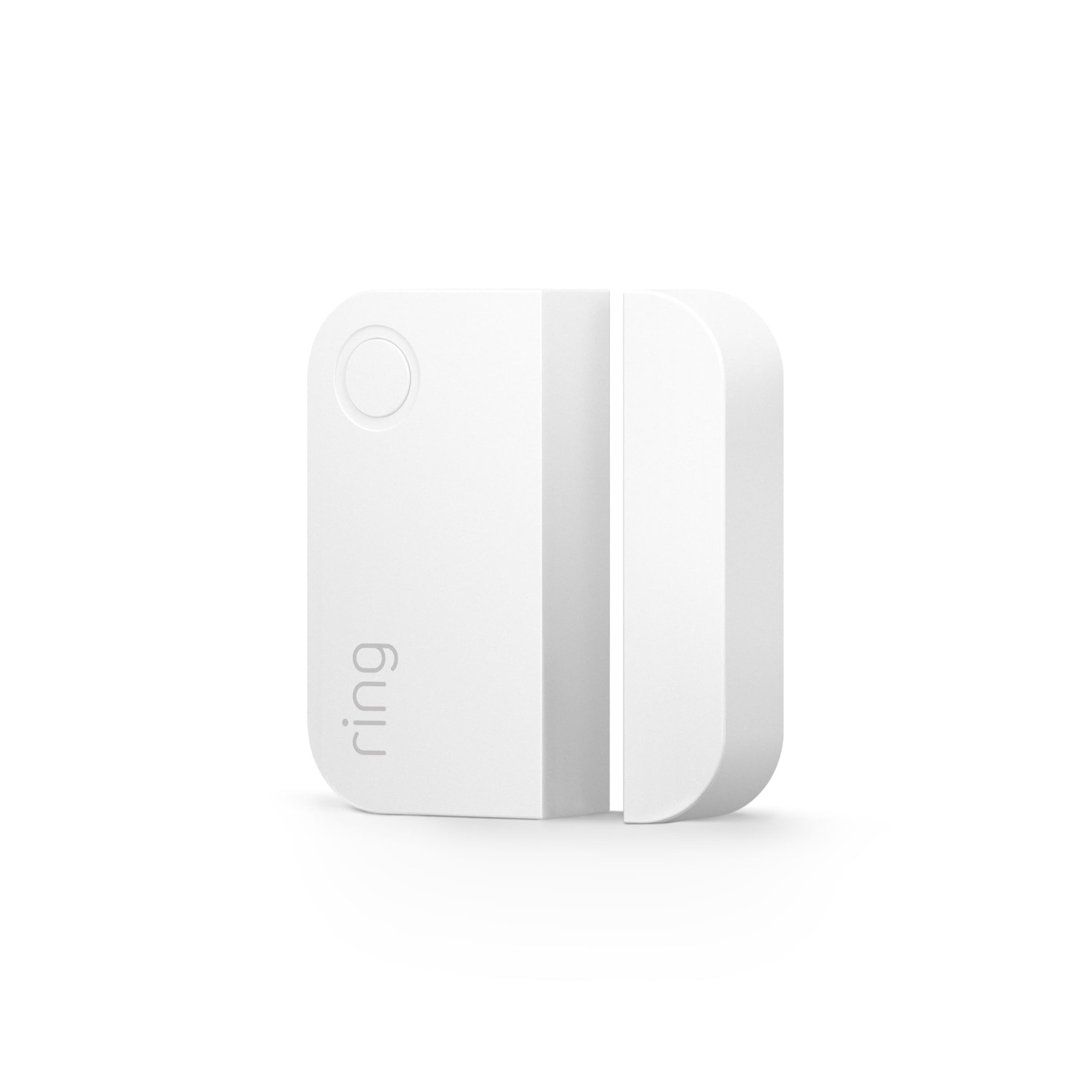
Use the manufacturer’s alignment and gap limits for the exact generation. Ring’s pictured second-generation contact has its own stated gap and indoor-use requirements. Those specifications should not be transferred to an unrelated sensor with a different magnet or installation method.
A closed contact is also not proof that the door is locked. Some entrances can close and satisfy the contact while the deadbolt remains retracted. Keep physical locking and electronic status as separate checks.
Acoustic glass-break sensors: check the pane, not just the room size
These devices listen for a sound pattern associated with supported breaking glass. The manufacturer’s stated range is conditional on the room and installation. Walls, heavy curtains and other obstructions can change the useful acoustic path.
SimpliSafe’s current installation guide identifies placement near the intended windows and warns against using that product with laminated or anti-smash glass. Its product page additionally excludes tempered glass. Those limits are a reason to identify your glazing before buying, not a claim that every glass-break model has identical compatibility.
Ask the alarm supplier to confirm the exact product for the pane construction, dimensions and room. A detector hearing a dropped plate during a demonstration does not establish dependable protection of a laminated patio panel.
Room motion detectors: useful interior coverage
A compatible room detector can cover a route through an area rather than requiring a contact on every opening. That can be useful as an additional layer or for rooms with several potential entry points. Its usefulness depends on actual movement through the detection field.
Furniture, heat sources and the selected arming mode affect the plan. A detector disabled while people are home cannot provide the same protection during that period as a perimeter contact that remains active. Neither choice is inherently wrong; it needs to match the household’s use.
For pets, use a suitable model and installation rather than assuming every small animal is ignored. Our pet-friendly sensor guide covers climbing animals, furnishings and positive human-detection tests.
Alarm modes change what is protected
Many systems distinguish a stay/home mode from away mode, but the names alone do not define the active sensors. Review the actual configuration. A motion detector may be disabled to allow residents to walk around while door contacts remain armed.
Check entry routes and delays. A main-door contact intended to start a disarm countdown should not be casually reconfigured as an immediate alarm without considering normal arrivals. A bedroom window may have a different role from that main entrance.
Record the intended state of each sensor for each mode. That prevents a misleading comparison where one detector is judged more reliable simply because the other was not supposed to be active.
Example: a bedroom used overnight
Opening window: a compatible contact reports opening while occupants sleep.
Relevant glazing: an appropriate glass-break option may add a different detection path, if the actual glass and room support it.
Occupied floor area: a room motion detector may need a different home-mode setting so normal movement does not trigger the alarm.
This is a conceptual example, not a universal equipment prescription. Required escape windows must remain usable. A sensor should not become an excuse to fit an obstructive lock or grille to a required opening.
For an occupant who needs to open the window regularly, agree the legitimate ventilation and arming process. Constantly bypassing a sensor without understanding the remaining protection is not a dependable routine.
Example: a living room with large glazing
Begin by identifying which panels open and which are fixed. Contacts can monitor the moving sections, but they do not necessarily report glass damage in a fixed panel. An appropriate acoustic or other glazing-related sensor may address another event.
Check curtains in their normal nighttime position. A sensor placed for an unobstructed daytime demonstration can face a different room once heavy curtains are closed. Furniture and room divisions also affect the relevant sensing paths.
A motion detector can add interior coverage when the room is unoccupied. Place and test it for the real route, not merely where a corner looks tidy. Avoid assuming that one detector’s nominal maximum range covers several rooms through closed doors.
Example: a patio entrance with pets
Inspect the primary door first. A contact cannot repair a latch that does not engage, and a camera cannot physically retain a sliding panel. Our patio-door guide covers those mechanical checks.
For detection, a contact can give a direct opening signal while an appropriately specified room sensor covers other movement. Pet furniture near the detector may change the placement decision. If the glazing is laminated, do not assume the first acoustic sensor in a starter kit is suitable.
Consider a camera for context where privacy and lighting allow it, but keep its role separate. An app’s person classification and an alarm panel’s contact event can have different availability and response paths.
Compatibility includes the alarm system
Wireless protocols, radio regions and manufacturer enrollment rules matter. A sensor using a familiar wireless standard is not automatically accepted by every hub supporting that standard. Some functions may depend on the native system or a particular service tier.
Before ordering an expansion pack, check exact model and generation support. A secondhand device may also need legitimate ownership transfer or a documented reset process. Do not assume appearance establishes compatibility.
For an inherited system, use our existing-alarm assessment. It helps identify the panel and components before replacing useful equipment or attempting to add unsupported sensors.
Do not confuse ordinary sensor communication with Wi-Fi
A contact can use a separate radio link to a base station while the base station uses Wi-Fi or Ethernet for remote communication. A strong phone signal in the room does not prove the contact has a strong link to the hub.
Test the sensor at its actual installation point with doors and furnishings in their normal positions. Check supported range-extension options if needed rather than relocating the base station where its siren, power or other links become unsuitable.
For ongoing faults, our false-open sensor guide separates alignment, radio communication and status interpretation. A sensor marked offline is a different starting symptom from one accurately reporting a physically separated magnet.
Test safely and through the correct mode
Use the system’s documented test procedure and coordinate with the monitoring provider where required. Make sure a planned test will not generate an unwanted emergency response. Restore the normal settings afterward and record what was checked.
Do not break a window to test a glass-break detector. Ring’s glass-break guidance also warns that a phone recording is not a reliable substitute for the real sound profile. Follow supported simulator or manufacturer procedures instead.
A communication test button may prove that the sensor can reach the panel without proving detection across the intended room. Distinguish enrollment, radio testing and actual supported detection testing in the handover record.
False alarms should lead to diagnosis, not blanket disabling
Record which sensor generated the event and what was happening. An opening contact, glass-break detector and motion unit may respond to completely different conditions. Renaming every notification intrusion can hide the detail needed to fix nuisance alarms.
Inspect mounting movement, heat sources, room changes and current configuration. If a curtain or piece of furniture has moved, the detector may no longer match the installation that was tested. Avoid taping over lenses or attaching extra magnets as permanent shortcuts.
Keep an appropriate response while a fault is repaired. Any temporary exclusion should be understood by authorized users and restored after correction, not forgotten because the system became quiet.
Cost the useful coverage, not the sensor count
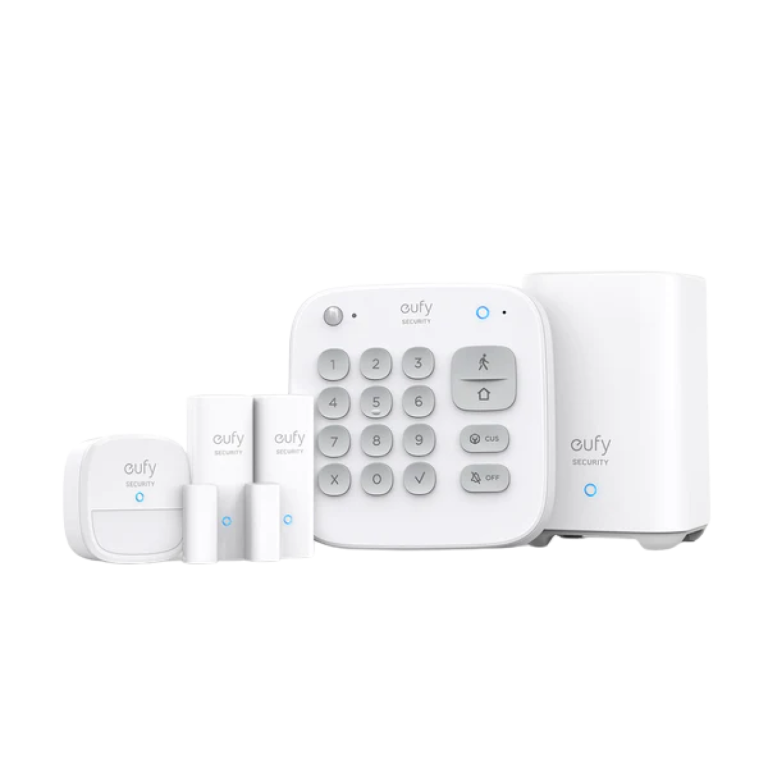
A starter kit’s number of pieces can be misleading because a base station, keypad and extender may be included alongside the actual detection devices. Count the required openings and interior tasks, then price compatible expansion and monitoring.
For illustration, four hypothetical $25 contacts and one $45 detector total $145 in sensing hardware before the hub, installation and service. That does not establish that those five devices suit every four-window room. The appropriate mix depends on opening geometry, glazing and occupied use.
Our no-monthly-fee system guide separates hardware from continuing app and response features. No subscription should not be interpreted as professional dispatch included for free.
Know who acts on an alarm
A local siren, a phone alert and professionally monitored response are different arrangements. Decide who receives the event when the household is asleep, travelling or without phone service. A sensor can detect correctly while nobody able to act receives the warning.
Our monitoring comparison follows those scenarios. Do not assume a product purchase creates a guaranteed police response or that an untrained neighbor should investigate a potentially occupied building.
Keep emergency contacts and verification arrangements current. Test notifications and authorized cancellation through the provider’s procedure rather than discovering the process during a nuisance alarm.
A room-by-room selection worksheet
| Record | Why it matters |
|---|---|
| Opening or event | Defines what the sensor must detect |
| Glass construction and coverings | Checks acoustic and glazing-related suitability |
| Occupancy and pets | Determines usable arming modes and placement |
| Exact system and generation | Prevents incompatible purchases |
| Test method | Separates radio communication from event detection |
| Alert and response owner | Ensures the warning leads somewhere useful |
Use the worksheet before accepting a bundle recommendation. A good installer can explain why each sensor is present and which gap it addresses, not just point to a large number of pieces in the box.
Frequently asked questions
Do I need both a window contact and a glass-break sensor?
They detect different events, so both can be useful in a suitable plan. Whether both are justified depends on the opening, glazing, room and other coverage.
Can a motion detector replace all window sensors?
Not for every purpose. It may detect movement after entry and may be inactive while the room is occupied. Decide whether perimeter detection is required.
Will any glass-break sensor work with laminated glass?
No. Check the exact manufacturer’s glazing compatibility. Some products explicitly exclude laminated or other glass types.
Does a closed sensor mean the door is locked?
No. A contact usually reports its sensor-and-magnet relationship, not the deadbolt’s position or the strength of the entrance.