Are Keypad Door Locks Safe? Codes, Hardware, Batteries and Backup Access
A keypad can remove the need to carry a key without necessarily connecting the front door to the internet. That distinction matters. Many questions about keyless locks mix ordinary electronic keypads, mechanical combination locks and connected smart locks as though they were one technology with one set of risks.
A suitable keypad lock can be a sound residential choice when its mechanical hardware, installation and access management are appropriate. It is not automatically stronger than a good keyed lock, and entering a code does not prove the door has closed or the bolt has fully engaged. This guide explains what to assess before replacing a working entrance.
First identify the type of keypad lock
A mechanical combination lock uses a code-operated mechanism without the same battery and software dependencies as an electronic device. A nonconnected electronic keypad uses powered controls but may have no app, Wi-Fi or remote account. A connected smart lock can add remote administration and integrations, depending on the model.
Schlage’s electronic-lock overview distinguishes local electronic access from smart-lock features. That is a useful category distinction, not a guarantee that every product using the word keypad is nonconnected.
| Type | Main appeal | Questions to check |
|---|---|---|
| Mechanical combination | Code access without batteries in the locking function | Code changes, operating effort, backup and hardware specification |
| Nonconnected electronic keypad | Local keyless access without a remote-service account | Battery, programming, code capacity and emergency entry |
| Connected keypad smart lock | Remote management and supported automation | All physical checks plus accounts, updates and connectivity |
Choose the least complicated category that solves the real access problem. A family that simply forgets keys may not need remote administration or activity logs.
The keypad is not the retaining mechanism
Look at what actually holds the door closed. The code may control a deadbolt, a latch-based lockset or another mechanism. Some products use a motor; others require the user to turn an exterior control after authorization.
For example, Schlage documents the BE365 as manually operated after a valid code, not a motorized bolt. That means code acceptance and completion of the physical locking action are separate parts of the routine.
Confirm the intended sequence with every household user. A familiar beep can indicate a successful input without proving the complete entrance is secured. The product’s instructions should explain what feedback is provided and what the occupant must still do.
Start with the door and frame
A keypad does not repair a split jamb, loose strike or leaf that needs lifting to close. Before installation, compare the existing lock’s movement with the door open and shut where safe. Note any rubbing or incomplete bolt travel.
Motorized products can struggle when the bolt meets resistance, and manually operated electronic locks still need sound alignment. Fix that problem before evaluating convenience features. A new device that works only after a hard pull on the door has not delivered a reliable upgrade.
Our door-alignment guide and reinforcement guide explain the complete assembly. The lock’s visible keypad is only one component.
Check the exact hardware rating
Ask what certification applies to the actual model and function. A retailer’s high-security label is not enough. Door preparation, strike support and installation must also match the product’s intended arrangement.
Do not confuse numerical commercial hardware grades with separate residential security, durability and finish classifications. A product can carry more than one applicable certification, but the labels describe different test frameworks. Read the manufacturer’s exact statement rather than combining numbers into an invented score.
Our mechanism comparison explains why a latch-based product and a separate deadbolt need to be assessed by their actual design. A touchscreen does not make weak hardware strong or strong hardware weak by itself.
Protect the programming credential
Some keypads distinguish a programming code from everyday access codes. The programming credential can add or remove users or change settings, so it should not be distributed to every visitor who needs entry.
Store ownership and programming information securely. Keep the appropriate recovery route available without relying on a note taped beside the door or stored only inside a locked room. When a property changes occupants, follow the manufacturer’s authorized ownership-reset process.
Do not assume that changing one user code removes every other stored code. Review the complete set of credentials and any key-based access. A keyless convenience feature does not necessarily mean the physical keys have disappeared.
Choose codes for people and purposes
Where the product supports individual codes, separate household and temporary access so it can be removed independently. Avoid giving everyone one permanent shared number and expecting an activity history to identify who used it.
Use codes that are not trivially associated with the property or user, and follow the manufacturer’s length and programming requirements. Do not write the code on the outside of the door or share it through an indefinitely accessible public message.
For connected models, verify schedule and expiry behavior. A code may be local, cloud-managed or synchronized through a hub, and a change may not take effect in the way you expect during an outage. Use the documented confirmation process rather than assuming an edited app screen proves the lock has received it.
Observation and code sharing are everyday risks
A person standing nearby can sometimes see a code being entered. Users can also share a credential with someone else. These practical access-management issues deserve attention alongside more technical concerns.
Position and use the keypad so normal entry does not unnecessarily expose the code. Do not exaggerate this into a claim that every fingerprint or worn button reveals the whole combination. The actual mechanism, possible code sequence and condition differ.
If a code is no longer trusted, remove or change it using the supported procedure. Review whether the same person also has a key, an app invitation or administrator access. One changed number may not remove every route.
What happens when the batteries die?
Battery depletion does not have one universal effect across all keypad products. The installed mechanism, current bolt state and backup method determine what remains possible. Read the specific model’s failure and recovery behavior before purchase.
Schlage’s Keypad and Touch battery guidance specifies the battery type and care for those covered products. Do not substitute a chemistry merely because it fits physically, or generalize one model’s battery-life claim to every electronic lock.
A physical key, approved emergency-power method or another legitimate entrance may provide backup depending on the design. Store and test that backup appropriately. A key kept only inside the locked property does not help the person outside.
Does a keypad need Wi-Fi?
Many local keypad locks do not. A connected model can also retain certain local functions during an internet interruption, while remote features become unavailable. The exact behavior must be confirmed for the product and configuration.
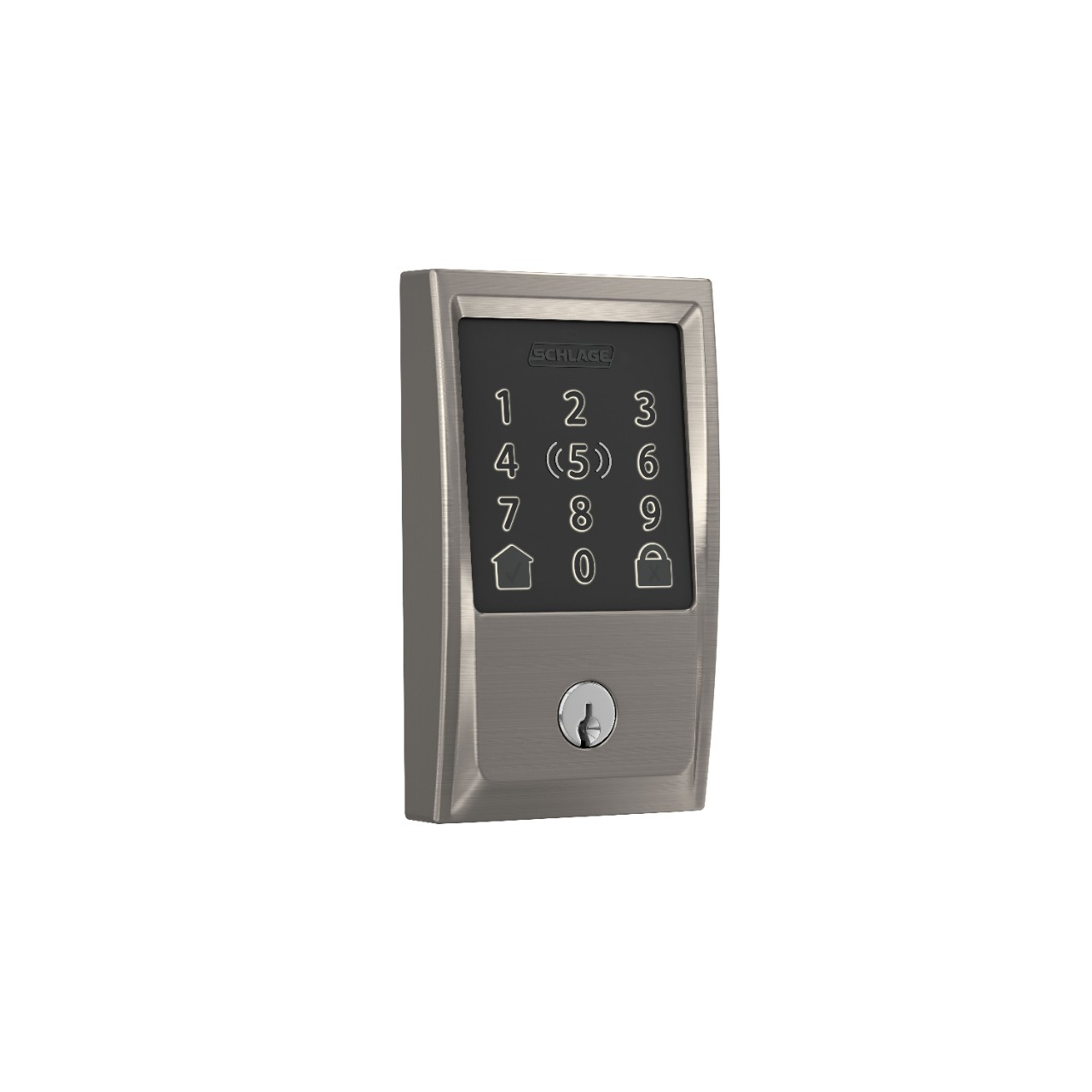
For an illustration of the distinction, Schlage’s Encode-series support page describes local access separately from remote and integration features. Use the model’s current documentation rather than assuming that disconnected means unlocked or completely unusable.
For account security, firmware and remote administration, read our smart-lock security assessment. Those additional issues should not be attributed automatically to a keypad that has no network connection.
Weather and operating conditions
Check the permitted temperature and exposure for both exterior and interior components. The outside keypad and inside battery housing may have different limits. A lock sold for a sheltered residential entrance is not automatically appropriate for an exposed gate or unheated outbuilding.
Consider normal user conditions too. Rain, gloves, reduced dexterity and poor lighting can affect whether buttons or touchscreens are comfortable to use. Try the interface where practical rather than choosing solely from a product photograph.
Clean the keypad and finish using the manufacturer’s instructions. Do not spray liquid directly into electronics or use an abrasive treatment to remove marks. Maintenance should preserve operation, not damage the surface while improving appearance.
Compatibility with the door
Confirm door thickness, backset, bore preparation and the dimensions around the inside unit. A product described as standard can still conflict with existing handles, trim or glazing. An apparently simple deadbolt replacement can require additional work if the original preparation differs.
Multipoint doors need special attention. A keypad accessory may not perform the required handle movement, and replacing part of the lock can affect the intended system. Use a documented compatible arrangement rather than assuming every door can accept a conventional bored deadbolt.
For a rated entrance or rented property, obtain the required authorization before modifications. Our apartment guide explains why individual access preferences must fit the building’s wider requirements.
Safe exit and accessibility
The ability to enter without a key should not come at the expense of straightforward exit. Check the inside release and the applicable requirements for the building. Do not choose an interior keypad or keyed arrangement based only on preventing unauthorized entry.
Include every relevant occupant in the acceptance test. A child, older person or someone with limited hand strength may use the hardware differently from the installer. A backup method needs to be practical for those people, not simply present in the manual.
If the proposed product adds a second operation to leave, obtain appropriate advice about whether that arrangement is permitted and suitable. A convenient outside interface does not settle the inside-safety question.
Test it before relying on it
- Confirm smooth mechanical operation with the door open and then closed.
- Verify every intended household code and any supported schedule.
- Create and revoke a test guest credential through the documented process.
- Check how the lock indicates successful authorization and actual locking.
- Verify backup entry and normal inside release with a safe alternative route available.
- Record battery, maintenance and account responsibilities.
Use non-destructive checks and retain legitimate access during testing. Do not intentionally exhaust the only working battery or erase the only administrator credential merely to prove you can recover.
Who benefits most from a keypad?
A household with frequent forgotten keys may gain a simpler daily routine. A property with recurring authorized visitors may benefit from separately managed credentials. A user who does not need remote access may prefer a local keypad over a more complex connected model.
A conventional lock remains reasonable when keys work reliably and nobody wants battery or code administration. Keypads are a useful option, not an obligation. Our buying-value guide compares those convenience and maintenance tradeoffs.
Frequently asked questions
Can a keypad lock be secure without internet?
Yes. Some are designed for entirely local operation. Evaluate hardware, installation and credential management rather than assuming internet access is necessary.
Does entering the code automatically lock or unlock every model?
No. Some authorize a manual turn, while others drive a motor. Learn the exact operating sequence and confirmation signals.
Are longer codes always better?
Code space is one factor, but access management, hardware and implementation still matter. A strong code shared indiscriminately is not a sound permission system.
Should I keep a physical key?
Use the backup method intended for the product. A physical key can be useful where provided, but it must remain securely and legitimately accessible.
What matters most?
A sound door, suitable tested hardware, controlled credentials and a workable failure plan. The keypad is one interface within that system.