

Are Smart Locks Safe? Physical Security, Hacking and Backup Access
A smart lock can tell you that a command succeeded while the front door is still standing open. It can also let you revoke a cleaner’s access without collecting a key, warn about a low battery and make a spare key under the flowerpot unnecessary. Both sides of that picture matter. The word smart describes how access is controlled, not a guarantee that the entrance is secure.
A well-chosen smart lock can provide sound residential security, but it must be assessed as mechanical hardware, a digital access system and a daily household routine. There is no useful blanket answer that every smart lock is safer, or easier to defeat, than every ordinary deadbolt. Compare the actual model, its installation and the way permissions are managed.
This guide concentrates on security and reliability. For the cost-and-convenience decision, use our separate smart-lock pros and cons guide. That distinction matters because a lock can be secure without being worth the extra cost for your household.
The five questions that matter most
| Layer | Question to ask | What can go wrong |
|---|---|---|
| Door and frame | Does the complete entrance close and lock properly? | A strong cylinder is attached to a weak or misaligned assembly |
| Lock hardware | What has this exact lock been tested to do? | Marketing labels replace evidence of performance |
| Digital account | Who controls the owner account and its recovery methods? | Someone gains access through a reused password or compromised email |
| Permissions | Who can unlock, add users or change settings? | Old credentials remain active after they are no longer needed |
| Failure recovery | How do occupants enter and leave without the app? | A dead phone or depleted battery becomes a lockout |
These questions are more useful than a demonstration of one exotic attack against an unrelated model. A practical assessment looks for the failures that your own installation can prevent, without pretending the risk is zero.
Start with the door before worrying about hackers
Operate the current lock with the door open, then with it shut. If the bolt moves freely only when open, the frame or strike alignment needs attention. A motorized lock should not be expected to drag a badly fitting door into position every time somebody leaves. Repeated strain can also make a new lock feel unreliable even when the electronics are healthy.
Inspect the frame around the strike, the hinge attachment and the condition of the door itself. A split jamb or deteriorated slab is not repaired by an app. In an apartment or shared building, find out whether the entrance has fire, accessibility or management requirements before changing hardware. Our door-reinforcement guide explains the wider assembly.
A retrofit motor that turns the existing cylinder generally retains the security characteristics and limitations of that cylinder. A replacement deadbolt brings different mechanical hardware, but its quality still needs checking. Neither approach should be judged solely by how attractive its touchscreen looks.
Understand what a lock rating does and does not prove
Ask for independent certification applicable to the exact model. In the United States, the BHMA certification program includes residential tests for security, durability and finish. Its Secure Home labels grade those categories separately; an AAA label should not be casually treated as the same notation as a numerical grade under a different hardware standard.
A mechanical rating is evidence about tested hardware performance, not a certificate that the mobile app is immune to compromise. Likewise, an encryption claim says little about the strength of the surrounding frame. Keep physical testing, software support and installation quality as separate checks rather than letting one reassuring logo stand in for all three.
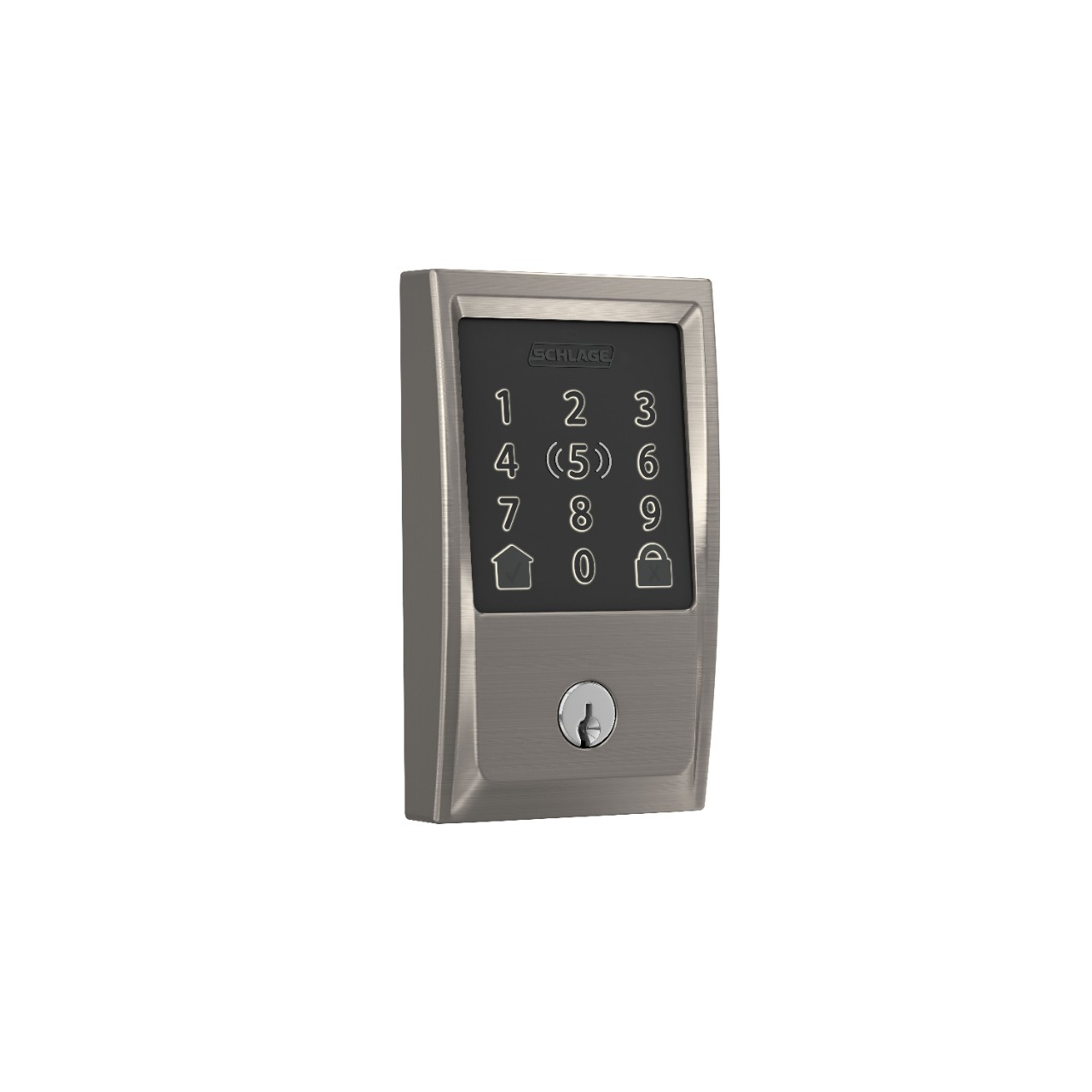
This product is shown to make the distinction concrete, not as a claim that we have penetration-tested it. Schlage lists the model’s certification and backup arrangements in its specifications. Check the exact regional version and installation requirements before treating any example as suitable for your door.
Can a smart lock be hacked?
A connected lock can have software or service vulnerabilities, just as other connected devices can. The responsible question is how the manufacturer limits exposure, handles reported problems and delivers updates. No public-facing feature list can prove that a product will never have a security flaw.
Look for a supported app, a clear update process, a vulnerability-reporting contact and a stated support policy. Be cautious when a seller cannot identify who maintains the software or whether the product will continue receiving fixes. An obscure lock with impressive wireless terminology is not necessarily a better choice than a well-supported simpler product.
The UK’s National Cyber Security Centre guidance emphasizes passwords, updates and checking how connected devices are managed. Apply those principles to the owner account and any service that can issue an unlock command. Changing the Wi-Fi password alone does not secure every connected account.
The owner account may matter more than the keypad
The owner account often has permission to add users, alter schedules and connect other services. Protect it with a unique password and multifactor authentication where available. Protect its recovery email too: a strong lock password is less reassuring if somebody can reset it through an inadequately protected mailbox.
A password manager can help avoid reusing the same login across a shopping site, email and lock account. NIST’s consumer password guidance explains the role of password managers and additional authentication. Use the strongest practical supported sign-in method rather than assuming a complex-looking password is the whole solution.
Give regular household members their own authorized access instead of sharing the owner’s credentials. Individual access is easier to remove and review. It also prevents a temporary guest from inheriting the power to change the entire lock configuration.
Guest codes: useful only when permissions are controlled
Temporary credentials are one of the clearest security advantages a smart lock can offer. You can arrange access for a specific visitor and remove it afterward without wondering whether a physical key was copied. The benefit depends on setting the scope correctly and confirming that changes reach the lock.
Distinguish an unlock-only credential from an administrator account. For a recurring visitor, use the scheduling features the exact model supports and test the intended time window. Do not assume a code was deleted merely because it vanished from one phone’s screen during a network problem. Check the app’s synchronization status or follow the manufacturer’s confirmation process.
A log records use of a credential, not necessarily the identity of the human who entered. A code can be shared, a phone can be lent and someone may follow an authorized visitor through the door. Treat access history as useful context rather than conclusive proof of who was present.
Does the lock stop working when Wi-Fi goes down?
That depends on which function you are using. A local keypad, a mechanical key and an internet-dependent remote command are different access methods. Losing cloud connectivity may disable remote administration while leaving locally stored credentials operational. Some Bluetooth arrangements can operate nearby without internet, but setup, invitations or other features may still depend on online services.
Schlage’s power-outage guidance states that its residential electronic and smart locks are battery-powered. Nuki’s remote-access explanation distinguishes local Bluetooth operation from remote connectivity. These are examples, not a promise that every smart lock has the same fallback.
Before buying, ask the manufacturer exactly what remains available when the router, internet connection or hub fails. Write down the answer for each access method. A phrase such as works offline is too vague when your main requirement is letting a family member in while you are away.
What happens when the batteries die?
Battery depletion is different from a household power outage. A battery-operated motor cannot keep responding indefinitely once its own power is exhausted. The door does not therefore become automatically unlocked; the actual mechanical state and permitted backup operation depend on the product. Read the documented behavior rather than relying on a generic claim about smart locks.
Choose a workable backup before installing the device. It might be a mechanical key, manufacturer-specified emergency power or another legitimate entrance, but it needs to remain available when the phone is dead as well. A key stored inside the locked home is not a practical outside backup.
Respond to low-battery warnings and use the chemistry and replacement procedure specified by the manufacturer. Do not assume rechargeable cells are suitable simply because they physically fit. If batteries are draining unexpectedly, inspect door alignment and consult model-specific troubleshooting rather than disabling useful safeguards at random.
Retrofit locks and emergency-function cylinders
Some retrofit devices turn a key already inserted on the inside of a cylinder. On certain cylinders, that can affect whether a second key works from outside. This is a compatibility question that deserves attention before installation, not after the first flat battery.
Nuki explains the issue in its emergency-function guidance. Check whether the cylinder supports the manufacturer’s intended arrangement and verify legitimate outside-key operation while the door is open. Do not assume that the emergency function refers to a fire-escape certification; it describes a particular cylinder capability.
For any lock, occupants must retain appropriate, understandable exit operation. A residential deadbolt is not the same system as a commercial electromagnetic lock with specialized fail-safe behavior. Use a qualified professional when fire-door or egress requirements are involved.
Locked is not always the same as door closed
A motor can extend the bolt while the door is ajar. Some products use additional sensing to distinguish door position, while others primarily report the lock mechanism’s status. An app icon may therefore tell you less than you think about whether the entrance is physically secured.
Ask what the status indicator measures and whether a separate door sensor is needed. During setup, test normal closure, an intentionally ajar door and the relevant alerts using the manufacturer’s procedure. Do not rely on automatic locking until you understand how the system handles an open door and a partially obstructed bolt.
If a door habitually rebounds after being pulled shut, fix the latch and alignment. Software cannot compensate reliably for a door that does not close in its ordinary daily use.
Auto-unlock and smart-home integrations
Convenient automation adds another permission path to review. A routine might act on phone proximity, location, a connected voice assistant or another smart-home account. Find out which service is authorized to unlock the door and what confirmation is required. Disable a convenience feature you do not understand rather than leaving it active by default.
Test automations deliberately before trusting them. Check what happens when household members arrive together, when a phone is left at home and when the network is interrupted. The right setting is not necessarily maximum automation; it is a routine that behaves predictably for your household.
A connection standard or integration badge is not a guarantee about every feature. A device may support local locking through one ecosystem while relying on its manufacturer’s app for guest schedules or history. Confirm the actual workflows you intend to use.
A practical acceptance test after installation
- With the door open, verify smooth manual and powered bolt movement.
- Close the door normally and confirm locking works without lifting, pulling hard or repeated motor attempts.
- Test each household member’s intended access method, including the backup.
- Create and revoke a temporary credential using the documented process.
- Check the distinction between door-position information and bolt status.
- Review low-power warnings, update settings and account-recovery arrangements.
- Confirm that everyone who needs to exit can do so without relying on a phone.
Perform tests with a legitimate alternative way in and without placing anyone in danger of a lockout. The goal is to discover a configuration problem while help is available, not to simulate every conceivable emergency.
What to do after a phone is lost or access is no longer trusted
Use the account’s documented process to revoke the relevant device or credential, and secure the phone account and recovery email. Review other authorized users and linked services. A code change does not necessarily remove a separate app invitation or an administrator account, so check all the access methods actually configured.
If you suspect ongoing unauthorized access, prioritize physical safety and get appropriate professional assistance. Do not rely solely on a notification history to establish that the property is secure. A locksmith can assess the mechanical entrance while the manufacturer helps resolve account or device issues.
When a conventional lock is the better choice
A sound mechanical lock can be the more suitable option when nobody will maintain batteries or accounts, when the door is incompatible, or when the household does not need remote access. Simplicity is a legitimate security benefit. A keypad without cloud features may also solve forgotten-key problems without adding every connected feature.
On the other hand, a household that repeatedly leaves spare keys in obvious places may benefit from managed codes. Choose based on the problem being solved rather than treating either technology as morally or mechanically superior.
Frequently asked questions
Are smart locks more secure than regular deadbolts?
Not as a general category. Compare the physical hardware and installation separately from the benefits and risks of digital access management.
Can someone unlock the door just because the internet is down?
An internet outage does not itself issue an unlock command. It can remove remote features, while local behavior depends on the exact lock and configuration.
Is a fingerprint lock automatically safer than a keypad?
No. Biometric convenience does not establish the strength of the door, the implementation of the reader or the security of backup access. Evaluate the complete system.
Should a smart lock have a physical key?
A key can be a useful independent backup, but some key-free designs offer other documented recovery methods. The important requirement is a safe, practical backup that the household can actually use.
What should I check first?
Make sure the existing door closes and locks smoothly. Then assess tested hardware, maintained software, controlled permissions and the fallback plan as separate requirements.


