Best 4G Security Cameras for Cabins and Farms: Coverage, Recording and Real Costs
A 4G security camera can send video from a gate, cabin or worksite that has no Wi-Fi. It cannot create mobile coverage where none exists, and a solar panel does not automatically give it continuous recording. Those two misunderstandings account for much of the disappointment with otherwise capable cellular cameras.
Choose the communication and recording arrangement before comparing resolution. An occasional view of a cabin entrance, a record of every minute at a worksite and monitoring several farm buildings are different jobs. This guide compares documented product approaches and shows how to check the complete first-year cost. It does not claim hands-on testing or guarantee that a carrier serves your specific location.
Start here: compare Reolink Go PT Ultra for a standalone cellular event camera and eufy 4G LTE Cam S330 when switching between supported Wi-Fi and cellular connections is useful. For continuous recording, examine a specifically supported continuous-recording model or a powered local camera system using a cellular router. Do not buy a battery event camera expecting an uninterrupted timeline.
Manufacturer information was checked on November 5, 2026. Verify the regional hardware version, carrier, storage and service terms before ordering; similar names can describe different equipment.
Which type of cellular setup do you need?
| Requirement | Arrangement to investigate | Main compromise |
|---|---|---|
| One remote gate, no mains power | Battery 4G camera with compatible solar support | Charging, coverage and event-recording limits |
| Occasional Wi-Fi with cellular fallback | Camera explicitly supporting both networks | Verify switching behavior and continuing data costs |
| Every minute must be retained | Supported continuous-recording hardware and adequate power/storage | Greater energy and retention requirements |
| Several cameras at one powered site | Local recording system plus an appropriate cellular router | More network equipment and installation work |
| No usable mobile service | Local-only recording or another professionally designed connection | No ordinary real-time remote alert without a communication path |
For the distinction between no Wi-Fi and no internet, see our offline camera guide. A cellular camera still uses internet connectivity; it obtains it through the mobile network rather than a household broadband router.
Reolink Go PT Ultra: standalone event recording
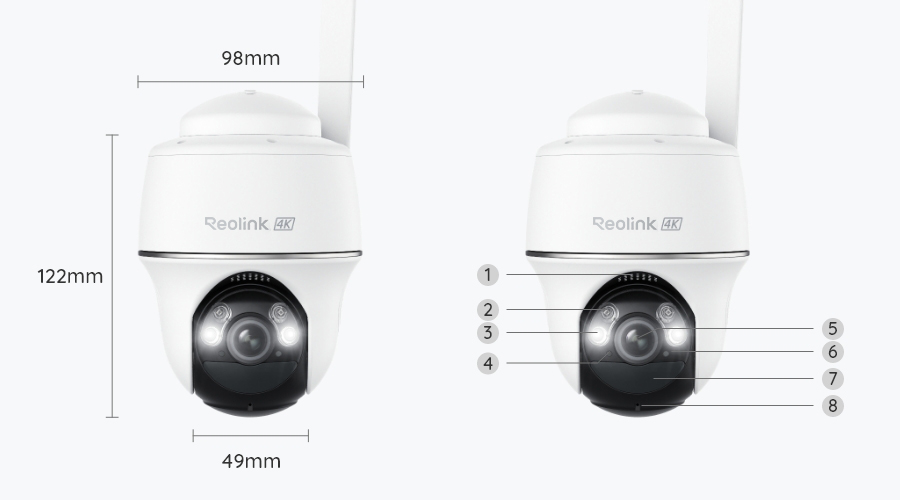
The Go PT Ultra specifications describe a 4K cellular pan-and-tilt camera with motion-triggered local microSD recording. It is a candidate for a single remote position where battery operation and adjustable viewing are useful. The current page lists local card support up to 128 GB; check the actual revision supplied.
I would compare it for a cabin entrance or farm gate where occasional events are the primary concern. I would not select it solely because 4K sounds sufficient for identifying a distant vehicle. Mounting angle, lighting, subject size and the saved clip still determine the useful detail.
A movable lens can help inspect different directions, but it does not preserve a detailed view of every direction simultaneously. Set the normal position around the event you most need to capture and test a realistic approach before leaving the site.
Eufy 4G LTE Cam S330: cellular and Wi-Fi in the same model
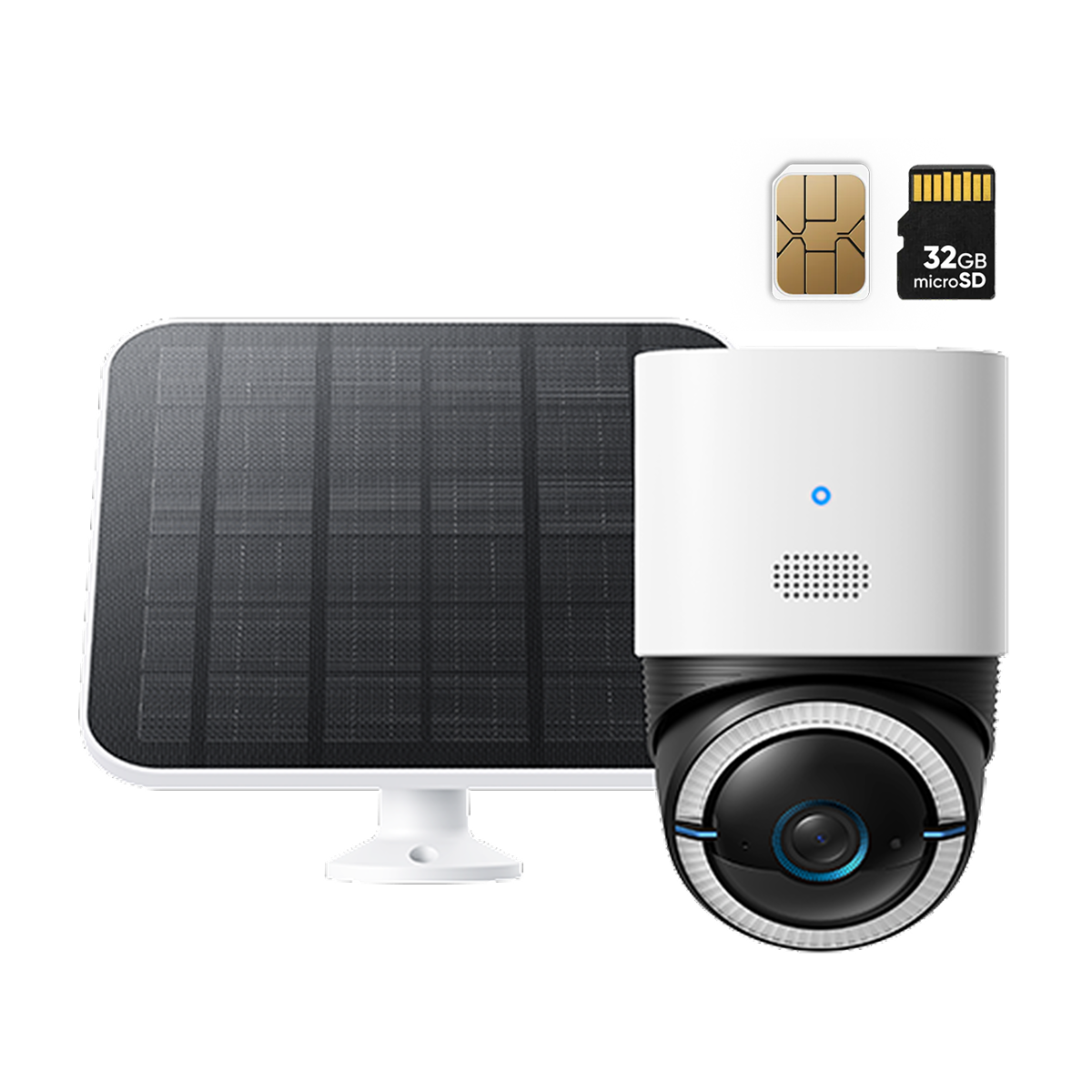
The 4G LTE Cam S330 listing describes both cellular and 2.4 GHz Wi-Fi connectivity, solar-supported battery operation and local event recording. The distinction from eufyCam S330, a different Wi-Fi/HomeBase product family, is important when reading reviews or shopping for a kit.
This is worth comparing when a site sometimes has Wi-Fi and you want supported cellular fallback. Check the exact regional SIM and firmware arrangement, and test a deliberate network interruption through the documented process. A fallback feature is useful only if the data plan is active and the second network reaches the camera.
The manufacturer’s page explicitly distinguishes around-the-clock availability from continuous recording. That distinction should carry more weight than a large solar-power slogan. Confirm included storage and current HomeBase compatibility separately; the configuration can depend on whether the camera is using Wi-Fi or cellular.
When you need continuous recording instead
A battery event camera is the wrong category when the requirement is to review any quiet minute yesterday. Some specialized models do support continuous recording, but the power, storage and operating-mode conditions must be included in the specification.
Reolink’s TrackMix LTE Plus series documentation identifies a continuous-recording cellular range. Its Smart Battery Mode explanation also distinguishes recording modes that change frame behavior. Compare the exact model and recorded output rather than assuming every minute has identical frame rate and detail.
For a powered multi-camera property, consider local continuous recording with remote viewing through a cellular router. That can avoid uploading every recorded second. It is a system-design option, not proof that any router, recorder and camera will integrate without configuration.
Check coverage at the mounting position
A coverage map is a useful screening tool, not a commissioning test. The final camera may sit behind metal cladding, under a roof edge or lower than the point where your phone receives service. A phone’s performance can also differ because its radio, antennas and supported bands are different.
Test the actual camera and intended SIM at the location during the return period. Check live-view connection, event alerts and playback retrieval. Repeat during ordinary site activity rather than relying on one successful preview beside an open doorway.
If coverage is marginal, ask the carrier and manufacturer about supported alternatives. Do not attach an arbitrary antenna or promise that an unapproved booster will fix the site. Where no suitable mobile path exists, local recording may be the realistic option.
SIM compatibility is more than SIM size
Country-specific radio bands, carrier policies, device eligibility, data allowance and activation all matter. An inexpensive phone plan may restrict use in another device. A camera bought from another region can have a different supported radio configuration even when the product name matches.
Reolink’s SIM selection guide directs buyers to the regional compatibility information and specifies one SIM per listed standalone camera. Check whether a bundle includes only a starter allowance and what happens when it expires.
Keep the account, SIM identifier and renewal information in a secure maintenance record. A forgotten expired plan can look like a broken camera. Avoid publishing those identifiers alongside property details when asking for help in an open forum.
Estimate data from use, not resolution alone
Data use depends on what is transmitted. Local card recording does not automatically mean every frame is uploaded over cellular. Remote live viewing, playback downloads, cloud clips and background communication contribute in different ways.
For an illustrative constant 2 Mbps stream, ten minutes of viewing each day transfers about 150 MB daily, or 4.5 GB over thirty days before overhead. Thirty transmitted thirty-second clips per day at the same assumed bitrate add about 6.75 GB monthly. Actual devices use different bitrates, and some save those events locally until you request them.
Use the first period of operation to measure real usage with the intended settings. Our camera data calculator lets you change the assumptions, but a plan should include a reasonable allowance rather than being sized to the last theoretical megabyte.
Build the real first-year budget
Include camera, solar or mains accessories, compatible storage, data service, mounting, travel for installation and the visits needed for maintenance. A kit that appears inexpensive can be costly if its battery must be serviced at a remote property.
| Planning line | What to enter |
|---|---|
| Hardware | Exact camera kit and required accessories |
| Data service | Twelve months of the intended plan, including activation where applicable |
| Storage | Compatible local card or supported recorder arrangement |
| Installation | Safe mount, cable protection and access |
| Maintenance | Charging, cleaning, service visits and replacements |
| Optional services | Any cloud or monitored service you actually intend to retain |
Suppose a hypothetical camera-and-panel kit costs $280, storage costs $25 and service is $12 monthly. That is $449 for year one before tax, installation and visits. Two standalone cameras with separate comparable plans would double those particular costs. These are arithmetic examples, not current quotations for the models pictured.
Solar power requires a winter plan
Place the panel for suitable sun and the camera for useful coverage; those are not necessarily the same spot. Use supported cable lengths and mounting hardware. Do not compromise the view simply because the sun reaches a convenient tree branch.
Short days, shade, weather and charging-temperature limits can alter performance. The camera may operate at a temperature at which its battery cannot safely accept charge. Read the exact manufacturer’s limits rather than treating outdoor operating range as a charging specification.
Our winter solar-camera guide examines those dependencies. A panel should reduce charging visits under suitable conditions, not justify an unsupported promise of permanent unattended operation.
Local recording and remote evidence are different safeguards
A card can retain footage without a monthly cloud-video plan, but it may disappear with a stolen camera. A remote copy can reduce that particular risk if the system actually uploads the relevant event before losing contact. Confirm the supported options for the precise cellular model and region.
Export important incidents promptly and preserve the original file. The app’s event list is not a permanent archive if recordings are overwritten. Check the retention you get under normal activity and during busier periods.
For a site visited monthly, a card holding only the most recent week may not meet your requirement even though recording works perfectly. Choose retention and notification routines together.
Mount for the event and maintain it safely
Decide whether the priority is a person at a gate, a vehicle arriving or activity near equipment. A high panoramic view can lose identifying detail. Test a normal walk in daylight and darkness, and check the event’s beginning rather than only its clearest frame.
Keep antenna orientation, weather seals and panel cables within the manufacturer’s installation instructions. Avoid unsafe climbing or attaching hardware to unsuitable structures. A remote camera should still be reachable for legitimate maintenance.
Camera alerts should not trigger a risky personal confrontation. For a cabin or farm, arrange who receives warnings and how appropriate help is contacted. The cabin security plan covers local contacts and environmental risks beyond the camera’s field of view.
Questions to settle before the return period ends
- Does the exact camera and SIM connect reliably at the intended mounting point?
- Can you receive an alert and retrieve the original event away from the property?
- Does the recorded event include enough approach and useful moving detail?
- Is the measured data use consistent with the chosen plan?
- Does local recording continue through a supported temporary connection interruption?
- Can you maintain power through the site’s expected seasonal conditions?
- Are account ownership, renewals and recovery information documented?
A good cellular installation passes that complete sequence. A single successful live view on the day the package arrives is not enough to justify relying on it for an unattended property.
Frequently asked questions
Can a 4G camera work without Wi-Fi?
Yes, a compatible cellular model can use mobile service instead. It still needs suitable coverage, an active plan and power.
Does no subscription mean no ongoing cost?
Not necessarily. A camera can offer free local video recording while requiring paid mobile data for remote functions. Keep those charges separate.
Will a 4G camera record continuously?
Only if the exact model and operating configuration support it. Many battery devices save events rather than a full timeline.
Standalone cellular cameras commonly need their own SIMs. A supported cellular router feeding a separate camera network is a different architecture that may serve several devices.