

Security Camera vs. Video Doorbell: Which Should You Install?
A video doorbell can show a delivery driver looking straight into the lens while completely missing the side passage used to reach your back garden. An outdoor camera can cover that passage beautifully but give you an awkward view of somebody standing immediately beneath it. Neither device is automatically the better purchase. They solve different problems, and choosing between them starts with the scene you need to record.
For answering visitors and checking deliveries at the front entrance, a video doorbell is usually the more convenient starting point. For a driveway, detached garage, garden gate or route that is not beside the door, a separate security camera offers more freedom of placement. Buy both only when the second device closes a meaningful gap, not because a bundle makes two overlapping views sound essential.
The differences that actually affect daily use
| Question | Video doorbell | Separate security camera |
|---|---|---|
| Where does it work best? | Beside the entrance, where visitors can reach the button | Where its lens has the most useful view of the target area |
| How do visitors contact you? | Press a physical button to start a doorbell notification or call | Usually no visitor-operated call button |
| Can you talk through it? | Usually, subject to connectivity and app behavior | Only when that particular model has suitable audio hardware |
| Does it record continuously? | Some models and configurations do; many save events only | Depends on power, storage and recording support, not the camera shape |
| Can it watch packages on the floor? | Depends on vertical coverage and mounting geometry | Possible with an appropriate angle, but not assured by a wide lens |
| What complicates installation? | Doorframe width, transformer and chime compatibility | Cable routing, outdoor power, brackets and network coverage |
The most expensive mistake is confusing a feature with an outcome. Two-way audio does not guarantee that an app opens quickly enough to catch a courier. A high-resolution sensor does not guarantee a recognizable face at the end of a driveway. Judge the complete sequence: detection, usable recording, notification and retrieval.
Choose a doorbell when the doorstep is the main problem
A video doorbell makes particular sense when you regularly miss visitors, want to speak to delivery drivers or need to check the threshold without opening the door. Its call button gives a visitor an obvious way to get your attention. You do not have to depend entirely on motion detection to know someone is waiting.
However, the convenient location for a button may not be the best location for a camera. A narrow frame, deep porch recess or side-facing entrance can leave the approach outside the view. Mounting wedges can help on compatible models, but they do not eliminate every obstruction. Check the permitted mounting position before ordering hardware.
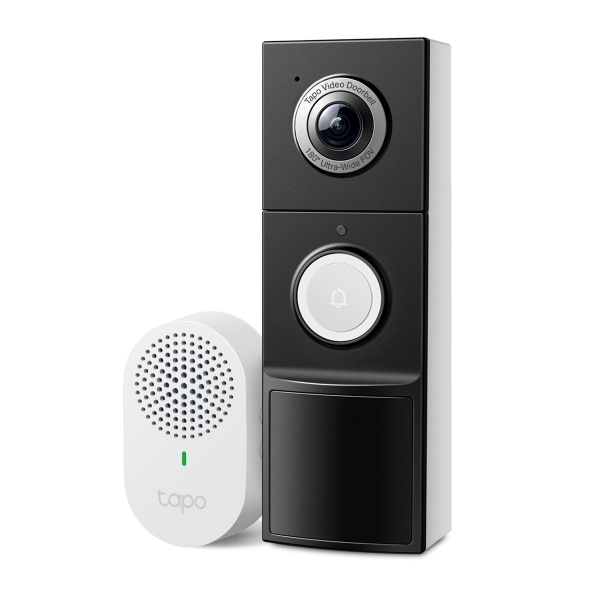
The Tapo D225 illustrates why the exact power mode matters. TP-Link documents battery operation and a hardwired Always-On configuration, with continuous recording available in the latter. Its existing mechanical-chime arrangements also change with that configuration. That is a useful example of a buying question, not evidence that every battery doorbell gains continuous recording when connected to wires.
Choose a separate camera when coverage matters more than answering
A security camera can be positioned to watch an approach rather than being constrained by where someone can press a button. That makes it a better category to investigate for a long side passage, parking space, workshop or garden entrance. Mounting flexibility also helps you avoid a bright background that puts visitors’ faces in shadow.
Do not interpret flexibility as a reason to mount the camera as high as possible. An elevated view may capture the top of a visitor’s head and little useful facial detail. A panoramic scene can also spread the available pixels across a large area, leaving distant subjects too small. Decide whether your priority is an overview or a useful close view and select the mounting position accordingly.
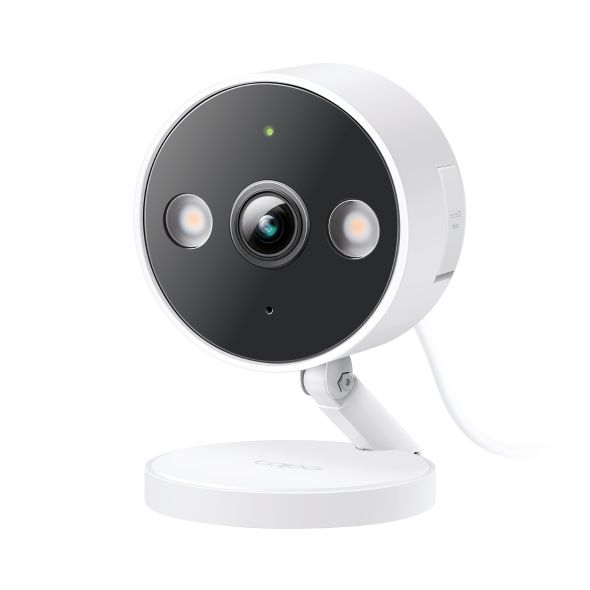
The C120 example is relevant where suitable power is available and local memory-card recording appeals to you. Check the exact hardware version, outdoor installation instructions and regional service features. For a broader buying comparison, read our outdoor cameras under $100 guide; the product examples here illustrate different approaches rather than a hands-on ranking.
Power, wireless connectivity and recording are separate decisions
The word wireless causes unnecessary confusion. It can mean that a camera sends video over Wi-Fi while still needing a power cable. A wire-free camera normally runs on batteries, but it may require a hub connected elsewhere. A wired doorbell can use existing low-voltage wiring for charging without becoming a continuously recording device.
Write down three answers before comparing models: where the camera gets power, how footage travels, and where footage is saved. A plug-in Wi-Fi camera with an internal card has different dependencies from a battery camera uploading motion clips to a cloud service. The label on the box does not explain those dependencies reliably enough.
Battery installation is attractive where running power would be expensive or intrusive. The tradeoff is maintaining charge and accepting the specific model’s wake-up behavior, clip limits and recording options. Solar support can reduce charging visits in suitable conditions, but it does not add recording features the camera lacks.
Continuous recording versus motion clips
Continuous recording is worth considering when you need to investigate an uncertain time rather than just review detected activity. Imagine discovering a damaged car in the morning without knowing when it happened. An event-only system can show the events it classified; it cannot supply video for an interval it never saved. A continuous timeline offers more context, provided power, storage and connectivity remained operational.
Doorbell shape does not rule continuous recording out. Reolink documents 24/7 local recording for its wired Video Doorbell WiFi, while Google’s history guidance distinguishes eligible wired Nest doorbells from the Nest Doorbell battery model. Those distinctions are why a blanket statement that doorbells only record motion is unreliable. See our doorbell recording guide for the model-specific comparison.
Conversely, do not assume a separate outdoor camera records every second. Many battery cameras are event-based. Ask whether the model supports continuous recording, what storage it needs, whether that feature has to be enabled, and whether any subscription applies.
Packages need a different view from faces
A familiar doorbell problem is a clear view of the caller with the parcel cut off at the bottom. The headline field-of-view number may describe the diagonal view, not the vertical coverage that determines whether the doorstep is visible. Mounting height and the distance from the lens to the parcel matter just as much.
Before fixing the bracket permanently, place an ordinary parcel where deliveries are normally left. Have someone stand beside it, then approach from each direction. Inspect whether both the face and parcel are visible without excessive digital zoom. If neither adjustment nor an approved wedge solves the problem, a second camera or a different lens arrangement may be justified.
For theft prevention, consider delivery choices alongside cameras. A pickup point or appropriate secure parcel arrangement can address the opportunity itself. A recording helps explain what happened; it does not physically prevent someone from taking an unattended package.
Compare nighttime recordings, not bright product photographs
A porch often contains competing light sources: a ceiling light, a bright street behind the visitor and infrared LEDs close to the lens. A daylight screenshot tells you little about how a moving face will look there after dark. Test someone approaching and turning toward the camera, not merely standing motionless for a flattering demonstration.
When buying a spotlight camera, consider whether the light will illuminate your own entrance or shine into a neighboring window. Reflections from a nearby wall, glazing or overhang can wash out infrared footage. If the camera must sit behind a window, review our through-glass camera guide before relying on night vision.
Audio and everyday usability deserve a real test
A useful visitor system needs to work for the people in the house, not just the account administrator. Check whether the indoor chime is audible, whether another household member can answer and whether a quiet mode disables the chime, notifications or both. Someone who does not use a smartphone should still understand how the front door is monitored.
Test the conversation from a phone using mobile data away from the home Wi-Fi. A system that works only while you stand beside the router is not a reliable remote intercom. Ask the person outside whether speech is intelligible in traffic or wind and measure usability by completing a conversation rather than reading a speaker specification.
Storage and subscriptions can change the cheaper option
Compare the cost of the installed system over several years. Include the device, memory card or hub, wiring work, mounts and any plan required for the particular functions you need. A free live view does not necessarily include recorded history. A free trial may temporarily conceal the limitations of the subscription-free tier.
Consider this arithmetic example, not a current price quotation: a $90 camera plus a $20 memory card totals $110 before installation and maintenance. A $150 doorbell with a $5 monthly plan totals $450 over five years before those extras. The second option may still be worth it for off-site storage and visitor calling, but it is not a $150 decision.
Local footage can be lost if the camera and its card disappear together. Cloud history depends on the service and upload connection, and some features change when a plan expires. Decide which failure you most need to protect against rather than treating local or cloud storage as universally superior.
When using both devices makes sense
Two devices are useful when they answer different questions. The doorbell can identify the person at the entrance while a second camera covers the approach from the side gate. One records the close interaction; the other supplies context before and after it. This is more valuable than two similar views of the same doormat.
Place the second camera so it does not create unnecessary glare for the first, and check both recordings during the same nighttime walk test. Overlapping coverage can help, but shared power or one unreliable Wi-Fi connection can still take both devices offline. More hardware is not the same as independent backup.
Recommendations for common homes
Start with building permissions and the actual privacy constraints. A doorbell that films every neighboring entrance may be a poor fit even if the installation is easy. A conventional viewer, entry repairs or a camera aimed only inside your own premises may address the immediate need with fewer complications. Our apartment security guide covers the wider decision.
House with frequent deliveries
Prioritize a doorstep view that includes faces and packages, an audible chime and dependable notifications. A video doorbell is a sensible first category to compare. Add a separate camera only if the approach, driveway or another entrance remains important and uncovered.
Detached garage or long driveway
A separate camera is normally the better starting category because you can choose the angle and mounting point for that location. Check actual network coverage and power first. A doorbell beside the house cannot be expected to identify someone far away merely because it can see the driveway.
Renter without permission to drill
Check removable mounts and permitted power routing rather than assuming battery power solves every installation issue. A mount must remain secure and must not interfere with door operation. Where exterior equipment is prohibited, an indoor camera may offer a limited alternative, but through-window night performance needs its own test.
A pre-purchase and installation test
- Identify the exact question: answering visitors, seeing parcels, watching a vehicle or covering a route.
- Check mounting space, electrical compatibility, network signal and permissions.
- Confirm the recording mode and storage arrangement after any free trial ends.
- Test the proposed angle with a visitor and a parcel during daylight and darkness.
- Retrieve an original saved clip and try a remote conversation from mobile data.
- Check household access, account security and what happens during a connection interruption.
Keep existing working equipment until the new arrangement passes those tests. A return window is more useful when you test actual recording early than when you spend the first month admiring the live preview.
Frequently asked questions
Can a video doorbell replace an outdoor camera?
It can replace one intended only to watch the front threshold if its view and recordings are adequate. It cannot automatically replace a camera covering another entrance or a distant parking area.
Does a wired camera always record continuously?
No. Continuous recording requires support in the specific model, an appropriate storage system and enabled recording settings. Continuous power alone is not enough.
Which is better without a subscription?
Compare exact models with documented local storage and confirm that the features you need remain available without a paid plan. Both product categories contain suitable and unsuitable options.
Should I buy both at once?
Only when you already know the separate job each device will perform. Otherwise install and test the most useful one first, then decide whether a real coverage gap remains.
Sources and further reading
Product examples are based on manufacturer documentation, not claimed hands-on tests. Consult TP-Link’s D225 specifications, Reolink’s wired doorbell FAQ and Google’s video-history comparison for exact compatibility. For planning the rest of the property, use our camera placement guide.


