
Floodlight Camera vs. Separate Camera and Motion Light: Which Setup Is Better?
A floodlight camera can be an efficient way to replace an existing outdoor light with a device that illuminates and records the same approach. It is less compelling when the old light sits so high that the camera mostly sees the tops of heads. Combining two functions does not make their ideal mounting locations identical.
Choose an all-in-one floodlight camera when the available electrical position gives both useful lighting and the camera view you need. Choose separate equipment when you need independent aiming, different locations or easier component replacement. Compare the installed arrangement, not just the price of one box against two.
What an all-in-one actually combines
A typical floodlight camera incorporates lamps, a camera, motion-related controls and a shared mounting or power arrangement. Some use a fixed camera; others allow motorized movement. Their recording modes, storage and subscription requirements differ, so the category does not guarantee continuous video or free cloud history.
Separate equipment can mean a conventional motion light beside a camera with its own power, or a deliberately integrated smart-lighting arrangement. The simplest version does not need the two devices to communicate: the light responds independently and the camera records the illuminated scene.
Decide whether synchronized app controls matter to you. A single app can be convenient, but linking everything through one service creates another dependency. A reliable ordinary light and a properly placed local-recording camera may achieve the purpose without automation between them.
The tradeoffs at a glance
| Question | Floodlight camera | Separate camera and light |
|---|---|---|
| Mounting | Both functions share one main location | Each can be positioned for its job |
| Electrical work | May suit a compatible existing light position | May require separate approved power routes |
| App control | Often coordinated within the product | Can be independent or require a supported integration |
| Maintenance | Service the combined assembly | Replace or upgrade components independently |
| Nighttime geometry | Light and lens are close together | Lighting can be offset from the lens |
| Failure impact | A shared fault can affect both functions | May retain one function, depending on shared power and controls |
| Appearance | One coordinated fixture | More freedom, potentially more visible equipment |
Neither column is inherently more secure. The right arrangement is the one that produces useful footage and lighting while remaining safe and maintainable at the property.
An all-in-one example: eufy Floodlight Camera E340
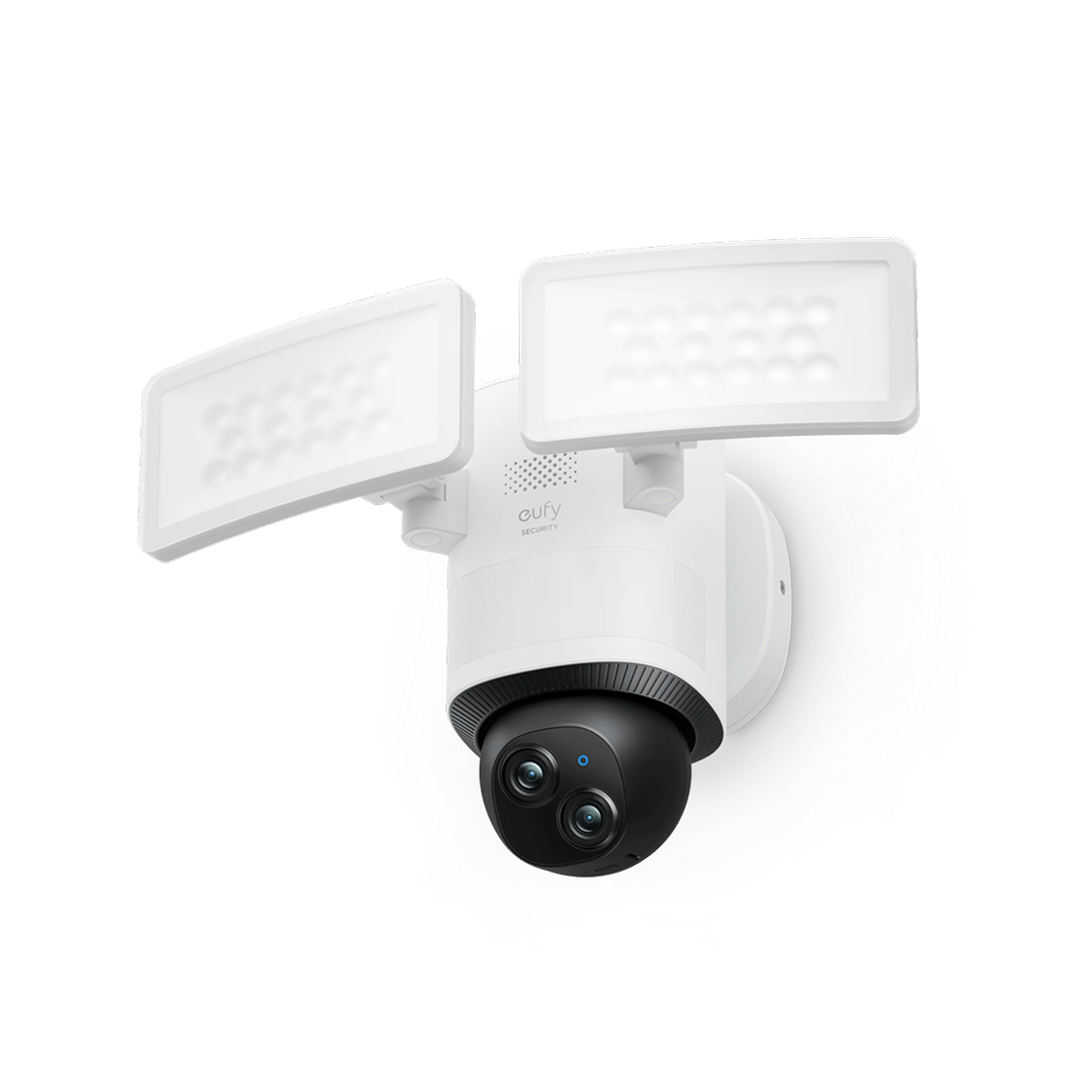
The current E340 page lists dual cameras, up to 2,000 lumens, local storage options and continuous-recording support. Its official FAQ specifies the powered installation and explains storage requirements. Confirm the regional variant and supplied accessories rather than assuming every bundle includes identical components.
The product illustrates the appeal of one coordinated system. It does not establish that the ideal camera location is wherever an old floodlight happens to be. Its pan-and-tilt capability also does not mean every direction is recorded with equal detail at the same time.
A separate-camera example
A suitable outdoor plug-in or PoE camera can watch the entrance from a position chosen for detail, while an approved motion light illuminates the approach from another angle. The light does not have to be a smart device unless remote or coordinated control serves a real purpose.
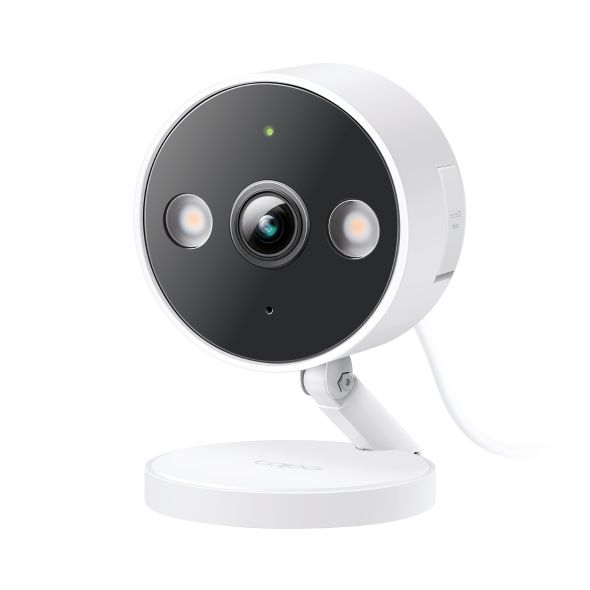
The camera’s small built-in lights, if fitted, are not necessarily replacements for the illumination needed across a driveway. Specify each job separately: light the walking area adequately, and record the required subject with usable detail.
Compare two layouts for the same driveway
The existing approved light position supplies the floodlight camera. Lamp heads aim across the approach; the lens covers the driveway entrance. Test whether the mounting height still captures the face or vehicle detail you need.
The overhead light remains at a useful illumination height. A separate camera watches the approach from a lower, more direct angle with its own approved power route. The extra installation is justified only if that view adds useful detail.
These are conceptual arrangements, not electrical diagrams or universal mounting instructions. In Layout A, the convenient existing power location may settle the decision. In Layout B, an additional cable route can be worthwhile because the camera no longer compromises its view to share the lamp’s location.
Check the camera angle before comparing lumens
A high-mounted fixture can illuminate a path well while providing a steep angle on visitors. A wide view can show the whole driveway but leave distant subjects too small. Neither issue is fixed automatically by a brighter lamp or a higher-resolution label.
Have a consenting person approach normally, stop at the relevant point and move away. Review an original saved clip. Do not judge identification from a still photograph where the person deliberately looks up at the camera.
Our camera-placement guide separates overview and close-detail tasks. If one position cannot meet both, a second view or different architecture may be better than buying the most expensive combined fixture.
Illumination quality is more than maximum output
Lumen output describes light quantity, not how well it falls on the subject. Beam distribution, aiming, distance and nearby reflective surfaces affect the actual scene. A powerful lamp shining toward the lens can reduce useful detail through glare.
Separate lighting can be positioned off-axis where suitable, while an integrated device may offer enough lamp-head adjustment for the same purpose. Check the actual mechanical range and permitted mounting orientation. Do not assume a fixture can be rotated into any position without affecting its weather protection.
Keep light directed at your intended area rather than neighboring windows. A setting that makes the yard look impressively bright may be intrusive or unnecessary for the camera’s task.
Motion-light timing and the start of an event
A light that activates after somebody reaches the camera may leave the approach dark. The camera may also take a moment to adjust exposure when the lamp turns on. Test the transition as well as the brightly lit portion of the recording.
Check whether the camera records continuously, uses a pre-event buffer or wakes only after detection. These modes can have very different results even with identical light timing. Our motion-detection guide explains how capture, classification and notification differ.
For separate devices, the light’s detector and camera’s detector can cover different areas. That is not automatically bad, but it needs deliberate commissioning. A light switching on for passing road traffic should not force the phone to announce every lighting change.
Night vision after the light turns off
Check what the camera records between light activations. A supported infrared mode may provide monochrome video, or the scene may remain lit by another source. Continuous color night vision is not guaranteed by the words floodlight camera.
Compare a moving subject with a stationary one. A long exposure can make an empty driveway look bright while blurring the person entering it. The useful setting may look less spectacular in a still preview but preserve movement better.
Use our night-vision commissioning plan and blur diagnosis before treating the choice of fixture as the only determinant of image quality.
Electrical compatibility can decide the purchase
A replacement light fitting must suit the supply, mounting box, environmental exposure and local electrical requirements. An existing floodlight does not prove that every camera fixture can be installed in its place unchanged.
Use a qualified installer where required. Ask whether the camera needs continuous power and what happens if someone uses the existing wall switch. A camera connected to a routinely switched-off lighting circuit can disappear every time the household thinks it is only turning off the lamp.
Do not improvise mains connections or leave indoor adapters exposed outside to save installation cost. Obtain a quote covering safe power, weather protection and the finished operating routine, not only the time needed to screw the fixture onto the wall.
Internet, accounts and lighting independence
Verify what happens when broadband fails. A camera may keep recording locally while remote controls stop. A separate conventional motion light may continue its ordinary behavior independently, but a smart automation can have different dependencies.
Ask about normal light control when the app is unavailable. Occupants should not need to recover a cloud account merely to understand how an essential walking route is illuminated. Keep the permitted manual controls documented.
Our offline camera guide distinguishes local recording from remote access. Two separate devices are not fully independent if both lose the same supply, router or control service.
Compare complete installation and ownership costs
Include the fixture or camera, lighting, compatible storage, wiring work, mounts and recurring services. An integrated device can save some installation work when the location is already suitable. Separate equipment can save later replacement expense if only one component needs changing.
Consider an illustrative integrated setup: $220 hardware, $25 storage and $120 fitting equals $365 before tax. A hypothetical separate setup with an $80 camera, $60 light, $25 storage and $180 installation totals $345. These invented figures do not establish which is cheaper locally; they show why the labor scope can change the apparent hardware advantage.
Then add any service you plan to keep. A hypothetical $5 monthly camera subscription adds $300 over five years. Compare the required recording and notification features, not the cloud trial offered during setup.
Repairability and support life
Ask whether lamp components are replaceable and how warranty service is handled. If one function in a combined product fails, you may need to remove the whole fixture. A separate arrangement can allow the camera to be upgraded without changing satisfactory lighting.
Separate equipment can also create more parts, accounts and service responsibilities. The modular option is not automatically simpler. Decide who will maintain firmware, clean the camera cover and investigate a failed sensor or lamp.
For equipment mounted high, include access costs. Repeatedly hiring someone to reach a fixture can outweigh a modest purchase-price difference. Choose a location that supports both security and practical maintenance.
False alerts and nuisance lighting
Inspect what triggers each function: image motion, PIR sensing, person classification or a linked automation. A camera’s person filter may govern notifications without controlling the light in exactly the same way. Read the actual settings for the model.
Test ordinary pets, vehicles and vegetation movement without trying to eliminate every event through extreme thresholds. An adjustment that stops nuisance activation but misses the intended visitor is not a successful compromise.
Our false-alert guide provides a before-and-after log. Use a similar log for lighting so you know whether a change affected recording, notification or only lamp activation.
Which arrangement suits common homes?
A suitable existing light above a modest driveway: an integrated model can be a straightforward comparison. Confirm the camera angle, permanent power and local storage rather than assuming compatibility from the bracket alone.
A tall garage with a close pedestrian doorway: separate equipment may let the light remain high while the camera captures a more useful view. Price the safe second power route before committing.
A renter or a property without permitted wiring changes: neither hardwired option may be appropriate. A permitted battery or plug-in camera with existing suitable lighting can be more realistic, provided its recording limits meet the task.
A multi-camera property: a coordinated PoE recording system with independent lighting may be easier to maintain than several unrelated floodlight accounts. Our PoE comparison helps price that architecture.
Final acceptance checklist
- Verify the installed electrical arrangement and permitted manual controls.
- Record a normal approach before, during and after light activation.
- Check the face or object detail at the actual required position.
- Confirm storage, retention and an original clip export.
- Test relevant alerts and the documented offline behavior.
- Check glare, neighboring privacy and nuisance activation.
- Record maintenance access and warranty responsibilities.
The better setup is the one that passes these tests at your property. One integrated box can be convenient; two independently placed components can be more flexible. Neither advantage replaces verification.
Frequently asked questions
Is a floodlight camera better than a normal camera?
Only when integrated lighting and the shared position suit the job. A separate camera can provide a better angle or fit an existing recording system.
Does a floodlight camera record continuously?
Some models support it with the required power and storage. Others save events. Check the exact specification rather than the product category.
Can I turn off the light without turning off the camera?
Often through supported controls, but verify the model and electrical arrangement. Switching off the common supply can disable both.
Which costs less over time?
Compare installation, storage, subscriptions, support and component replacement. Hardware price alone does not settle the answer.


