Garage Door Opens by Itself? Separate Commands, Reversals and Reporting Errors
.sl-garage table{border-collapse:collapse;width:100%;margin:24px 0}.sl-garage th,.sl-garage td{border:1px solid #bdcbd0;padding:12px;text-align:left;vertical-align:top}.sl-garage th{background:#eef4f2}.sl-garage .table-scroll{overflow-x:auto}.sl-garage figure{max-width:760px;margin:28px auto}.sl-garage img{max-width:100%;height:auto;display:block;margin:auto}.sl-garage figcaption{font-size:14px;line-height:1.6;color:#425c63;padding-top:10px}
An unexpected garage opening is worth investigating promptly, but it is not automatically evidence that someone has hacked the system. A remote button can be stuck, an authorized person can issue a command, a control circuit can fail, or a door can reverse while closing and appear to have reopened later.
First establish what physically happened: a fully closed door opened, a closing door reversed, or an app reported an open state that was not current. Those are different problems. Preserve the timing and available records, keep the opening safe, and follow the relevant branch rather than resetting every component immediately.
Make the situation safe before diagnosing it
Keep people and pets away from an unpredictably moving door. If there is an immediate threat, suspected intrusion in progress or someone at risk, move to safety and contact the appropriate emergency service. Do not confront a person based on an uncertain app event.
For repeated unexplained operation, contact a qualified garage-door technician or the responsible property manager promptly. Ask how the system should be made safe while preserving legitimate access. Do not leave an unreliable moving door available for unsuspecting occupants to activate.
Do not disconnect a raised, damaged or unbalanced door from its opener as an improvised precaution. The door may move under its own weight. Battery-equipped openers can also remain powered after the mains plug is removed, so safe isolation requires the correct procedure.
Distinguish three different events
| Observation | What to investigate | Evidence that helps |
|---|---|---|
| Door was fully closed and then opened | Control commands, enrolled access and electrical faults | Observed movement, command history and timestamps |
| Door started down and returned upward | Obstruction, safety sensors, travel or door condition | Recording of the complete closing attempt |
| App says open but the door is closed | Position sensor, reporting delay and connectivity | Current direct observation versus message time |
| Door was found open with no known previous state | Whether closure completed and later commands occurred | Earlier departure footage or a reliable timeline |
A short clip that starts with the door already open does not identify how it got there. Check the preceding period when available and avoid treating missing history as proof of unauthorized access.
Write a brief event log
Record the date, time, observed position, who was home and which controls were nearby. Note recent installation, electrical, lighting, app or account changes. Separate direct observations from assumptions.
For example, door observed opening at 18:42 while both handheld remotes were on the kitchen counter is a useful observation. Hacked again is a conclusion that does not help a technician distinguish the command path.
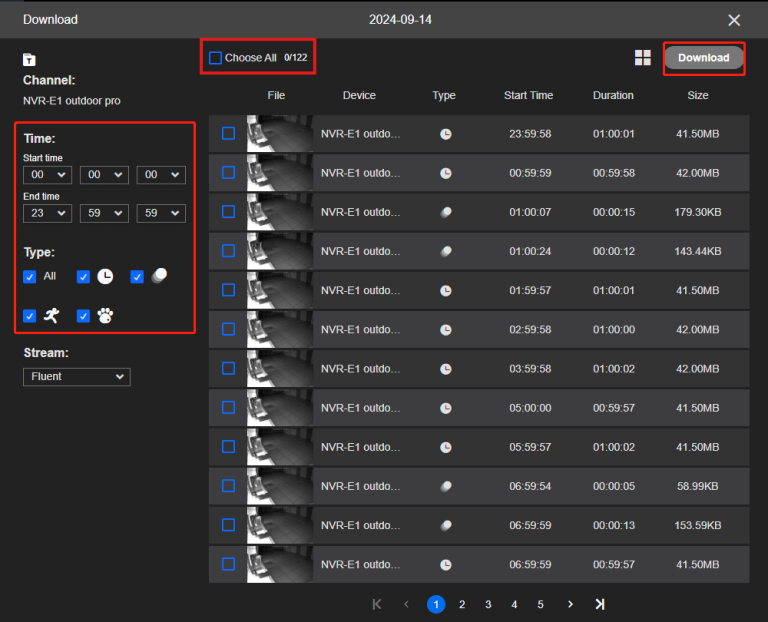
Preserve original camera footage and screenshots before retention expires. Our footage-export guide explains keeping the original file and relevant context. Check the camera and app clocks if their timestamps do not agree.
Inspect your own remotes for stuck buttons, damaged cases or placement where another object can press them. A handset in a tight console, pocket or crowded drawer can be activated without anyone intending to open the garage.
Chamberlain’s unexpected-operation guidance identifies a stuck remote button among the possible causes. It also discusses control and receiver faults, so finding no obvious button problem does not settle the diagnosis.
A controlled test of a suspect handset should follow the manufacturer’s procedure and preserve needed household access. Keep small batteries secure if a supported test involves removing one, and do not leave a dismantled remote available to children.
The everyday visor remote may not be the only radio control. Include vehicle-integrated buttons, spare handsets, wireless wall controls and keypads in the inventory. Ask authorized occupants what they used around the event time.
A newly programmed control can reveal a previously undocumented access arrangement. If a receiver supports showing its enrolled-device count, record that information before erasing it. A count alone does not identify the person who activated the door, but it can help support understand the setup.
Do not accuse a neighbor simply because their garage operated at a similar time. Shared timing is not proof of shared enrollment or deliberate misuse.
Accidental enrollment is different from a universal remote opening any door
A receiver can sometimes have an unintended control enrolled during a programming session. That is different from claiming any nearby remote with the same frequency can open it. Coding, protocol and authorization matter.
The Chamberlain guidance specifically describes inadvertent enrollment as a possible cause. Where the evidence and official procedure justify clearing radio memory, prepare to re-enroll the devices you intend to keep. Avoid repeated speculative programming that makes the inventory less clear.
Our remote-control guide explains compatibility and the difference between starting a pairing process and erasing stored controls. Use the exact model instructions rather than a generic timed button press.
Review connected users and integrations
Check who has authorized access to the opener’s app and any separate controller account. Include installers, previous occupants and people whose temporary access was never removed. Ask what permissions each role actually carries.
myQ’s user guidance distinguishes owner and shared roles. A broadly privileged co-owner is not the same as a restricted entry user. Review permissions through the official account rather than sharing one owner password across the household.
Use a trusted device to secure the controlling account if there is concrete evidence of unfamiliar access. Review sessions, invitations and recovery methods according to the provider. An unexplained movement alone does not prove compromise, but unfamiliar account activity deserves prompt attention.
Check automation carefully without inventing capabilities
Identify the actual rules or services connected to the opener. A reminder notification, automatic closing rule and action that opens the door are not equivalent. Do not assume a native app provides every automation described in a third-party tutorial.
myQ’s schedule guidance describes the supported scheduling functions for its products. Check an enabled rule’s actual action and device, and review any separately authorized service through its own documentation.
Pause or remove an unnecessary authorized integration through the supported process, recording what changed. Do not disable every account feature at once and lose the ability to determine which component issued a command.
A wall console or its wiring can need service
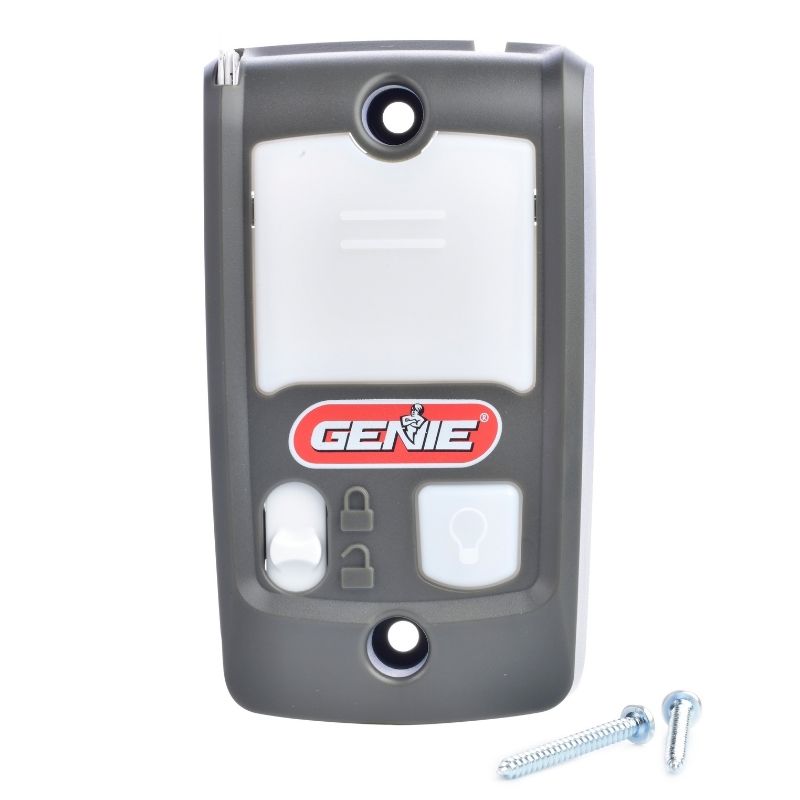
A damaged button, wiring fault or internal control problem can cause unintended signaling. Report recent water exposure, impact, renovation or wiring work. Do not open powered equipment or bridge terminals to reproduce the fault.
Have a qualified technician distinguish wall-control wiring from the safety-sensor circuit and use the correct diagnostic procedure. Similar-looking low-voltage wires can perform very different functions. Disconnecting the safety system is not an acceptable isolation test for ordinary users.
Keep any required backup power in the isolation plan. The battery guide explains why unplugging the mains supply does not necessarily remove every source of operation.
Check whether the door reversed instead of reopening later
Watch the complete recorded departure when available. A door can begin closing after someone drives away, encounter an obstruction or fault, then return upward before anyone notices. That event is different from a closed door receiving an unexplained opening command hours later.
Use the closing and reversal guide for that pattern. It separates sensor issues, sunlight, obstructions, travel and mechanical defects without treating higher force as the solution.
Do not normalize a door that repeatedly reverses by sending another close command from the road. Identify the cause and verify normal closure while keeping the path clear and in view as the system requires.
App position is information, not direct observation
A retrofit system may use a separate sensor to estimate door position. A moved sensor, depleted battery, communication delay or wrong device selection can make status confusing. Compare the current physical position safely with the timestamp and source of the app message.
The controller compatibility guide explains the distinction between issuing commands and reporting position. A successful command acknowledgment is not always confirmation that the final intended position was reached.
Do not send repeated open-or-close commands solely to correct an uncertain display. Verify the scene or arrange an authorized local check, then use the manufacturer’s sensor and connection diagnostics.
Vacation mode is not a complete diagnosis
A documented lock mode can temporarily block certain inputs, but its scope varies. An integrated app, another controller or a faulty circuit may have different behavior from the handheld remote the mode blocks. Check the actual product before relying on it as a containment measure.
Our lock-mode guide also distinguishes temporary blocking from removing a credential. Restoring normal mode can make an enrolled missing remote usable again if it was never erased.
Do not engage a manual mechanical lock while leaving the opener free to drive against it. Any making-safe arrangement should preserve the door and legitimate emergency access and should follow appropriate professional advice.
When there are signs of intrusion
If you find damage, missing items or evidence that someone entered, contact the appropriate authorities and preserve relevant records. Keep personal safety ahead of inspecting the door. Do not publish accusations based on an ambiguous image or account label.
Review the garage’s other entry points and the connection into the house. A radio-access change does not repair a broken side-door latch. The garage-security guide treats those different routes together.
For a stolen remote associated with address documents or a vehicle, describe the circumstances accurately when reporting. Risk assessment should be based on what was actually lost, not exaggerated certainty about who can identify the property.
What to give the technician
Provide the opener, wall console and connected-controller models, a timeline and the controls already checked. State whether the door physically moved from fully closed, reversed during closing or only showed an incorrect app state.
Include service history and any readable diagnostics. Ask the technician to document the identified fault, the correction and which safety and control checks were performed afterward. A new circuit board should address evidence, not substitute for an explanation.
If an intermittent fault cannot immediately be reproduced, agree an appropriate safe operating arrangement and next diagnostic step. Do not accept a plan that simply leaves an unpredictable door active for days without considering the people using the garage.
Verify the cause, not merely a quiet afternoon
| Finding | Verification after correction |
|---|---|
| Stuck or damaged remote | Faulty device removed from use; intended controls still operate |
| Unwanted enrollment or permission | Supported removal completed and remaining access documented |
| Safety reversal | Correct normal closing and manufacturer safety tests |
| Control or wiring fault | Qualified repair and functional test of all relevant inputs |
| Incorrect position report | Observed position and current reporting agree through normal cycles |
Keep the record of what changed. A period without another event is reassuring, but it is stronger evidence when a specific cause was found and corrected rather than several unrelated settings being altered at once.
Frequently asked questions
Does this prove the opener was hacked?
No. Unintended commands, control faults, safety reversals and reporting errors are different possibilities. Investigate account evidence without assuming it explains every movement.
Can a neighbor’s remote cause it?
An accidentally enrolled device is one documented possibility, but proximity or matching timing alone is not proof. Review the receiver through the appropriate owner procedure.
Should I unplug the opener?
Ask the manufacturer or technician how to make the particular installation safe. Backup power and the door’s mechanical condition can change what simple disconnection accomplishes.
What should I do first?
Keep the area safe, establish the actual event and preserve its timing. Then inspect your control inventory and arrange service for unresolved or unsafe operation.