
Security Latest / Alarm guide directory
Start with the decision that needs attention: choosing a system, deciding who responds, selecting sensors or solving an alert that does not match what you can see. The guides below keep those questions separate.
This directory covers intrusion alarms and connected security monitoring. Smoke and carbon-monoxide safety have different requirements; use the relevant safety guidance rather than treating a burglar-alarm comparison as a complete fire-protection plan.
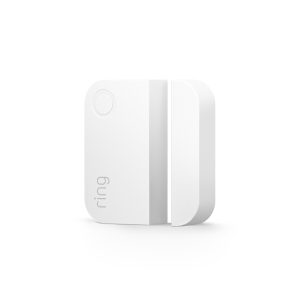
Choose the service as well as the equipment
A starter-kit comparison and a monitoring comparison answer different questions. Use the first group to work out the total arrangement you are considering before selecting individual sensors.
Who will respond?
- Self-monitored versus professionally monitored securityCompare what happens when you are asleep, away or unable to answer.
- Are home security systems worth the cost?Assess the functions and ongoing responsibilities rather than only the kit price.
What will it cost to keep using?
- Alarm systems without monthly feesCheck which remote functions and history remain after a trial.
- Spend less on the security you actually needPrioritize useful repairs and equipment rather than overlapping purchases.
Buying cameras as well?
The camera ownership-cost calculator compares equipment, installation and recurring costs for two camera arrangements. It is not an alarm-dispatch service quotation. Keep the prices and functions you are comparing specific to the system.
Match each sensor to the event
Use the sensor comparison before choosing where individual devices go. The pet-related guide then addresses households where normal movement can complicate a motion-based arrangement.
- Glass-break sensor, window contact or motion detector?Compare what each is intended to detect and where the coverage overlaps.
- Pet-friendly motion sensorsCheck the actual model, mounting and household conditions instead of relying on a pet-friendly label.
- Window security before adding sensorsInspect the opening, lock and required escape function as part of the wider decision.
- Record the inspection and assign repairsUse the home checklist to distinguish equipment you have checked from equipment you merely own.
Identify where the alert comes from
A door contact, a camera’s motion notification and a recorder buzzer can look related on your phone while having different causes. Choose the matching diagnostic guide rather than changing every setting together.
Door status and ordinary movement
- Sensor says open when the door is closedCheck alignment, mounting, batteries and communication for the identified system.
- Camera sends too many motion alertsUse the separate camera guide for rain, insects, shadows and headlights.
- Camera misses the eventDistinguish detection, recording and push notifications.
Warnings and connection problems
- Camera or NVR keeps beepingIdentify recorder and storage warnings before muting them.
- Check the home networkReview supported configuration without removing network protection to make a device connect.
- A connected camera is offlineUse the power, network and recorder checks appropriate to that device.
Move in, take over or change the property
Begin with an inventory of the equipment and legitimate controlling accounts. The takeover guide is the right starting point when a panel and sensors are already fitted; the property guides help place that system within the home’s other needs.
- Keep, take over or replace an existing alarmIdentify the panel, sensors, communicator, service and ownership-transfer questions.
- Apartments and shared entrancesSeparate what residents can change from building-management responsibilities.
- Remote and seasonal propertiesPlan communication, maintenance and a realistic local response.
- Build the wider home-security planConnect physical protection, detection, evidence and response.
Before you call the setup finished
Use the product and monitoring provider’s approved test procedure. Check the intended event, who receives the warning and how the system returns to ordinary use; coordinate testing with any service that could treat an alert as real.
Keep a record of the owner account, authorized users, support contacts and maintenance responsibilities. Review what changes during a power or communication interruption rather than assuming every connected component shares the same backup.
For cameras used to assess an alarm, the camera backup-power guide explains the separate equipment path. For home hazards outside intrusion monitoring, start with the home-safety checklist and kitchen fire-safety guide.
Follow the next question, not another bundle
Return to the relevant comparison when your household, pets or property use changes. Our editorial policy explains how the guides use documented specifications and distinguish researched advice from hands-on testing claims.