Garage Door Opener Battery Backup: What Works in a Power Cut and What to Check
.sl-garage table{border-collapse:collapse;width:100%;margin:24px 0}.sl-garage th,.sl-garage td{border:1px solid #bdcbd0;padding:12px;text-align:left;vertical-align:top}.sl-garage th{background:#eef4f2}.sl-garage .table-scroll{overflow-x:auto}.sl-garage figure{max-width:760px;margin:28px auto}.sl-garage img{max-width:100%;height:auto;display:block;margin:auto}.sl-garage figcaption{font-size:14px;line-height:1.6;color:#425c63;padding-top:10px}
A backup battery can keep a compatible garage-door opener usable when the mains supply fails. It does not necessarily keep the opener’s lights, Wi-Fi, separate smart controller or home router working. Someone who has tested only the app on a normal day can therefore be surprised even when the door motor’s battery is healthy.
Check the exact opener’s supported battery, retrofit requirements and outage behavior before buying. Then test the intended local entry method and maintain the battery through the manufacturer’s procedure. This guide separates the motor backup from the wider access system, so you know what an outage plan actually provides.
What the backup battery is intended to do
A manufacturer-supported battery system supplies the compatible opener during a loss of its normal power. The arrangement may be integrated into the opener or supplied through a specified external unit. The charging circuitry, battery connection and operating behavior are designed as part of that system.
For example, Genie’s Pro battery-backup guidance explains that supported models can move more slowly and disable some convenience functions while retaining their safety functions. Those details apply to the equipment covered by the guidance; another manufacturer’s motor or accessories can behave differently.
The important question is not simply whether a battery is fitted. Ask whether it is charged, suitable for that opener and able to provide the functions you expect during the conditions at your garage.
Identify the separate batteries and power supplies
The garage may contain a motor backup, a coin cell in a remote, a keypad battery and a battery-powered door-position sensor. Those are different components. A low-battery message in a smartphone app does not automatically mean the large opener backup has failed.
| Component | Possible power source | What its battery does not automatically supply |
|---|---|---|
| Door opener | Mains plus approved backup | Router, unrelated lighting or an external smart hub |
| Handheld remote | Its specified small battery | The motor moving the door |
| Wireless keypad | Its specified local battery | The opener or home’s internet connection |
| Door-position sensor | Model-specific battery or integrated supply | Every other part of the smart-control system |
| Router and separate controller | Normal electrical supply or their own approved backup | Automatic continued service from the opener’s battery |
Write down which device issues a warning before ordering a replacement. The model and exact message usually matter more than the fact that the app uses a picture of a garage door.
Can you add backup to an existing opener?
Sometimes, but the answer is model-specific. An opener sold with an optional backup arrangement may accept the corresponding accessory, while another needs a factory-equipped version or does not support a later retrofit. A spare-looking socket is not approval to connect a battery.
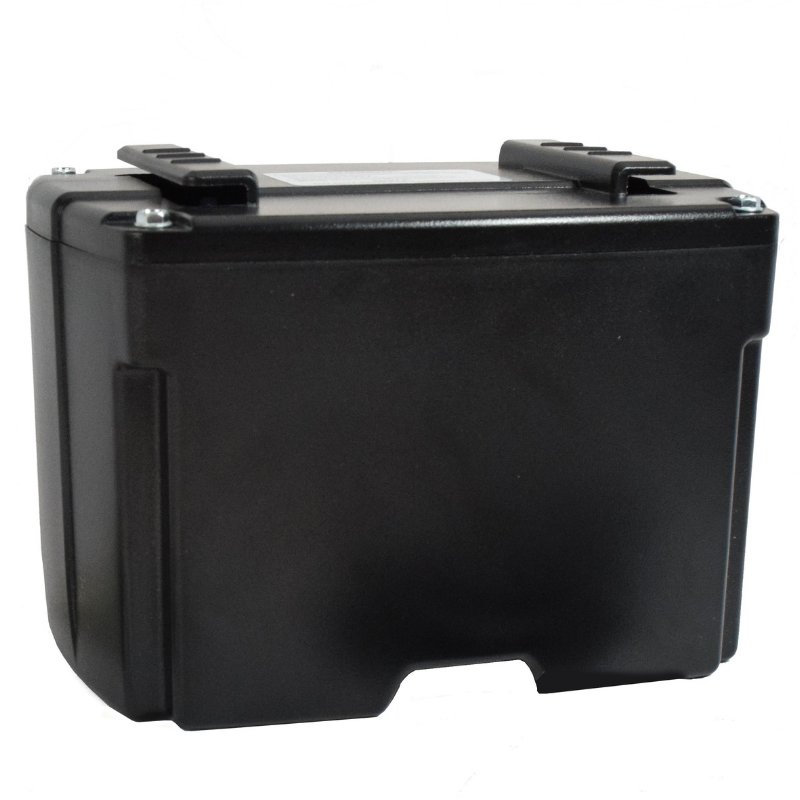
The Genie 41590R product listing names compatible opener families and exclusions. Check the actual model and serial requirements through current support rather than relying on an older blog’s broad claim about every motor made after a particular year.
If backup is essential and the current opener cannot support it, compare a suitable replacement with the other work the garage needs. Our drive-type guide and mounting comparison help keep that equipment decision focused on the real door.
How many operations will the battery provide?
Use the claim for the exact model and read its conditions. Battery state, temperature, age, door condition and time since charging can affect the practical result. An advertised maximum is not a promise of unlimited normal operation throughout an extended outage.
Chamberlain’s backup-battery guidance gives an example of up to 20 full cycles during 24 hours of standby at room temperature for the arrangement it describes. A full opening-and-closing cycle is not the same counting unit as one movement. Do not compare competing advertisements until their units and test conditions match.
During an outage, avoid repeatedly cycling the door just to demonstrate that the battery works. Preserve capacity for necessary access and use the normal safety procedures. A declining charge is a reason to plan, not to defeat protection so the motor works harder.
Backup power cannot compensate for a defective door
The counterbalance system should make the door operate correctly within its design. A damaged spring, cable, track or bracket can create a serious hazard and an abnormal motor load. Installing a larger battery or stronger opener does not fix that underlying defect.
Clopay’s spring-system explanation describes the relationship between counterbalance and controlled door movement. Have a qualified technician assess unusual resistance, uneven travel or damaged cables rather than adjusting those components yourself.
Record how the door behaved before the outage. A mechanical symptom that was present on mains power should not be reclassified as a battery problem simply because the motor now moves more slowly.
Local controls and app access need separate tests
A local radio remote communicates with the opener differently from a cloud-connected phone. Depending on the product, the local control may continue to operate while Wi-Fi features are unavailable. A separate retrofit controller may also lose power independently.
Do not assume a router UPS restores features the opener itself intentionally disables in battery mode. Conversely, a functioning Wi-Fi connection does not prove the motor has usable backup power. Those are different parts of the access path.
The smart-controller guide explains how command, position and account functions can be separate. Test the combination you own rather than copying an outage claim from another ecosystem.
Read the correct warning indicator
Some openers beep while running on battery, when the charge is low or when replacement is needed. The beep pattern and light color are model-specific. A similar sound from a nearby smoke or carbon-monoxide alarm must not be dismissed as an opener warning.
Locate the source and consult its status table. Note whether normal mains power is present and whether the opener recognizes it. A healthy battery can be discharging because its outlet is not supplying power, while an unhealthy battery can sit unnoticed until a real outage.
Do not disconnect a warning device simply to make the garage quiet without understanding what will be unavailable. Follow the manufacturer’s temporary and permanent response instructions, and tell other occupants when backup is out of service.
A controlled outage test
Use the opener manufacturer’s approved procedure and choose a safe moment with the opening clear and another legitimate access route available. Read the manual before disconnecting anything. Do not conduct the test while the door has a known defect, during an active emergency or while equipment is being serviced.
Confirm the expected battery indicator, local control and movement. Check whether the required safety functions remain operational through the prescribed tests. Keep people and pets out of the travel area, and never use a body part to check reversal.
Restore normal supply and verify the charging or normal-status indication. Record the result and any missing feature, such as an unavailable app. A test that ends with the power lead still disconnected is not a successful maintenance routine.
Manual access needs preparation too
The opener’s emergency release is a separate function from battery backup. Learn the correct procedure before an outage with the installer or exact manual. A raised, damaged or unbalanced door can move dangerously when disconnected from its opener.
Do not pull a release on a door hanging crookedly, with a suspected broken spring or under load merely because the motor stopped. Keep clear and obtain professional assistance. An article cannot determine whether that particular door is safe to disengage.
Households with limited mobility or no ordinary pedestrian garage entrance should plan authorized access carefully. The fact that a mechanism can be released does not establish that every occupant can safely lift and control the door afterward.
Battery replacement is not a universal wiring job
Use the specified replacement and the manufacturer’s isolation procedure. Disconnect all relevant power sources before supported service, including the backup itself where instructed. Unplugging mains power does not necessarily make the opener electrically inactive.
Inspect for swelling, leakage, damaged wiring or heat before proceeding. Do not improvise terminals, substitute an unrelated battery chemistry or attempt to recharge a damaged unit with a generic charger. Arrange suitable service when the condition or procedure is uncertain.
Follow the approved recycling route for the battery type. Keep replacement records so future troubleshooting can distinguish a recently installed unit from one whose service history is unknown.
Why a general computer UPS is a different question
A UPS intended for ordinary electronic loads should not be assumed suitable for a garage-door motor’s starting demand or control requirements. The inverter output, peak load and manufacturer’s approval matter. A calculated watt-hour total alone is not enough to specify a safe arrangement.
Compare the opener’s supported backup first. For a specialist external power design, obtain advice appropriate to both pieces of equipment and the electrical installation. Do not run a portable generator inside or near openings to power a garage.
If your goal is keeping cameras and networking online while the door uses its own battery, see our camera backup-power guide. That separates electronic monitoring loads from motor operation.
Decide whether the feature is valuable for your household
Consider how often power interruptions affect access, whether someone can safely use the normal manual arrangement and whether another entrance is available. A reliable backup may be particularly useful where manually moving the door is impractical. It still needs maintenance.
Compare local purchase and installation requirements, including any regional rules that apply to replacement openers. Do not use a generic online article as a statement that a product meets every building or regulatory requirement.
A hypothetical $70 replacement battery and $90 service visit cost $160; a newly installed opener with integrated backup is a different purchase. Use actual local quotations and compare the work needed, rather than deciding from battery price alone.
A useful maintenance record
| Record | Purpose |
|---|---|
| Opener and battery model | Confirms the intended pairing |
| Installation or replacement date | Gives support a service history |
| Observed status and warning | Distinguishes charge, supply and failure conditions |
| Approved test result | Confirms the functions actually available |
| Local entry fallback | Avoids relying exclusively on online access |
| Next required attention | Follows the maker’s maintenance guidance |
Store the record somewhere accessible without entering the garage. Include the installer’s contact details and explain the basic outage arrangement to other authorized users.
Frequently asked questions
Can any garage opener accept a battery?
No. Verify the exact opener and approved retrofit options. Some designs cannot be upgraded later in the same way as others.
Will Wi-Fi and lights keep working?
Not necessarily. Battery mode can disable convenience functions, and separate hubs or routers need their own supply. Check the actual system.
Should I silence the battery alarm?
Identify the warning first and follow the manufacturer’s instructions. A quiet opener with failed backup is not the same as a repaired one.
What is the most important test?
Verify the supported local operation and safety functions during the approved battery test, then confirm normal charging resumes. The presence of a battery enclosure alone proves none of those things.