How to Install a Video Doorbell Without Existing Wiring: Three Practical Options
You do not need an existing doorbell circuit to install every video doorbell. A suitable battery model can operate without it. Some wired models can use a manufacturer-approved plug-in supply. A new professionally installed circuit is the third option when you want a permanent powered arrangement.
The important decision is what the whole system must do. Charging convenience, continuous recording, indoor chimes and permitted mounting can point toward different products. Choose the power and sound arrangements before buying rather than discovering that a battery doorbell still needs an extra indoor speaker or that an adapter is incompatible.
Choose between the three installation paths
| Approach | Best starting situation | What you must accept or arrange |
|---|---|---|
| Battery doorbell | No suitable cable route; event recording is sufficient | Charging access, supported indoor alerts and battery maintenance |
| Approved plug-in power | A safe outlet and permitted low-voltage cable route are available | Exact electrical compatibility, cable protection and the correct operating mode |
| New wired installation | Permanent setup with a suitable powered doorbell | Qualified electrical work, local requirements and any transformer or chime changes |
A solar accessory is usually a way to support a particular battery arrangement, not a universal fourth type of doorbell circuit. It also needs adequate light and compatible hardware. Do not assume it converts event-only recording into a continuous timeline.
Option 1: fit a supported battery doorbell
Battery power is often the least disruptive route when there is no existing wiring. Check how the battery is charged: some models use a removable pack, while others require removing the whole doorbell. That difference affects both convenience and the time the entrance is not being recorded.
Choose the mounting position before attaching anything permanently. The camera should show the expected visitor and relevant doorstep area, and the button should remain practical to reach. A narrow doorframe or deep porch recess may require a manufacturer-compatible wedge or bracket.
Use the product’s intended fixings and the appropriate permission for a rented or shared entrance. A no-drill mount still needs a suitable surface and environmental conditions. It is not a promise that every adhesive will hold on textured masonry, wet paint or a moving door.
What a battery installation does not automatically include
A camera at the door does not necessarily ring inside the house without another configured device. Check whether the kit includes a plug-in chime, uses an existing supported hub or relies on phone notifications and a compatible smart speaker.
Also verify recorded history after any trial. A free live view can be useful for answering visitors but does not provide evidence from an event nobody watched. Storage and detection features should be chosen alongside the power arrangement.
For the broader choice between an entrance intercom and a separate camera, see our doorbell-versus-camera guide. The fact that a product is easy to mount does not establish that it is the right view for a long side passage.
Option 2: use an explicitly compatible plug-in adapter
Some doorbells support a dedicated adapter that connects to an ordinary outlet and supplies the power the device requires. This avoids relying on a pre-existing doorbell transformer, but it still creates a cable route that must be safe and permitted.
Ring’s installation overview describes battery models and compatible plug-in arrangements for entrances without existing wiring. Its adapter listing identifies supported models. Use the exact regional compatibility list rather than assuming any adapter sold for doorbells works.
Match voltage type, output, connector and installation requirements through the manufacturer’s instructions. A physical fit or similar number on the label is not enough. Do not join an arbitrary household supply to the doorbell or attach low-voltage equipment directly to mains wiring.
Plan the adapter location and cable route
Identify where the adapter is permitted to operate and whether the included cable reaches without unsafe extensions. An outdoor doorbell does not make its indoor power adapter weatherproof. Protect connections according to the instructions and avoid pinching a cable in a door or window.
Keep the route away from walking paths and accessible loops that could be pulled by a child or pet. Do not drill where you cannot assess concealed services or the building material. A route through a managed fire door or common area may require approval or a different solution.
If no appropriate path exists, choose a battery model or obtain a professional quote. A cheap adapter loses its advantage if making it safe requires improvisation the manufacturer does not support.
Option 3: install a permanent powered system
A qualified installer can assess a new circuit, compatible transformer and any intended chime. This may be worthwhile when you want a supported always-powered device or are already renovating the entrance. Obtain a quote describing the complete scope rather than only the price of attaching the doorbell.
Ask who is responsible for local permits, electrical compliance, making good the wall and testing the finished system. The correct work depends on the country, building and product. Do not copy a wiring diagram from another regional version simply because the device has the same brand.
Have the installer demonstrate visitor calls, indoor sound and normal recording. A working power indicator does not prove the chime or desired recording mode is correctly configured.
Wiring a battery model may only maintain its charge
Some battery doorbells remain battery-operated when attached to a compatible supply. The supply provides a trickle charge rather than changing the device into a different wired model. Heavy activity or charging-temperature limits can still affect battery condition.
Ring’s hardwiring guidance explicitly describes this distinction for its supported battery devices. Do not remove a required battery or expect new recording capabilities solely because wires are attached.
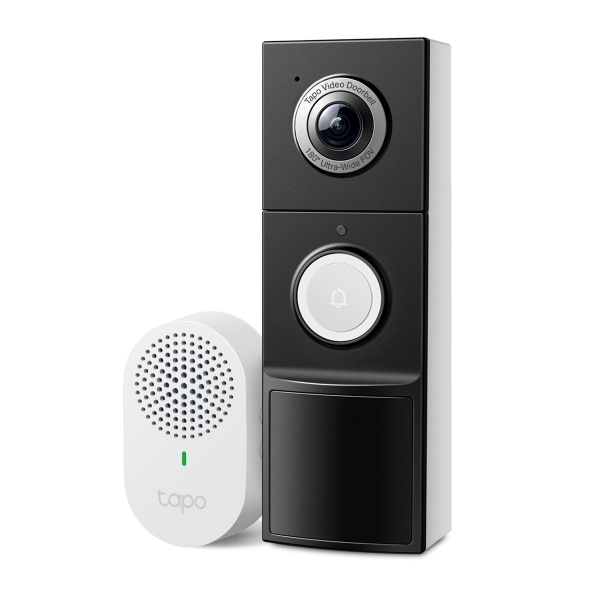
Other products have a separate wired operating mode with different features. The Tapo D225 is an example where the configuration matters. Read the exact model instructions, including any chime bypass requirements, instead of generalizing across brands.
Plan how the household hears the bell
Write down who needs to hear a caller and where they usually are. Phone-only alerts can be inadequate when a phone is charging upstairs, muted or unavailable to an occupant. A compatible indoor chime can provide a simpler shared signal.
An old mechanical chime is not automatically compatible with a new device. Some wired doorbells require it to be bypassed. A plug-in electronic chime with the same brand name may be a completely separate network accessory rather than a replacement electrical component.
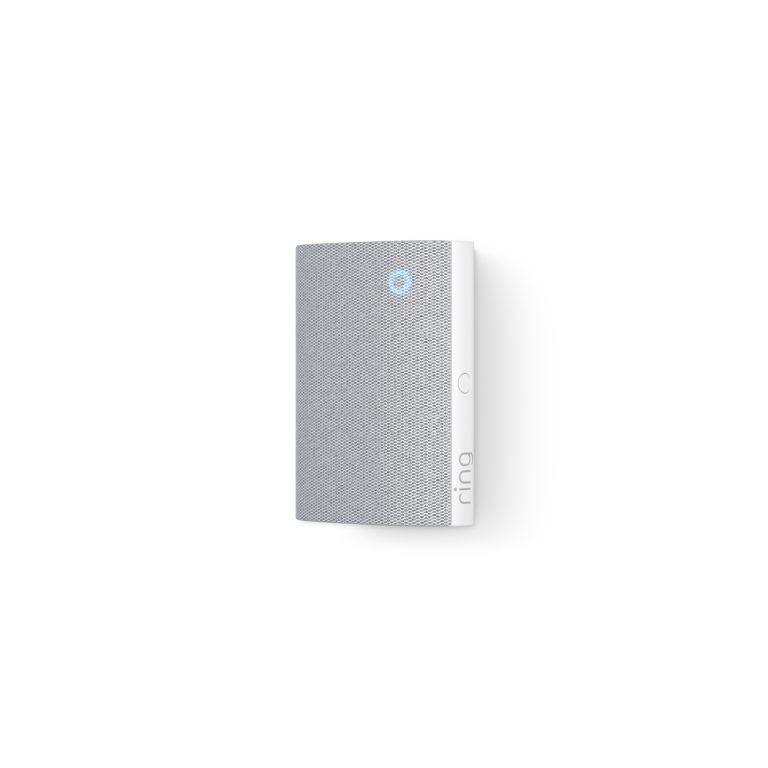
For Ring-specific symptoms, our indoor-chime troubleshooting guide distinguishes mechanical chimes, plug-in Ring Chimes, smart speakers and phone alerts. That is more useful than calling all four the bell.
Check the view before choosing a mounting height
Follow model-specific placement guidance and test the actual entrance. A universal height copied from another camera can cut off packages or show the wrong part of a visitor. Step distance, lens shape and wall recess all affect the result.
Temporarily hold or mount the device using a supported safe method. Have a consenting helper approach from each normal direction, press the button and stand where visitors wait. Place a parcel where deliveries are left and inspect the saved image.
Repeat after dark under normal porch lighting. Glass, pale walls and overhead lights can create reflections. Use our placement acceptance test before committing to drilling or adhesive installation.
Wi-Fi at the door can differ from Wi-Fi indoors
Test the doorbell at the final position with the entrance shut. Masonry, metal and the layout between it and the router can affect the link. A successful setup on a kitchen table is not proof of stable outdoor operation.
Review supported bands and security modes using the exact product documentation. Do not create an open network or expose the device to the internet as a shortcut when enrollment is difficult. A correctly placed access point may be more useful than repeatedly buying a stronger-looking doorbell.
For a shared building network, ask whether such equipment is permitted. Captive-portal Wi-Fi and managed isolation can require a different authorized setup. Do not assume a consumer device will work on every network that accepts a phone.
Recording requirements may decide the power choice
Ask whether you need only visitor events or an uninterrupted history. Many battery arrangements prioritize event clips; certain wired models or modes support continuous recording. Check the exact combination of hardware, storage and service.
Our continuous-doorbell recording guide compares those distinctions. Do not infer recording mode from the words always on, hardwired or live view. An uneventful minute should be playable later if a full timeline is part of your requirement.
For local storage, check included capacity and supported media. For cloud storage, include the plan you will retain after a trial. Installing without wiring does not mean the camera has no recurring costs.
Budget for the complete entrance
| Cost item | Battery route | Plug-in or new wiring |
|---|---|---|
| Doorbell | Exact battery model and required pack | Model explicitly supporting the intended supply |
| Indoor sound | Compatible chime or supported speaker | Compatible chime, bypass arrangement or separate accessory |
| Mounting | Approved mount and surface preparation | Mount plus protected cable route |
| Power maintenance | Charging and possible spare battery | Approved adapter or professional electrical work |
| Video history | Supported local storage or chosen plan | Supported local storage or chosen plan |
For an illustrative comparison, a $130 battery doorbell plus a $35 chime and $20 storage allowance totals $185 before taxes and optional services. A hypothetical $120 wired model plus a $30 approved adapter, the same $35 chime and $40 of permitted mounting work totals $225. These are planning examples, not current quotations or universal installation prices.
The cheapest hardware can become the more expensive usable setup. Ask what is included and whether the quoted arrangement delivers the recording and indoor sound you actually need.
Renters and apartments
Obtain the required permission for drilling, adhesives, cable routing and shared-area recording. A no-drill accessory is not automatically acceptable on a managed entrance. Removing a viewer or changing a rated door can also affect its intended function.
Keep the view limited to the legitimate task and review audio separately. A doorbell facing several neighboring entrances can collect more information than needed for identifying your own caller. An optical viewer or limited intercom may be a better fit in some buildings.
Document ownership and removal arrangements. When moving out, transfer or remove accounts through the manufacturer’s supported process and restore the entrance as agreed. Do not leave a device linked to an old occupant’s account.
Commission the entire system
- Confirm safe power or charging and the approved mounting arrangement.
- Press the button and check every intended indoor recipient.
- Answer from a phone using mobile data away from home Wi-Fi.
- Record a visitor approach and a delivery position in daylight and darkness.
- Play and export the expected history from the chosen storage.
- Check low-battery or lost-connection warnings and the household response.
- Save the model, installation instructions and account-recovery details securely.
A doorbell is ready when its normal household workflow works, not merely when the setup wizard says connected. Test during the return period so an unsuitable product can be changed before it becomes a permanent compromise.
Frequently asked questions
Can I install a video doorbell with no wires at all?
A supported battery model can avoid an external power cable. It still needs charging, an appropriate mount and any required network or chime arrangement.
Will any plug-in adapter work?
No. Use the exact manufacturer’s compatibility and regional electrical requirements. A matching connector is not proof of a safe supply.
Does hardwiring remove battery maintenance?
Not on every battery-based model. Some arrangements provide only a trickle charge. Check the documented operating mode.
Do I need an electrician?
Battery mounting may not involve electrical work, but new circuits, uncertain wiring and some permanent installations require qualified help under local rules. Choose the appropriate installation rather than improvising.